Validate visitor tracking on a plumbing service page before using its records
Before asking staff to review plumbing visitors, prove what your own installation collects on the pages that matter. A script appearing in a theme does not prove the full request journey works.
Steps
-
Connect the live plumbing site Check for an existing tracking tagApprove the exact website in PipelineOn
On WordPress, install the official PipelineOn plugin once. Go to Settings > PipelineOn, choose Connect to PipelineOn, sign in and approve the live website. Check for an existing tag before activating another copy.
Document public service pages, internal QA traffic and pages containing sensitive customer information. Have the site owner approve the intended collection scope.
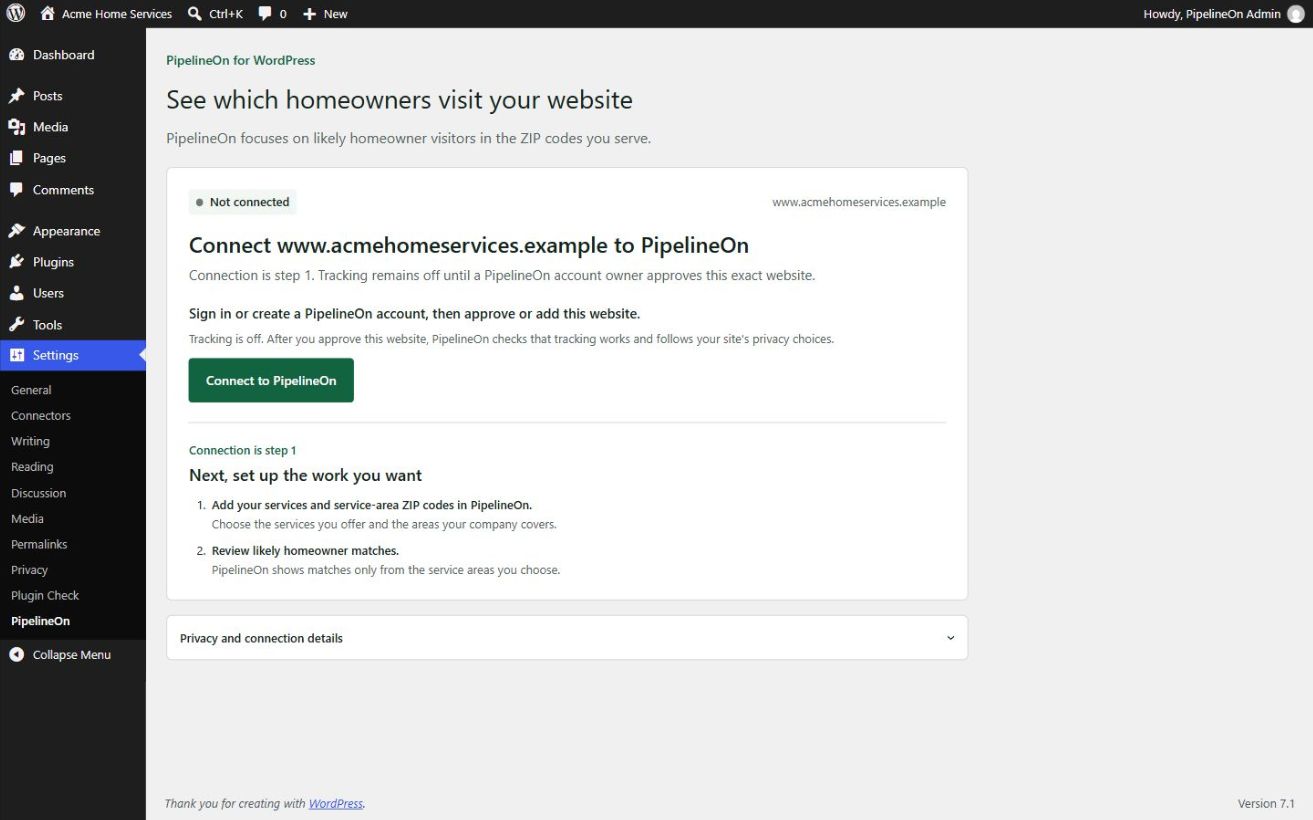
The official PipelineOn plugin’s demo Connect screen in WordPress. Source -
Trace an ordinary test visit Use marked staff activityInspect what actually appears
Open the published service page in a fresh logged-out browser tab. Check the Live status for the exact website in PipelineOn and note which page template you tested.
The public PipelineOn demo shows example contact and page context. It is an example of the review surface, not proof that your test browser will be identified.

PipelineOn’s public demo record shows where the visit came from and which pages were viewed. Source -
Check the request boundary Inspect embedded or external booking stepsKeep submitted requests authoritative
Follow the actual form or booking destination. Document any point where the available page evidence ends rather than assuming cross-domain continuity.
Check that a real submitted test request reaches the office independently. Visitor collection cannot replace the form confirmation or CRM ownership check.
-
Release a bounded review queue Train the office on missing fieldsMeasure usable records and errors
Give staff only the approved queue and explain that matches and field availability vary. Require record verification before an action.
Review irrelevant pages, internal traffic and incorrect associations after the first operating period. Correct the setup or queue rule before expanding it.
What to measure
Complete a traceable installation check first. The useful deliverable is a documented review boundary your office understands.