Route water heater Search calls into urgent and planned-work queues
A water heater ad can bring a planned replacement inquiry and a caller reporting a current failure to the same number. Preserve the call source, then let your office confirm the requested service and timing. Give dispatch and estimate staff separate queues with clear ownership.
Steps
-
Record which Search path produced the call Separate calls from ads and website callsCheck your forwarding and tracking setupSave the call ID on intake
Google Ads call reporting uses forwarding numbers to report information such as call time, duration and connection status. A duration-based conversion can help measure calls, but it cannot confirm the caller's service need or a completed job.
Check whether the call came directly from an ad or followed a website visit in your configured tracking system. Preserve the call ID, time and available campaign details in the CRM. Avoid replacing a verified source with a guess based on what the caller remembers.
-
Ask what is happening at the property Confirm service addressSeparate current symptoms from future plansUse your approved escalation questions
Ask whether the caller reports no hot water, a leak or a planned replacement. Record the answer as a caller report and collect the address, callback number, access contact and preferred timing. Let equipment details remain unknown when the caller cannot confirm them.
Your dispatcher applies the company's escalation rules for reported urgent conditions and actual available coverage. Planned replacements go to the estimate queue. Have a human confirm the next step and any fee. Keep technical diagnosis with qualified staff.
-
Use page evidence to prepare the callback Open the associated caller timelineKeep confirmed intake answers authoritativeAttach context to the existing project
With visitor tracking, CallRail's caller timeline can show page visits and source touchpoints associated with the call. The shared screenshot is CallRail's documentation example. Check your own timeline for relevant replacement or financing pages before returning the call.
Use that activity to prepare a question about the requested work. It cannot establish an urgent failure or prove a replacement decision. Search for an open estimate or service job before creating another opportunity, and send the context to the existing owner when it is the same project.
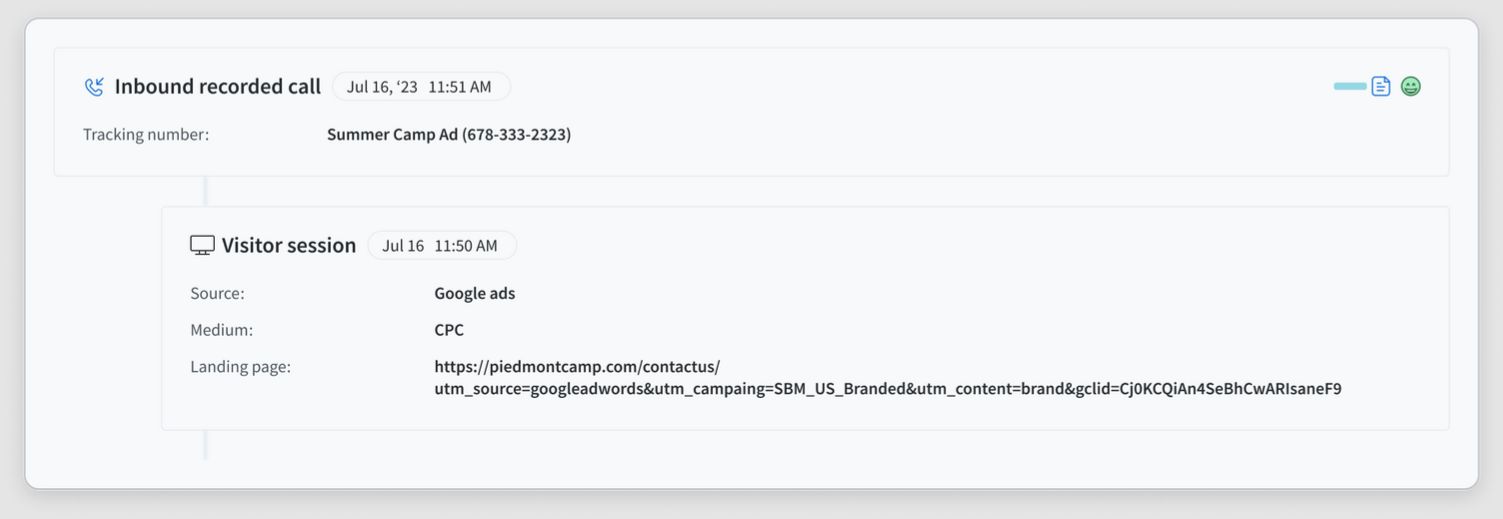
CallRail’s example of the visitor session attached to a tracked call. Source -
Report outcomes separately for the two queues Count unique requestsCheck callback and attendance outcomesMeasure sold and completed work
Track answered calls, qualified requests, appointments, completed visits and sold jobs for urgent service and planned replacement. Keep repeat attempts linked to the same project. Record out-of-area calls and services you do not provide.
Review campaign spend against completed work after open opportunities have had time to resolve. A campaign that brings more urgent calls may need more dispatch coverage. A planned-work campaign needs estimate follow-through and a current replacement schedule.
What to measure
Test both intake routes from the advertised number. Confirm that the source survives and the correct staff member receives the request before raising the campaign budget.