Stop losing Workiz leads you already paid for
LeakFinder connects to your Workiz account and sorts every contact into follow-up buckets based on urgency. Old estimates, overdue service calls, leads going cold - it pulls them all into one view so you know exactly who to call next.
No spreadsheets. No scrolling through Workiz tabs. Just a clean list of who needs attention and why.
Your Workiz account has leads worth thousands. You just can't find them fast enough.
You have unsold estimates in Workiz that nobody followed up on. You're scrolling through the Jobs tab, clicking into individual leads to check dates, and losing track of which Workiz estimates went stale last week. Meanwhile, past clients who paid you six months ago are due for service and you'd never know without digging.
The real problem is Workiz CRM lead management doesn't tell you which leads to call first. Estimates time out because nobody had a follow-up system. Old leads sit there for months because there's no way to prioritize them. You know there's money in your Workiz account - you just can't sort through it fast enough.
LeakFinder is your Workiz follow-up system. It connects directly to your Workiz API, pulls every contact, and runs them through a rule-based classification engine. In seconds, you see exactly which leads to follow up with, which estimates need attention, and which past clients are ready for repeat service. Workiz lead tracking, solved.
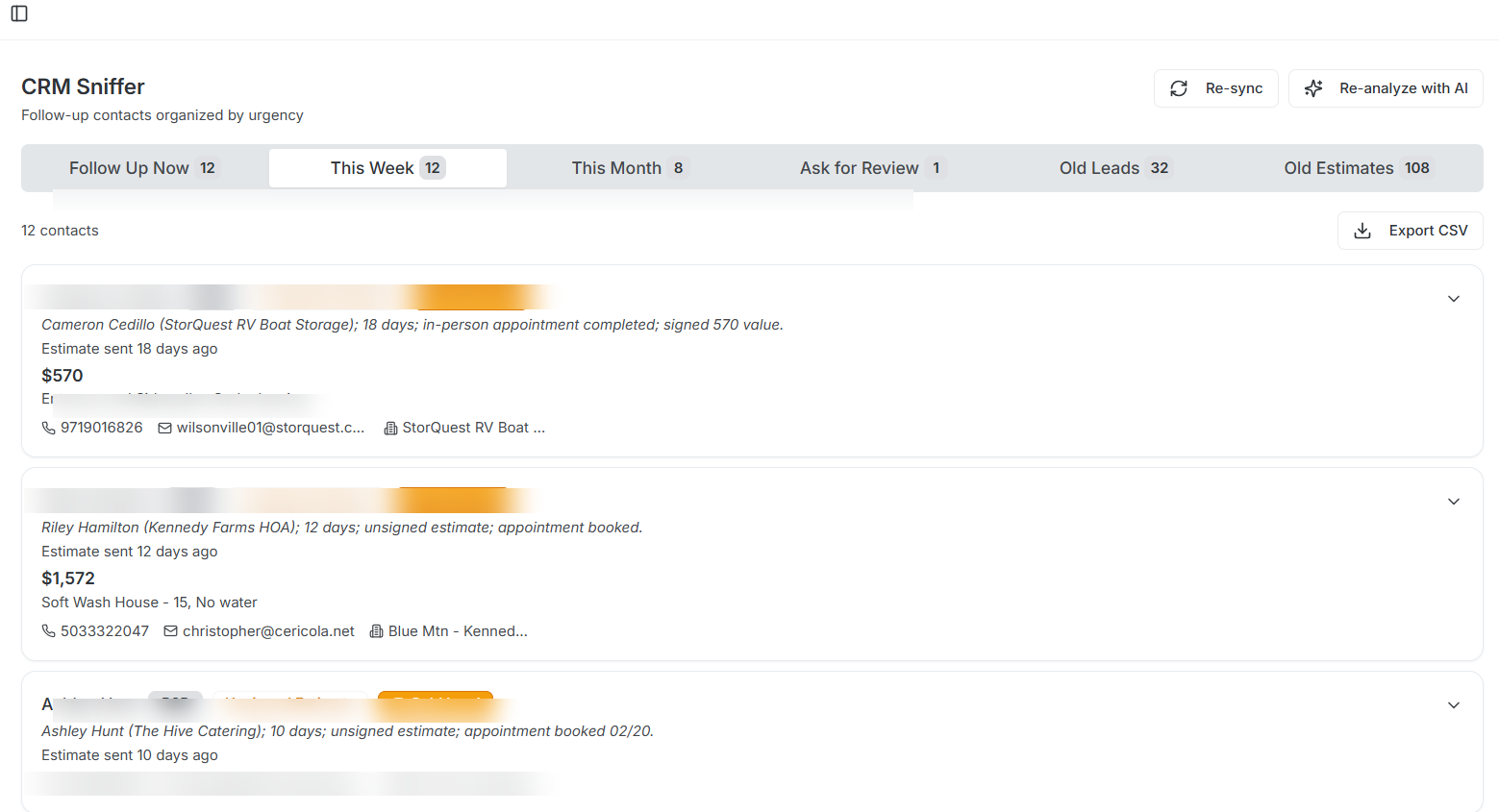
Six tabs. Every contact sorted by urgency.
LeakFinder classifies your contacts automatically based on estimate age, last visit date, and service cycle. No guesswork.
Follow Up Now
Stale estimates sitting 22-44 days, leads going cold (8-45 days since last visit), and service appointments overdue or due within a week.
Follow Up This Week
Unsigned estimates (8-21 days old), recent visits in the past week, and service due within 30 days.
Follow Up This Month
Fresh estimates under 7 days, upcoming visits, and service due within 31-90 days.
Ask for Review
Jobs completed and paid within the last 30 days. The window where happy customers actually leave reviews.
Old Leads
Leads 45+ days since last contact. Long shots, but some of these close when the timing is finally right.
Old Estimates
Estimates sitting 45+ days. Hail mary follow-ups that occasionally turn into booked jobs.
Three steps. Under five minutes.
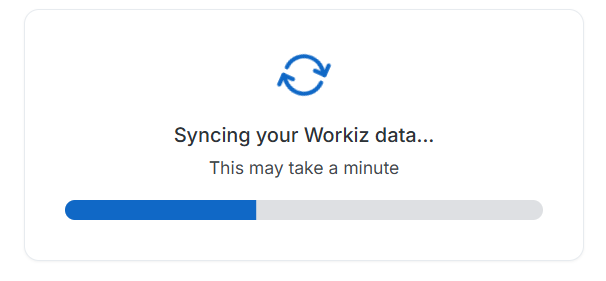
Connect Workiz
Enter your Workiz API token and secret. LeakFinder pulls your leads, jobs, and client records automatically.
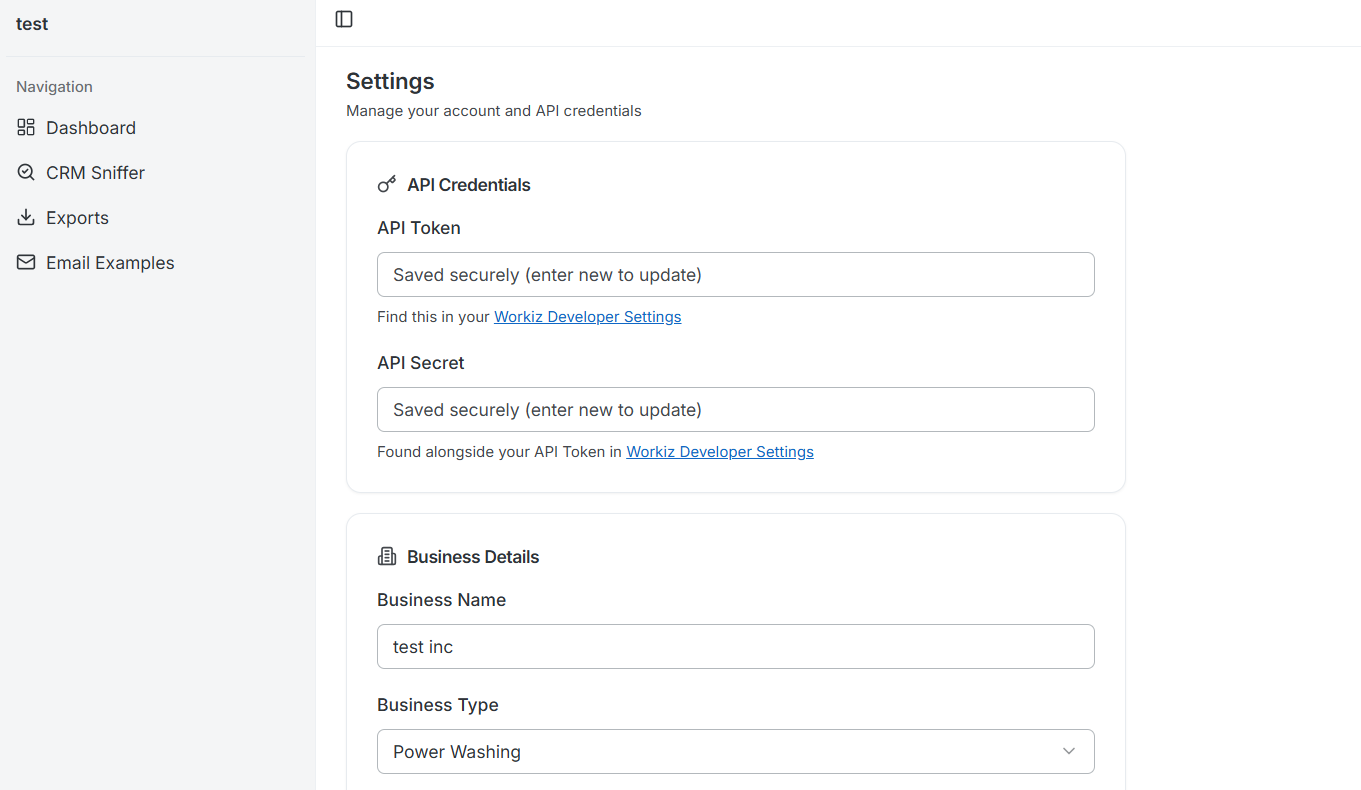
Set your business type
Tell us your trade and how often your customers need repeat service. LeakFinder adjusts its follow-up rules to match your business.
Start following up
Your contacts are sorted into urgency tabs. Open the app, see who to call, and export lists as CSV for your team.
See where your money comes from
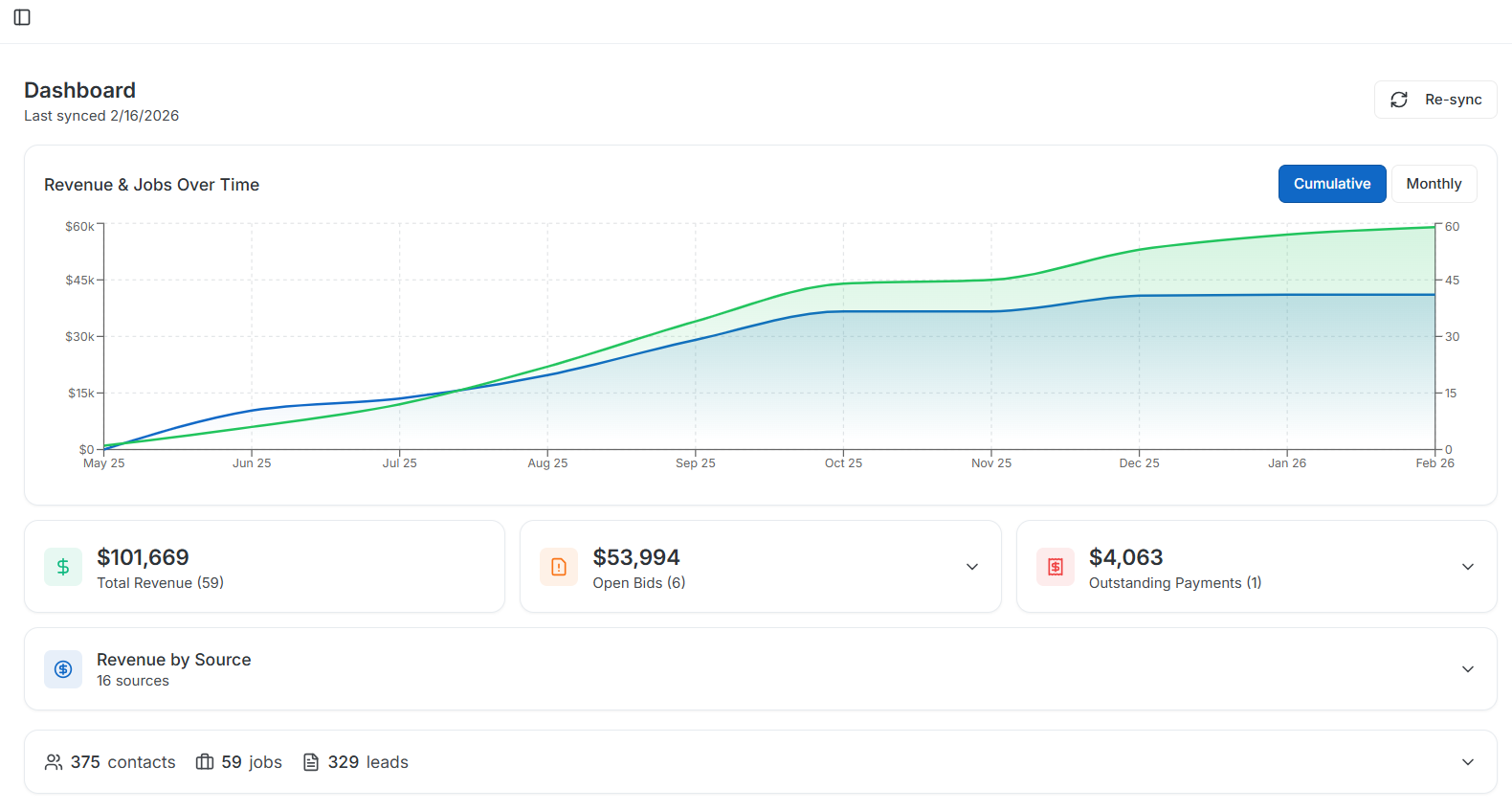
LeakFinder doesn't just organize contacts. It shows you total revenue, open bids, and outstanding payments at a glance.
The revenue by source breakdown tells you which marketing channels are actually generating paying jobs - not just leads, but closed revenue. Google Ads, referrals, Thumbtack, Yelp. All of it, pulled straight from your Workiz data.
A cumulative timeline chart shows revenue and job count over time, so you can spot trends before they become problems.
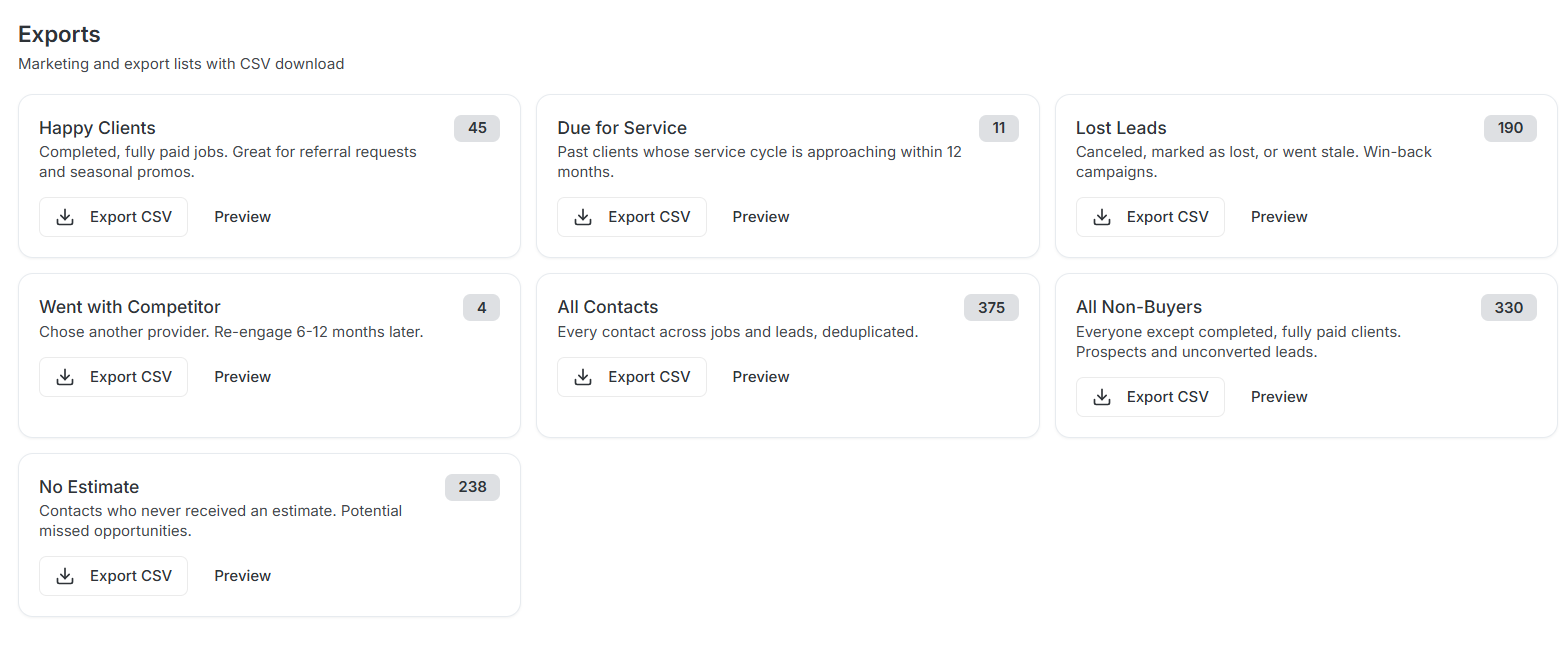
Export lists for targeted outreach
Pull CSV lists from your own data for direct mail, email campaigns, or handing to your office manager. Every list is built from your actual Workiz records.
Built for teams. Locked down tight.
Multi-user access
Your office manager, dispatcher, and sales team can all log in with their own accounts. Everyone sees the same data.
Encrypted API keys
Your Workiz credentials are encrypted with AES-256 before they hit the database. They never appear in plain text after you enter them.
Re-sync anytime
Hit the sync button to pull fresh data from Workiz. Your follow-up lists update automatically based on the latest records.
B2B / B2C sorting
LeakFinder automatically identifies commercial vs. residential contacts so you can prioritize the jobs that match your crew's capacity.
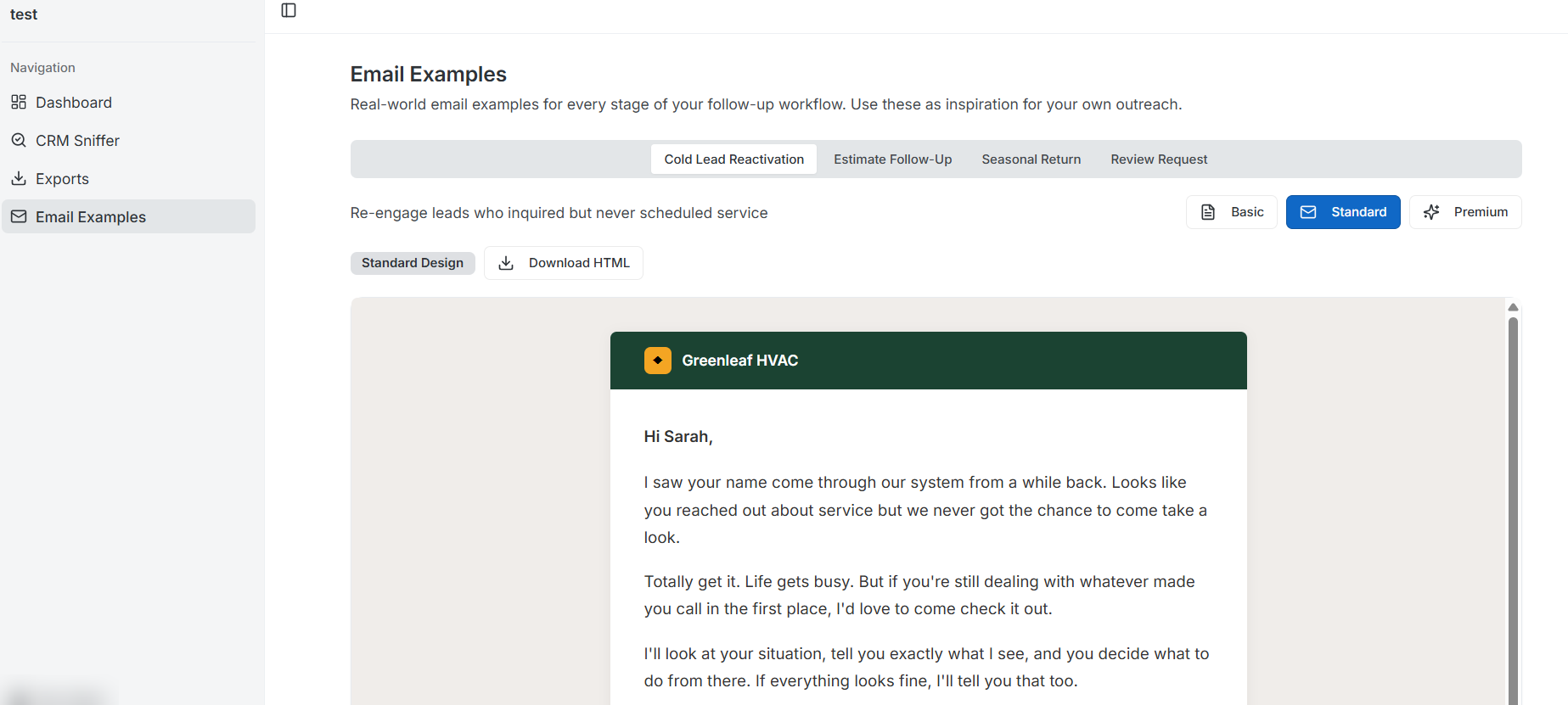
Not sure what to say? We included templates.
LeakFinder comes with 12 email templates across four follow-up scenarios: cold lead re-engagement, estimate follow-ups, seasonal return campaigns, and review requests. Each one comes in three design tiers so you can match your brand.
Workiz Follow-Up Questions Contractors Actually Ask
If you've been wondering how to prioritize leads in Workiz or how to get more sales from Workiz without buying more leads, these answers are for you.
Which leads in Workiz should I follow up with first?
LeakFinder sorts your entire Workiz contact list by urgency. Estimates sitting 22-44 days get flagged as "Follow Up Now" because they're about to go cold. Leads with no contact in 8-45 days show up next. You don't have to dig through Workiz manually - LeakFinder pulls the priority list for you.
How do I organize my Workiz CRM for better follow-up?
Most contractors scroll through Workiz tabs hoping to spot something. LeakFinder connects to your Workiz API and automatically organizes every contact into six follow-up buckets: urgent follow-ups, this-week priorities, this-month tasks, review requests, old leads, and old estimates. Each bucket has clear rules based on estimate age, last visit date, and service cycle.
How do I follow up on unsold estimates in Workiz?
LeakFinder pulls every unsigned estimate from your Workiz account and sorts them by age. Fresh estimates under 7 days go to "Follow Up This Month." Estimates between 8-21 days go to "Follow Up This Week." Anything over 22 days hits "Follow Up Now" before the customer forgets about you entirely. Estimates over 45 days go to "Old Estimates" for one last attempt.
Can I see which Workiz leads are going cold?
Yes. LeakFinder flags leads with no contact in the past 8-45 days as going cold. You'll see their name, contact info, and how long it's been since anyone reached out. The ones past 45 days go to the "Old Leads" tab for a hail-mary re-engagement attempt.
How do I get more repeat business from my Workiz customers?
LeakFinder identifies past clients who are coming up on their service cycle. If you run an HVAC company with annual maintenance, every client who had work done 10-12 months ago shows up in your "Follow Up This Month" or "Follow Up This Week" tab. You also get a "Due for Service" export list to build targeted outreach campaigns.
Is LeakFinder free? What do I need to use it?
LeakFinder is completely free. You need your Workiz API token and secret (found in your Workiz account settings under API). You also need an OpenAI API key for the AI-powered email features. The follow-up sorting and contact organization works without OpenAI - that's only needed for auto-generated email content.
Your Workiz data is full of money you're leaving on the table
LeakFinder is free. Connect your Workiz account and see which contacts need follow-up right now. Takes under five minutes.
Try LeakFinder FreeFree forever. No credit card required.