Separate branded roofing search activity from new assessment demand
A roof-service page can receive both new prospects and existing customers searching your name. Review those audiences carefully before crediting every click as fresh demand.
Steps
-
Choose the page and question Use one reporting windowDefine a new assessment request
Select a real service page and a consistent period. Define how the office distinguishes a new project from an existing customer follow-up.
Keep booking and assessment counts tied to submitted or confirmed requests. Search traffic alone does not establish a project.
-
Inspect the available query filters Compare relevant branded and nonbranded evidenceReview filter limits
Search Console documents query filtering and, where eligible, branded-query classification. The shared screenshot illustrates query-filter controls.
Check which controls are actually available in the property. Google notes that filters, anonymized queries and classification limits can affect interpretation.
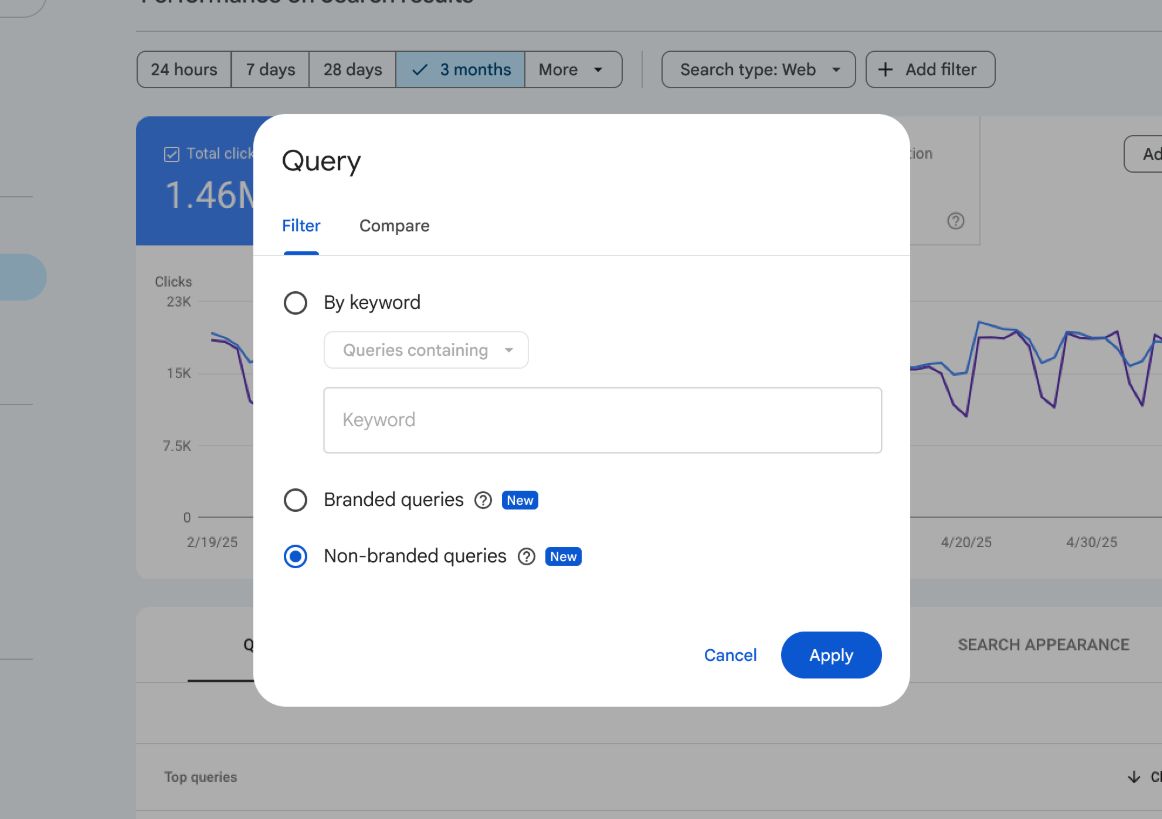
Google’s cropped Search Console example shows where to filter by keyword or choose branded and non-branded queries for an eligible property. Source -
Assign a ZIP-qualified visitor review Compare available URL context with service rulesCheck CRM ownership before outreach
If PipelineOn is installed, inspect the actual page or UTM context available for eligible matched records and compare the available property ZIP with your estimator's coverage. Keep unknown ZIPs in review.
The public demo illustrates example evidence. Search Console queries remain aggregate. Verify identity and existing project ownership before considering a call or email under your approved contact rules.

PipelineOn’s public demo record shows where the visit came from and which pages were viewed. Source -
Decide the page improvement Choose acquisition or service-navigation workMeasure the appropriate outcome
If existing customers struggle to find contact details, improve that path. If new assessment requests misunderstand scope, clarify the service description.
Track the chosen outcome with the same definition after the change. Report unresolved source associations separately.
What to measure
Use the search filters to ask a better page question. Count new assessment demand from real request evidence.