Send a roof material comparison to reopen paused estimates
A coordinator could spend Friday calling every open roof estimate. Start with the people who give you a new reason to call. Send a useful material comparison, then check who replied, requested an updated estimate or came back to the site and can be linked to an existing opportunity.
Steps
-
Pull the estimates you can still quote Use paused replacement estimates with a current owner.Remove sold jobs, active conversations and suppressed contacts.
In your CRM, pull estimates where the homeowner was still deciding about material, timing or scope. Start with one group you can actually call this week. Leave repairs, warranty visits and closed jobs with the people already handling them.
Have the original estimator flag quotes that would need a new roof inspection. Price and availability can change. If the homeowner returns, ask what has changed before discussing the old number.
-
Give the homeowner one useful reason to come back Link to one material comparison on your site.Use a tagged link and offer a simple reply.
Send eligible contacts a note like this. “Still weighing the roof options? We put the differences between our shingle choices on one page. If the timing or scope has changed, reply and I’ll tell you what we’d need to update the estimate.”
Use a CRM campaign link that goes to the comparison you promised. Tag the campaign without putting names, phone numbers or addresses in the URL. Test one email and confirm that the link opens the right page on a phone.
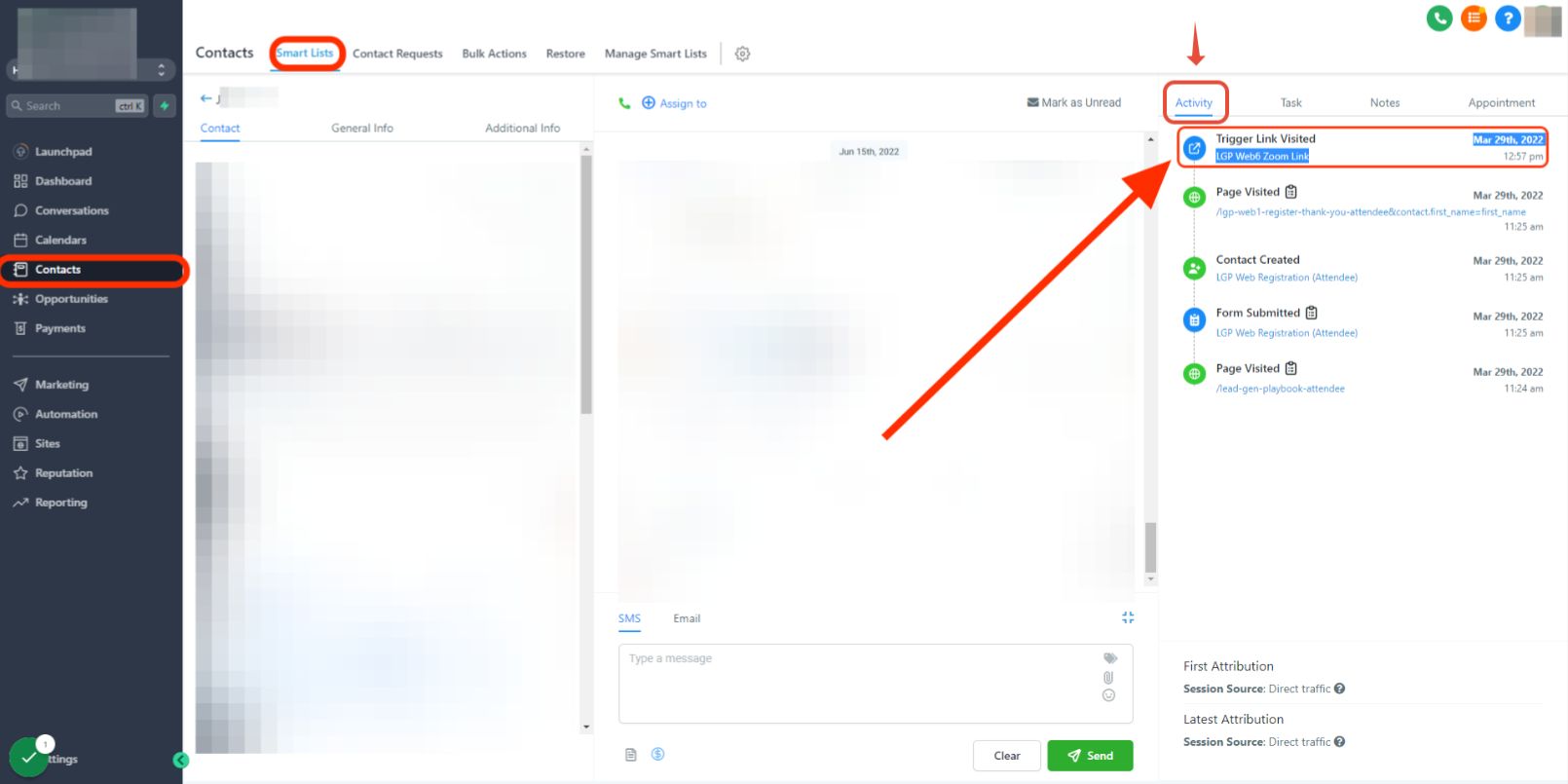
HighLevel’s trigger-link example. Use the CRM’s record of the click alongside verified activity. Source -
Find the few records worth a manual follow-up Act on replies and update requests first.Corroborate any website match before linking it to a quote.
With PipelineOn already live, review available activity on the material or estimate page. Compare contact or address details with the existing quote and use the CRM’s click evidence as context. A link can be forwarded. A household match may leave the individual visitor unknown.
Give the original estimator the records you’ve checked against the quote and cleared for contact. Include the old scope and one question to ask. Leave uncertain matches in review. If an eligible contact has shown weaker interest, let the email sequence offer a useful planning resource.

PipelineOn’s public demo record shows where the visit came from and which pages were viewed. Source -
Keep the new conversation on the original estimate Record reopened estimates and attended revisits.Stop the campaign for people who reply, book or opt out.
Log the homeowner’s answer on the existing opportunity. If a replacement moves forward, use the same record to capture the updated quote and eventual job.
Compare calls attempted, estimates reopened, jobs sold and estimator time. If most people already chose a contractor or stopped planning, adjust the cohort or the email before repeating the send.
What to measure
Count reopened estimates, attended revisits and completed roof replacements per eligible email cohort. Check manual call time before giving the estimator a bigger list.