Send cleanup and landscape redesign searches to different requests
Someone searching for a yard cleanup may land on a landscape design portfolio. Make it easy for them to ask about cleanup while giving a design customer the right project questions.
Steps
-
Decide which work belongs on each page Collect three recurring requestsConfirm actual work the team takes
Look at the reasons your office declined recent inquiries. Separate seasonal debris and cleanup from layout, installation or design changes.
Give each page its own contact prompt. The cleanup request can ask when the property needs work. The design request can ask what the homeowner is trying to change.
-
Check the landing pages against actual language Filter Search Console by queryRead which page appeared
Use the query and page views to check whether cleanup phrases are showing for a design URL. Record clicks and impressions before you change the copy or internal links.
Use the result to add a useful link to the correct service. Search volume and booking outcomes come from separate data, so compare both.
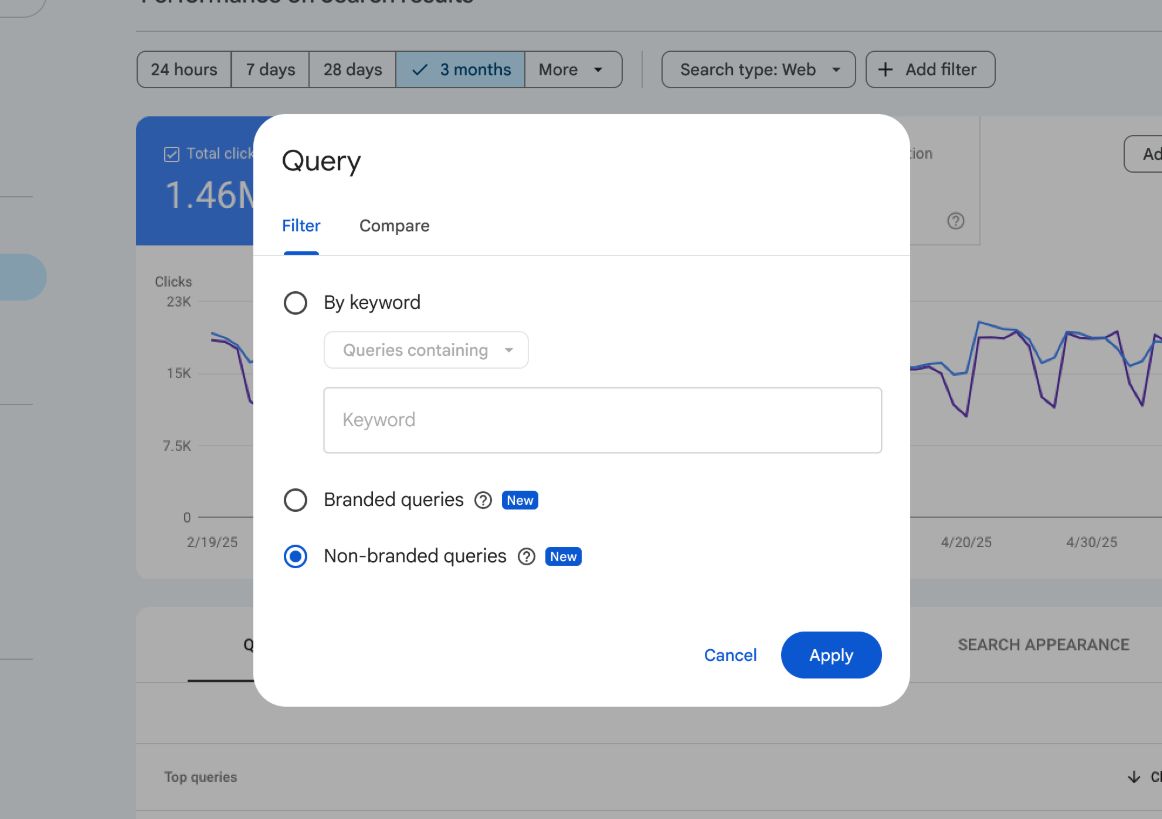
Google’s cropped Search Console example shows where to filter by keyword or choose branded and non-branded queries for an eligible property. Source -
Give intake owners the exact decision Record scope and existing workTest each path using a phone
Set up one test for cleanup and another for a redesign on the same property. Both should reach the right team with their own scope.
Where PipelineOn returns available activity from a matched property, check the page context against any open record before passing it on. Let the homeowner’s scope answer guide the routing.
-
Check how often the wrong estimator got the inquiry Count routed requestsLook for calls the office had to transfer
Audit the first set of accepted requests after the change. Record how many came from the intended page and how many the office had to reassign.
Compare signed cleanup jobs and attended design consultations by verified source. Keep call or page attribution separate when the connection is unclear.
What to measure
Correct one misleading service link at a time, then see whether intake and completed appointments improve.