Set a backyard drainage Search budget from work your crew can deliver
Compare actual drainage campaign costs with assessed scopes and completed-job contribution before increasing spend.
Steps
-
Define the drainage work sold Use actual completed scopesInclude specialist costs
Have operations identify which jobs your crew can execute and which require a separate qualified reviewer.
Build contribution from job receipts less actual labor, materials, disposal and attributable subcontract costs.
-
Follow requests into assessments Track the drainage pageVerify accepted-request events
Build a PostHog funnel from the drainage page to accepted requests. Have your developer test the final event.
Reconcile those requests manually with attended assessments and job records. The sample screenshot shows the website funnel only.
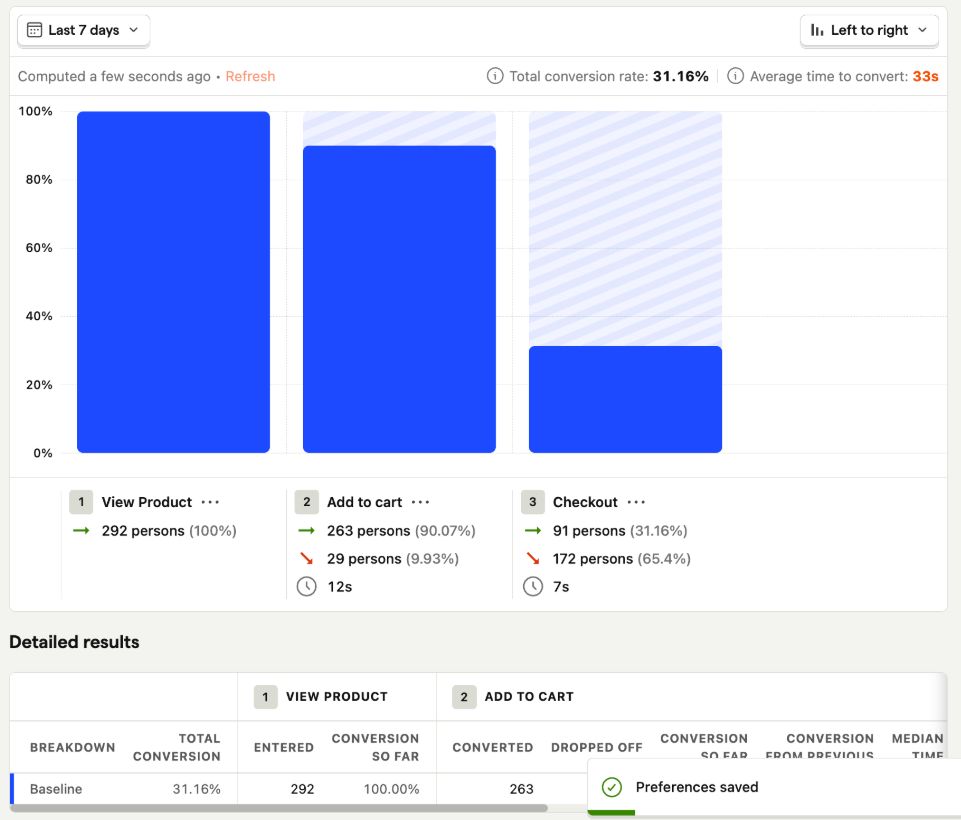
PostHog’s sample funnel. Substitute your page visit, form open and accepted request. Source -
Calculate a supported spend ceiling Use the same campaign cohortAccount for undecided quotes
Divide campaign spend by attended assessments and completed jobs separately. Keep cancellations and unknown-source work visible.
Compare remaining contribution with acquisition cost and estimator time. Allow the cohort’s normal sales lag before judging it.
-
Choose the next budget action Check remaining crew capacityRecord the decision date
Ask operations whether the crew can handle another supported drainage scope. Resolve access or specialist bottlenecks first.
Keep, reduce or test a small increase based on the actual cohort. Review again after enough new work reaches a decision.
What to measure
Raise spend only when the jobs and crew capacity support the next increment.