Staff heat-wave calls around the zones your service crews can cover
During a hot spell, the office needs one current answer about which zones still have service capacity. Set that answer with your dispatcher before adding call coverage. Every person answering should confirm the service address, reported problem and next step using the same current information.
Steps
-
Prepare a service-capacity board by zone Use local forecast informationList available service crews by zoneSet regular dispatch updates
Check the local National Weather Service forecast and heat information as a planning input. Ask your service manager which crews are working, what services they can handle and where they can travel. Include existing booked work and parts constraints.
Give each zone a current status: accepting service requests, callback review or no further same-day availability. Record the last update and the dispatcher who owns it. This board governs service intake, so keep replacement-estimate capacity in its separate process.
-
Give call takers a precise readback Confirm the service address and callback numberRecord the caller's reportRead back the next action
Use a script such as: I have [address] in [zone], your callback number is [number], and you report [problem]. Our next step is [dispatch review or confirmed appointment]. Is that correct? Repeat uncertain street names and unit details before ending the call.
Ask only the intake questions your service manager approves. Route caller-reported urgent conditions through the company's staffed escalation process. A customer describing heat exposure needs the appropriate real-world assistance route, with no automated promise that a technician is available.
-
Match phone coverage to real staff availability Assign primary and overflow call takersTest the unanswered pathKeep callback ownership visible
Schedule the office staff or authorized answering service who will handle the rush. HighLevel's inbound routing documentation describes forwarding, user assignment and backup behavior. Use the configuration you actually operate and test a call that the primary person cannot answer.
Keep unanswered calls in a queue with an owner and due time. When someone requests a visit, have dispatch check the current zone board and confirm the appointment on the internal team calendar before anyone promises a window.
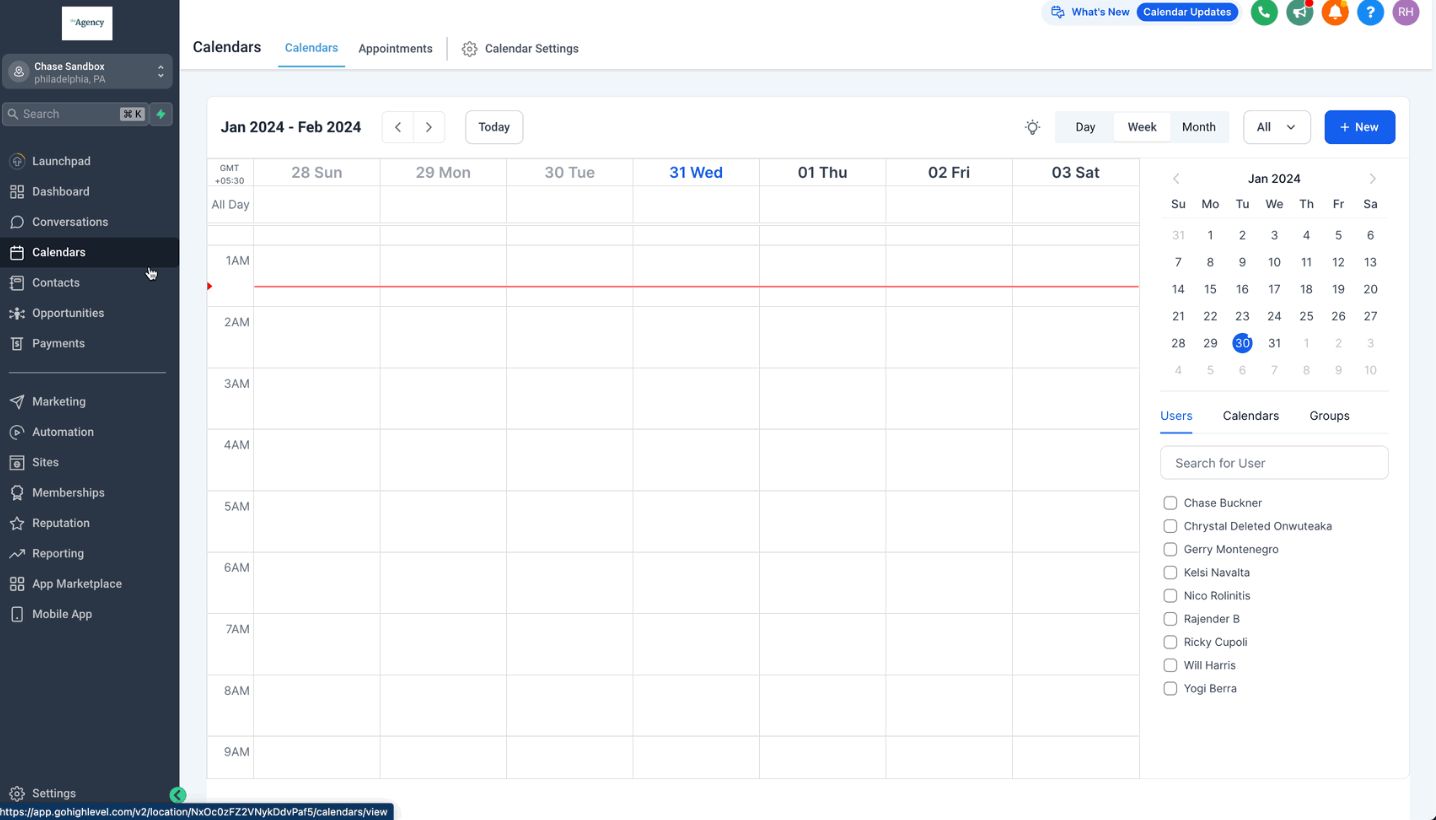
HighLevel’s internal calendar view. After a test booking, check that the appointment appears in the correct calendar. Source -
Review missed calls and broken promises by zone Track answer and callback timesRecord confirmed versus requested windowsReconcile completed service visits
At each dispatch update, inspect missed calls, unassigned callbacks, requests awaiting review and confirmed visits. Close the loop when a zone fills. Update scripts and scheduling access so staff cannot keep quoting an unavailable window.
After the rush, compare unique callers, answered calls, qualified service requests, kept appointments and completed jobs by zone. Review address corrections, duplicate bookings and promised windows that slipped. Use those results to plan the next staffing shift.
What to measure
Run a short practice shift before demand rises. Have one person call, another take the request and the dispatcher confirm that the readback matches the actual route.