Invite HVAC agreement customers to the visits they still have available
A maintenance agreement can cover specific equipment and visits your office has already completed. Reconcile those records before sending another reminder. The customer should receive an accurate offer for the service their current agreement supports.
Steps
-
Match the agreement to equipment and completed visits Verify agreement status and service propertyCheck each covered equipment record
Choose a manageable customer group and inspect the actual agreement, covered systems, effective terms and completed work orders. Separate an agreement renewal from a visit already included under current terms.
Remove existing bookings and unresolved service cases from the reminder queue. Have the service lead review missing equipment or visit history. A contact's last invoice date cannot determine every system's remaining service.
-
Approve the service invitation and scope Use the agreement's actual inclusionsConfirm what the technician will review
Have the lead confirm which visit is appropriate and how the office describes it. ENERGY STAR provides a contractor maintenance checklist, but your offer must follow the applicable equipment needs and agreement your company actually sold.
Link eligible customers to a page explaining the included visit and how to arrange it. Respect communication preferences and current provider rules. Keep new repair concerns on a separate service intake route.
-
Verify the appointment updates the existing service record Assign the right technician and systemTest the calendar and acknowledgment
Confirm service address, equipment and access before booking. Ensure the visit is recorded against the correct agreement and system, with no second agreement or replacement-sales opportunity created automatically.
The shared HighLevel calendar screenshot is an internal calendar example. Test your own request and inspect time, technician, equipment note and customer confirmation. Reconcile the calendar with your owning field-service system.
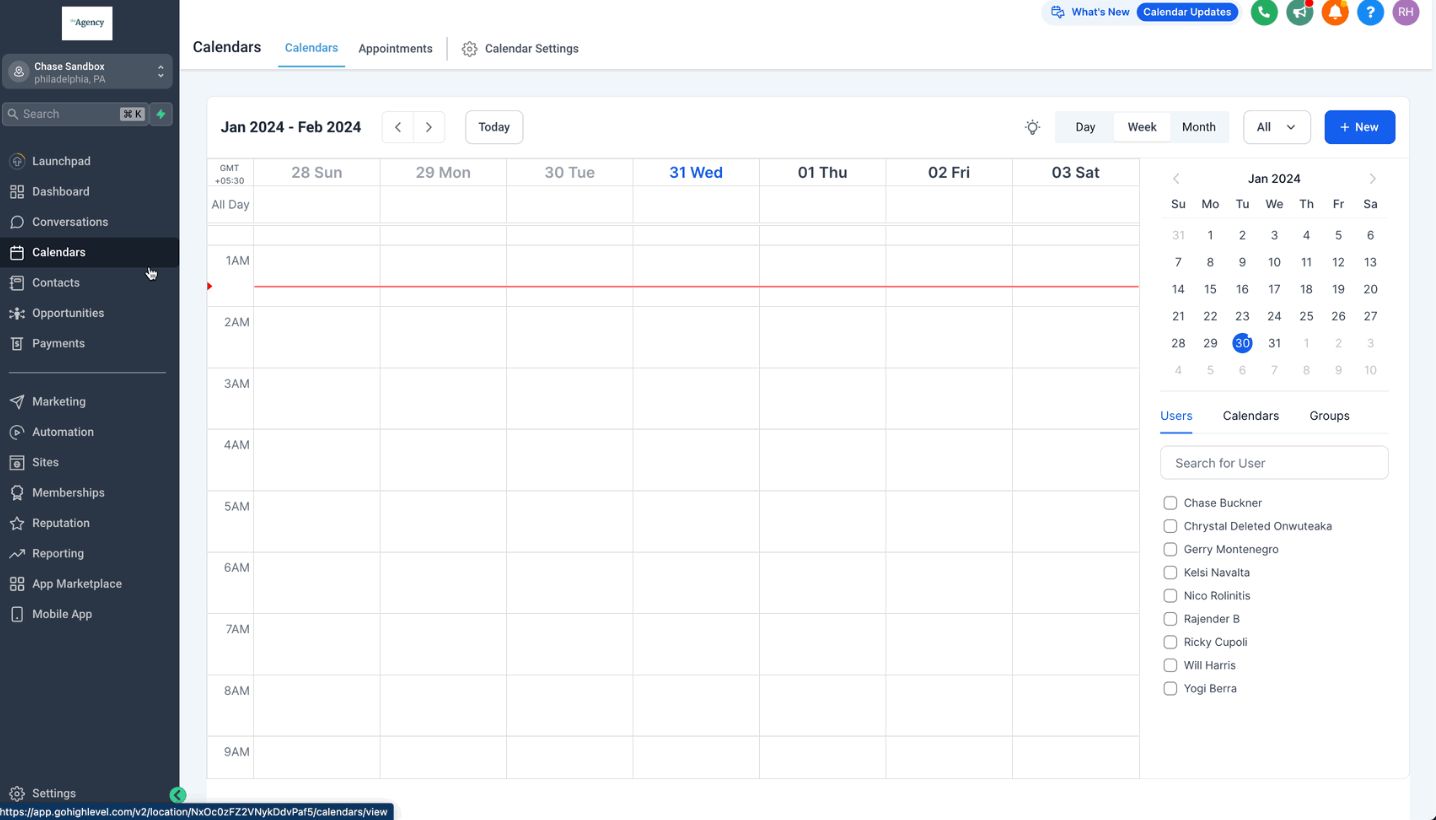
HighLevel’s internal calendar view. After a test booking, check that the appointment appears in the correct calendar. Source -
Close the visit before preparing the next reminder Update actual completed workTrack duplicate invitations and unused visits
After the technician completes service, update the equipment history and agreement visit record. Stop the reminder and preserve any new repair recommendation as its own customer decision.
Track reviewed agreements, invitations, confirmed visits and completed service. Record duplicate invitations, wrong-equipment assignments and scheduling failures. Improve the agreement data before expanding the next group.
What to measure
Review one customer's agreement from invitation through completed work. Your office should be able to explain the remaining service without guessing from a generic customer label.