Limit replacement ad spend to estimates your HVAC team can attend
Your replacement campaign can fill the calendar faster than your estimator can cover it. Set a weekly limit using the appointments your team can attend, then measure completed estimates and sold replacements. Historical Phoenix bids provide context for the market. Your campaign's spend and outcomes determine the economics.
Steps
-
Reserve the estimator's available slots first Count serviceable appointment windowsAllow time for travel and proposal workAssign an owner to the capacity check
Have your estimator and office agree how many replacement visits they can complete next week. Remove existing commitments and leave room for inspections that run long. Give each available slot a service area and appointment type.
Use the HighLevel team calendar to check that your test appointment lands on the correct estimator’s schedule. Try a conflict and an out-of-area request before advertising the slots.
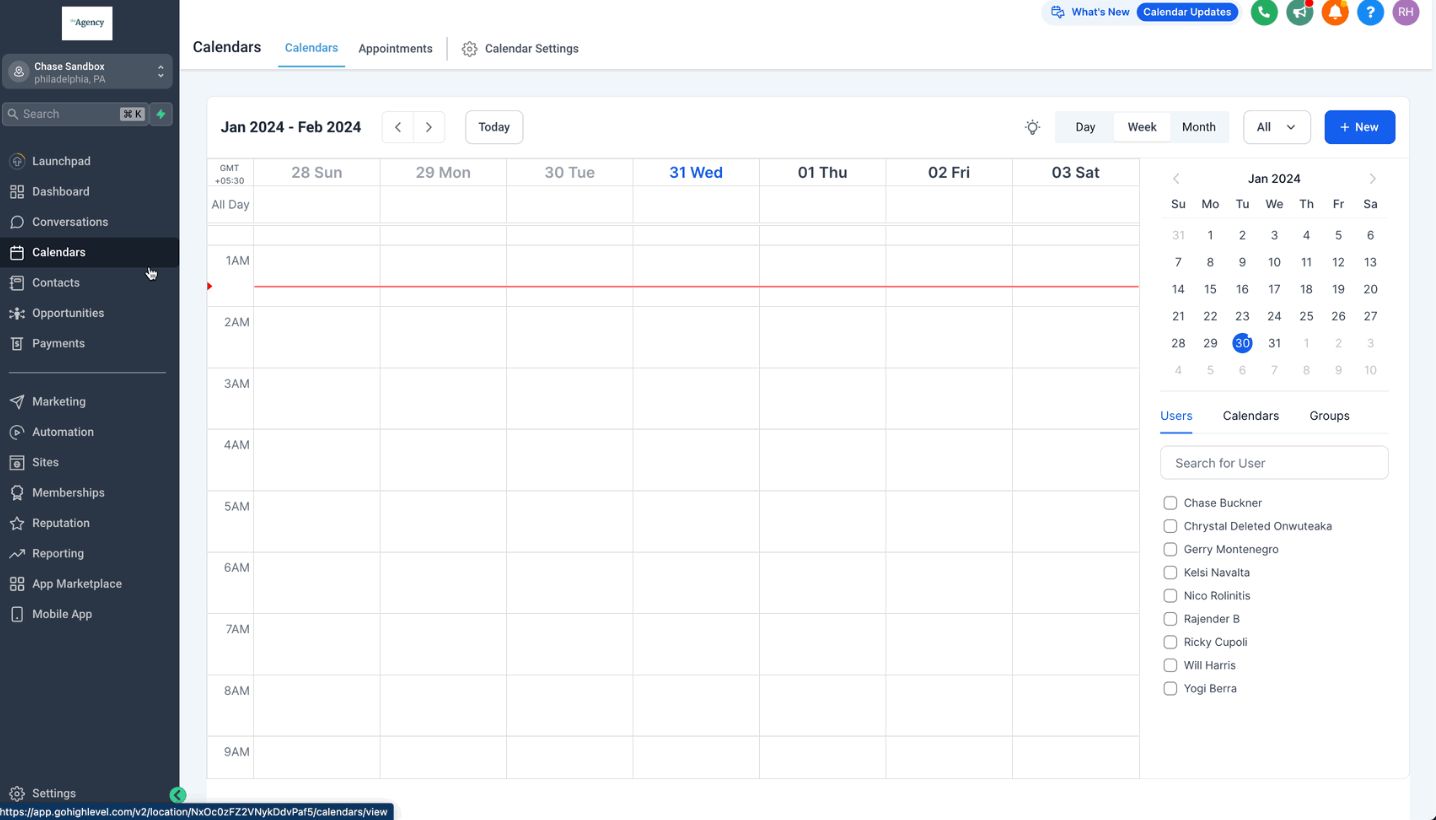
HighLevel’s internal calendar view. After a test booking, check that the appointment appears in the correct calendar. Source -
Separate historical bids from your actual click costs Keep the date and location beside bid rangesExport actual spend and clicksKeep replacement traffic in its own cohort
PipelineOn's November 22, 2026 Google Search check recorded a Phoenix top-of-page bid range of $55.00 to $172.19 for ac replacement. That is a dated Keyword Planner observation. Google explains that these historical bid ranges describe top-of-page bids. Your actual CPC comes from your campaign report.
Export replacement campaign spend and clicks for one period. Calculate average CPC as spend divided by clicks. Link the same cohort to qualified bookings and completed visits. Keep branded searches and repair requests separate when they would distort the replacement decision.
-
Set a cost ceiling for completed estimates Use your contribution per sold replacementUse a mature estimate cohortReview booking capacity before increasing spend
Choose the advertising cost your shop can afford per sold replacement after allowing for its other costs. Multiply that ceiling by the share of completed estimates that become sold work. This gives a planning ceiling per completed estimate using your own records.
Calculate observed cost per booked estimate and cost per completed estimate separately. If bookings rise while attendance falls, inspect qualification, reminders and estimator capacity. Adjust campaign budgets when capacity changes and confirm the change in Google Ads.
-
Follow every booking to a final outcome Record attended, canceled and no-show outcomesTrack proposals and sold replacementsKeep unresolved estimates visible
Save the campaign source on the opportunity and keep one project record through booking, attendance, proposal and sale. Record why a visit failed to happen. Review results after the estimator has had time to follow up on proposals.
Build a report from CRM-confirmed completion and sale events. If those events are already sent reliably to PostHog, use them in a campaign funnel there. Keep booking-page visits separate from attended estimates.
What to measure
Make the weekly spend decision with your estimator's calendar and completed-estimate report open. Expand when you have both capacity and evidence that those visits produce profitable work.