Website Deanonymizer: How to De-anonymize Website Traffic
A website deanonymizer attempts to connect an anonymous visit with an available identity record. Providers may return company records, individual contacts or homeowner details. To de-anonymize website traffic for home services, test whether the output includes usable homeowner and property information, recent visit activity and supported CRM context. No provider identifies every visitor.
A website deanonymizer attempts to put an identity record beside an anonymous visit. The useful question for your business is what that record contains and whether your office can act on it.
For a home service company, start with the household and the property. Your team needs to check where the work could happen, which service the visitor researched and whether you already have a relationship with them.
1. Understand what the software identifies
The term “website deanonymizer” covers different products. Some identify companies associated with visiting networks. Others match visits to individual or homeowner records using the identity data available to the provider.
Ask to see the returned record before comparing headline match rates. A company name, an individual contact and a household address answer different questions. The same visitor can also return several times, so visits and matched people need separate counts.
Our website visitor identification comparison guide explains how to compare output for a home service office.
2. De-anonymize website traffic with property context
PipelineOn applies visitor identification to home services. When an eligible match is available, it combines homeowner details with available property information and recorded website activity.
An associated address helps your office check the service area. Available living area or estimated value gives background about the property. Confirm the service address if someone is researching work at a rental, second home or another household.
Use enrichment to prepare the review. You still need the homeowner’s description of the project and an assessment of the property to establish scope and pricing.
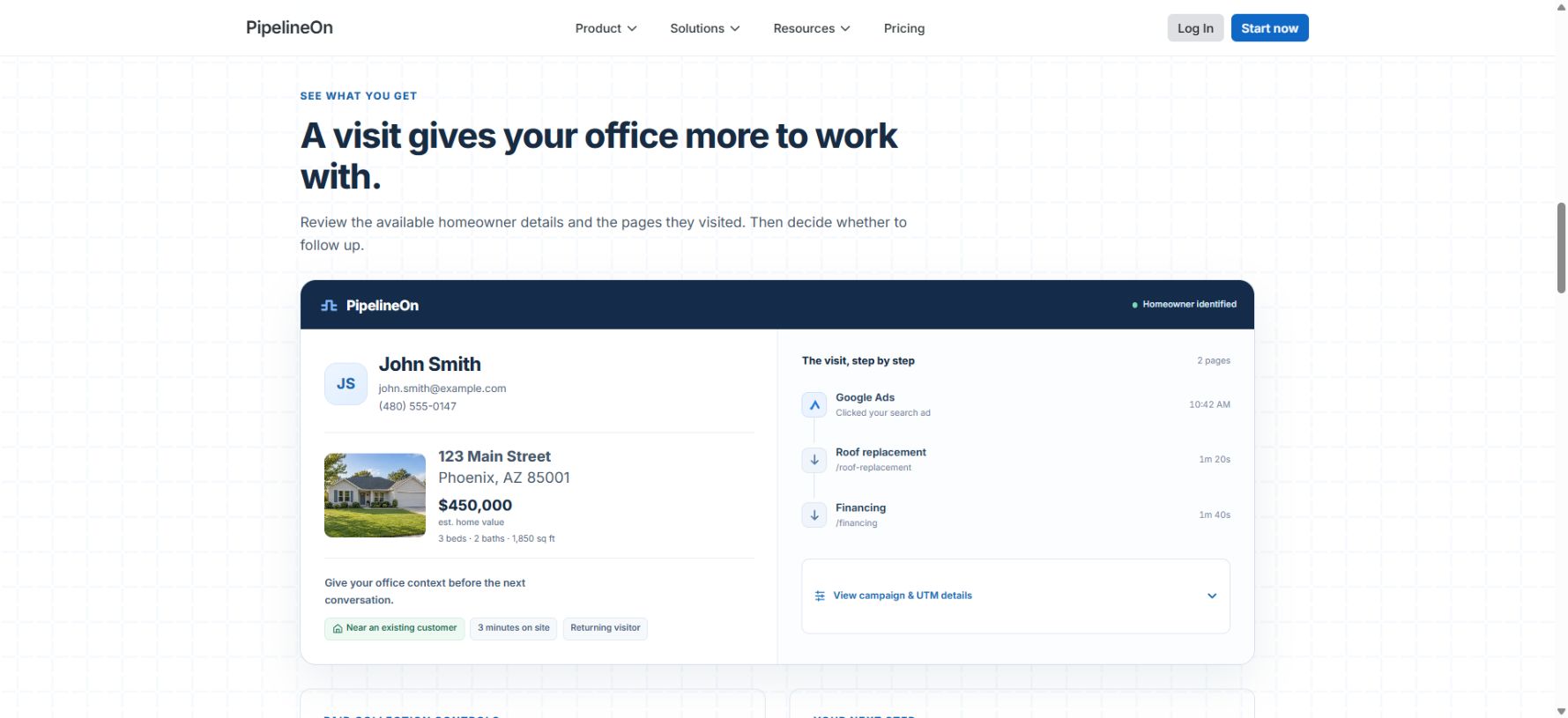
Public demo with example data. A usable record brings homeowner details and recorded activity into one view.
3. Read the intent signals in order
Pages viewed, recorded source information and returning visits help explain what happened on the website. Look at the sequence and how recently the activity occurred.
A homeowner who returns to a replacement page and opens financing gives your office a reason to review the record. A visit to a warranty page may belong with customer service. Neither page view confirms that the homeowner wants a quote or a call.
Prioritize a review using the activity you can see. Confirm the current need during a conversation, and check for an existing enquiry before creating another task.
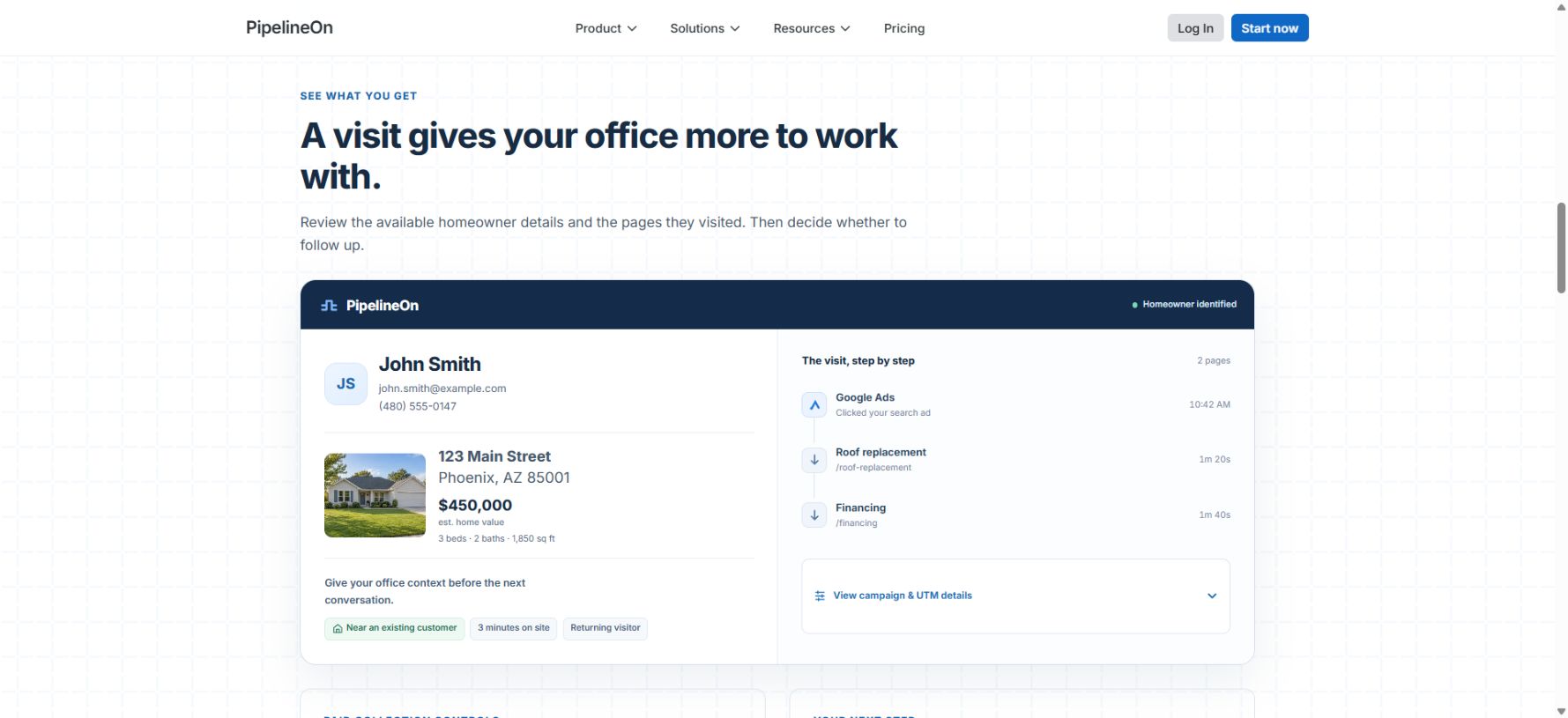
Example journey from the public demo. A timeline makes returning activity easier to review.
4. Check the CRM before creating follow-up
An anonymous visit can belong to someone your business already knows. With a supported CRM connection, PipelineOn can add available customer context to an eligible matched record. The account’s records and settings determine which history is available.
Look for an open estimate, a recent conversation and an upcoming appointment. Assign the next step to the person responsible for that relationship.
Keep Google Analytics for traffic reporting. Google’s User-ID documentation explains how your business supplies an identifier for users it already recognizes. Enabling that feature does not discover an unknown homeowner’s identity.
5. Test the records with your office
Choose one website and one person to review an initial group of records. Have them record whether each match has a useful address, enough contact information, relevant activity and a clear owner for the next step.
Measure usable records and actual outcomes separately. Track additional enquiries, appointments and completed jobs alongside the time spent reviewing the data. A matched identity is a record to evaluate, not evidence of a booking.
See how PipelineOn identifies homeowner website visits and review the available fields on your own traffic. For source and campaign reporting, read how to identify website traffic.
Frequently Asked Questions
What is a website deanonymizer?
It is software that attempts to connect anonymous website visits with available identity data. The result depends on the provider and may be a company, an individual or a homeowner record. Some visits cannot be matched.
How can I de-anonymize website traffic?
Install a suitable visitor identification service and test its available matches on your own website. Review the returned fields, accuracy, service-area fit, visit history and existing customer records before building a follow-up workflow.
Can a website deanonymizer identify every visitor?
No. Match availability and returned fields vary. Ask to review real sample records from your own traffic and keep matched records separate from enquiries and bookings.
Does a website deanonymizer replace Google Analytics?
Keep analytics for traffic and configured conversion reporting. Visitor identification adds available identity records for your office to review. The two systems measure different things.
Written by
PipelineOn Research Team