Turn a showroom handout QR into a whole-home consultation
A homeowner may leave your window showroom with a brochure before deciding how much of the house to replace. Put one useful next step on the handout: request a whole-home project consultation. Carry that showroom source into the CRM so your office can follow the inquiry through the estimate.
Steps
-
Give the handout one clear destination Use a consultation page you controlExplain the visit and service areaPrint a readable fallback URL
Send the QR to a mobile page that explains what your consultation covers. State whether it happens at the home or showroom, who should attend and whether there is a fee. Keep the handout's promise consistent with the appointment your office can arrange.
Use a stable page URL with a showroom campaign label. Print a short readable address alongside the QR for people who prefer typing. Test the printed code on several phones under showroom lighting before producing the full batch.
-
Ask enough to qualify a whole-home project Collect address and preferred contactAsk for rough project sizeAllow an unsure answer
Ask whether the project covers most windows, selected rooms or an undecided scope. Collect service address, contact details and preferred callback time. Your office can confirm counts and product choices later. Explain how single-window and repair requests are routed if your company handles them differently.
Tally's shared documentation screenshot shows URL parameters carried into hidden fields. Use that method for a showroom or brochure-version label and verify the value in a test submission. Keep customer names, phone numbers and addresses out of the URL.
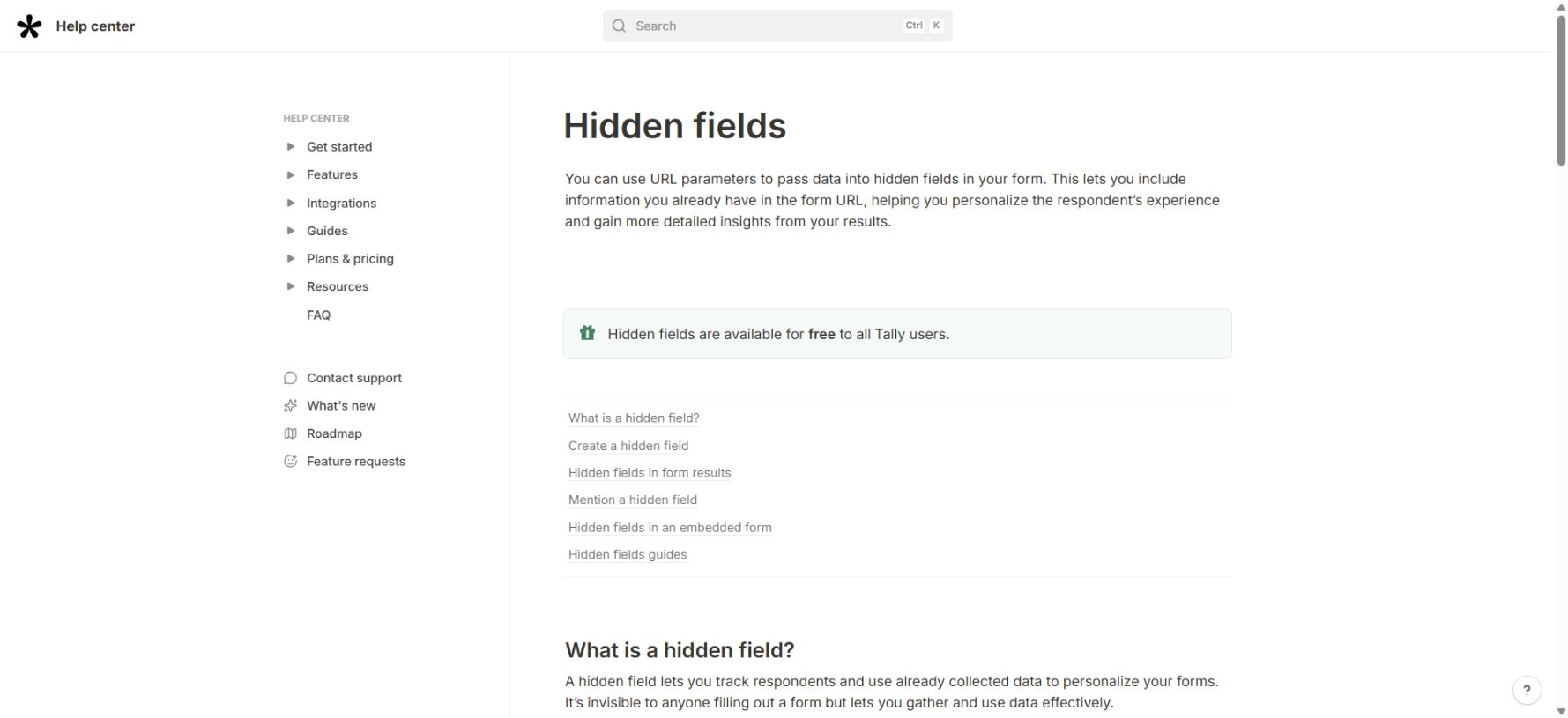
Tally’s public documentation shows how to carry a campaign label into a submitted form. Source -
Connect the request to the showroom conversation Check existing contacts and projectsAssign the appropriate estimatorConfirm the appointment details
Search the CRM for the contact and property before creating a new opportunity. Attach the showroom source and any existing salesperson notes to the same project. Keep marketing permission separate from the requested consultation follow-up.
Have the office confirm territory, scope and estimator availability. Record requested and confirmed appointments separately. Check the confirmed slot in the internal calendar and verify the contact and estimator notification.
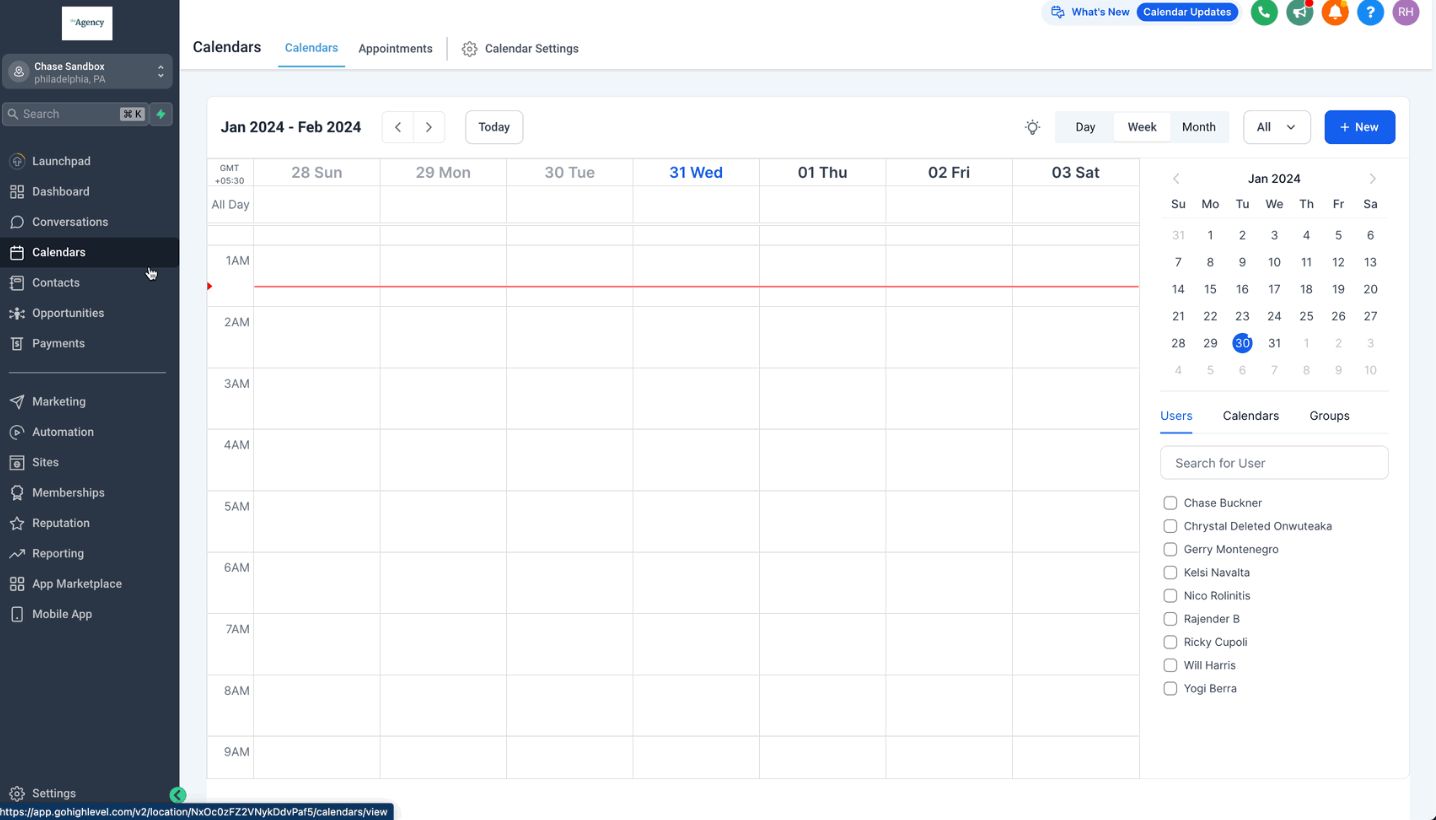
HighLevel’s internal calendar view. After a test booking, check that the appointment appears in the correct calendar. Source -
Measure consultations through proposals and jobs Keep brochure versions identifiableCount unique service propertiesFollow attended visits to sold work
Review showroom-page visits, accepted requests, qualified whole-home projects, attended consultations, proposals and sold replacements. A QR scan or page view establishes engagement with the destination. It cannot establish a qualified appointment.
Compare outcomes by handout version and distribution period. Keep the showroom as the original source if the homeowner later returns through search. Use the project record to avoid counting the same consultation again after a phone call or second scan.
What to measure
Print a small batch after the test request reaches your estimator. Review the first consultations for fit before changing the handout or distributing it more widely.