Keep a tenant's plumbing request moving while the owner approves access
A tenant can explain the problem while the property manager controls the appointment. Give both people a clear role so your office does not mistake a helpful report for approved work.
Steps
-
Identify the three roles Record reporter, access contact and approverKeep the service unit explicit
Ask who is reporting the issue, who can arrange entry and who approves the requested work. One person may hold several roles.
Record the unit and property manager's reference. Preserve the reported urgency and use your established urgent intake path where appropriate.
-
Create an approval activity Link the task to the property requestAssign a named office owner
Pipedrive documents activities linked to contacts and deals. Create an office follow-up for the required approval and record the intended approver.
The shared Pipedrive image illustrates pipeline selection. It does not demonstrate an owner-approval automation. Verify the actual linked record and due time.
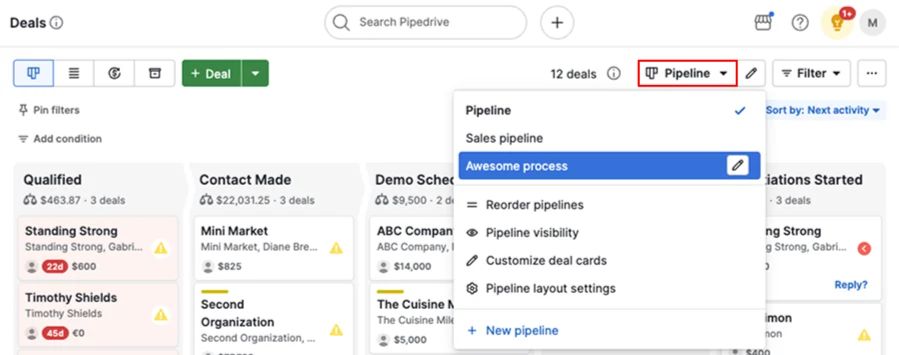
Pipedrive’s sample deal board shows the pipeline selector. Open the pipeline that contains the original proposal. Source -
Confirm the allowed next step Read back the approved scopeCoordinate the access window
Contact the authorized party through a verified channel. Record whether the approval covers an assessment, specified work or another defined step.
Confirm entry arrangements with the access contact and tell the reporter what is actually scheduled. Keep unrelated marketing out of this service exchange.
-
Close the handoff gap Track time awaiting approvalReview visits blocked by access
Test a staff case with three different people and confirm the assigned owner can explain each role.
Review approval delays and access failures separately from lead quality. Update the intake question that caused the missing information.
What to measure
Your next action is an owned approval request with a usable property record. Booking follows the confirmed scope and access arrangement.