Open sod-installation offers only for supplier-backed work windows
A website installation date needs enough supplier and crew certainty for operations to honor the offer.
Steps
-
Build the available-work list Check supplier datesConfirm preparation capacity
Have operations verify material availability and the crew time needed for preparation and installation.
Keep tentative supplier dates separate from confirmed work windows. Record who updates the list.
-
Test the appointment handoff Use the appropriate calendarCheck a booking internally
If you use a HighLevel calendar, verify its embedded link offers the intended consultation or scheduling call.
Make a controlled booking and inspect the internal calendar. The public screenshot shows that office view.
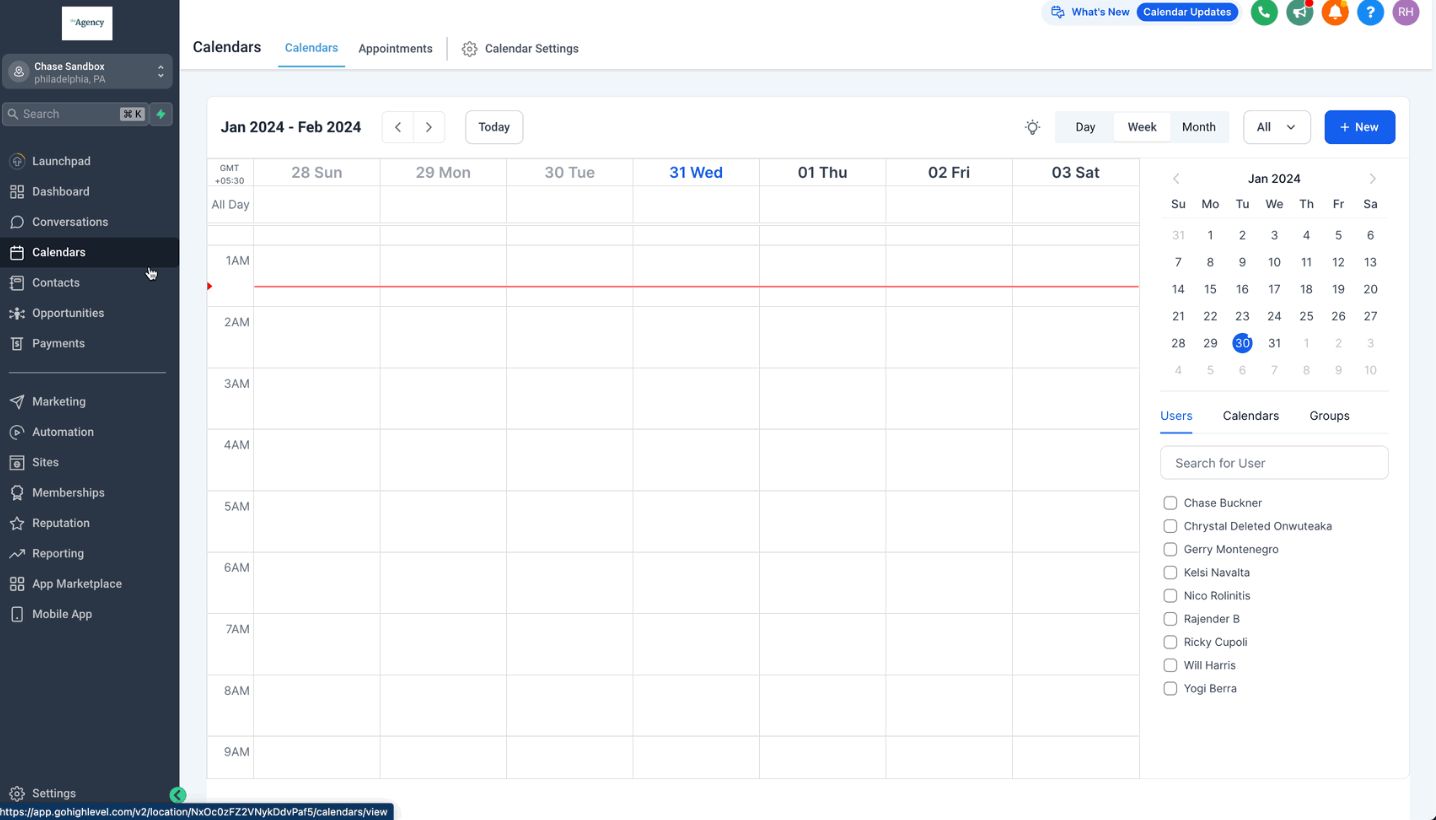
HighLevel’s internal calendar view. After a test booking, check that the appointment appears in the correct calendar. Source -
Confirm site readiness before a job date Ask about access and preparationHave production approve the window
Give operations the actual address and preparation status. Let the crew decide what must be ready before delivery.
Tell the customer when an appointment is a planning call and when an installation date is confirmed.
-
Keep the offer current Remove unsupported windowsRecord reschedule causes
Update the page when supplier or crew availability changes. Review scheduled jobs against the latest confirmed list.
Track jobs completed in the offered window and promises that had to be corrected.
What to measure
Advertise only the scheduling commitment your supplier and crew can support.