Set your kitchen consultation offer from actual cabinet and trade capacity
Your designer can have openings while a cabinet supplier or a trade crew still limits construction starts. Set the website offer from what the office can verify this week.
Steps
-
List the constraints by stage Ask the production manager for current startsName each decision owner
Keep estimates, design, selections, material order and trade commitments in separate columns. Identify which date depends on a supplier or another team.
Record the last confirmation and who owns an update. Use today’s constraints before the office promotes more appointments.
-
State the first appointment accurately Match the campaign with your siteVerify the type of booking
Give the owner a clear consultation route with the real location, appointment type and callback terms. Explain when start dates get confirmed.
Make a controlled test appointment and check the assigned designer and timing in the actual calendar. Change the public offer promptly if a slot disappears.
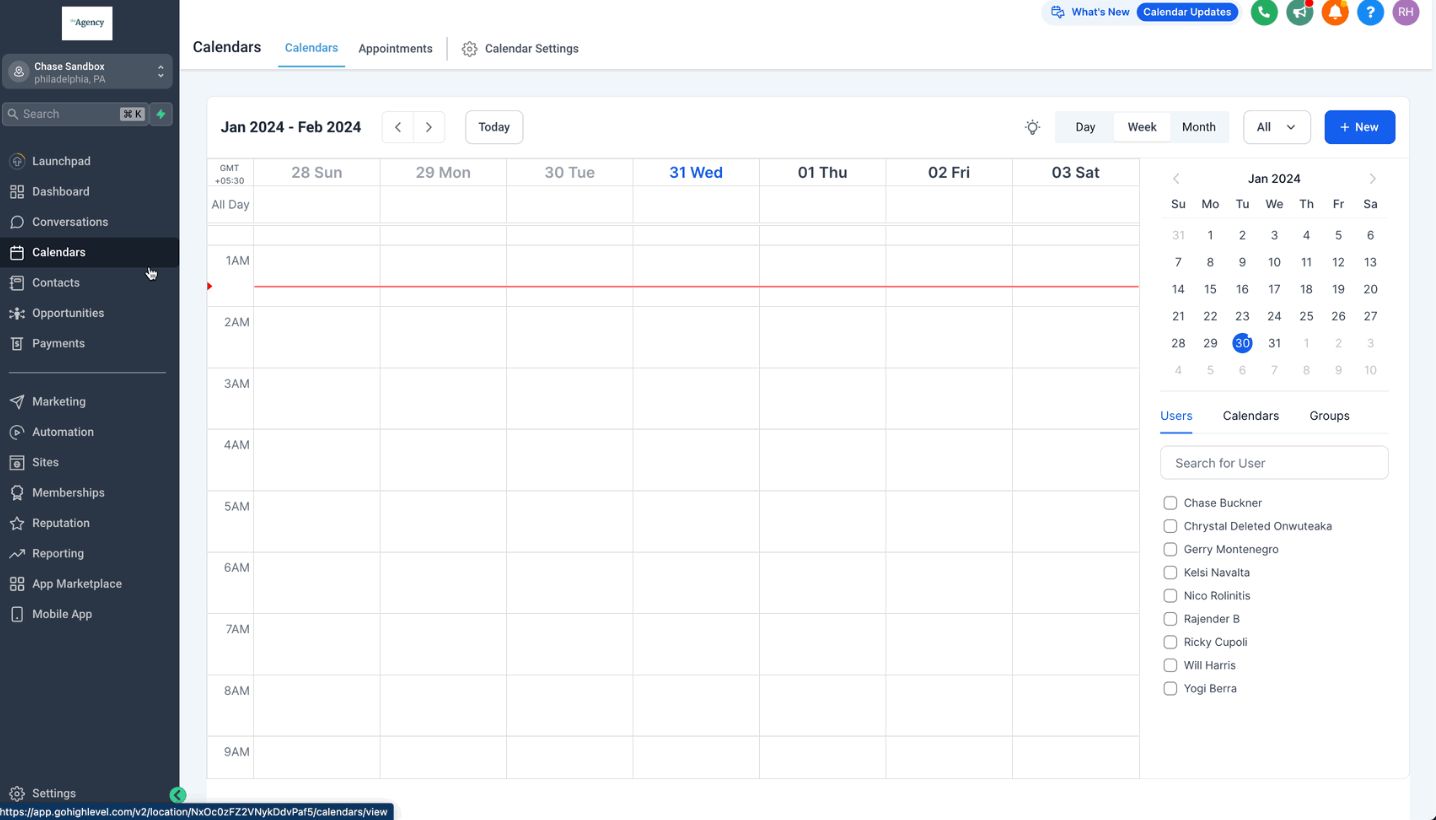
HighLevel’s internal calendar view. After a test booking, check that the appointment appears in the correct calendar. Source -
Give qualified inquiries the right follow-up Confirm scope and assignmentKeep installation planning with production
Review accepted requests first. Record the work type and scheduling restrictions before reserving appointments that depend on other teams.
If PipelineOn returns eligible page activity for a matched household, check any verified existing inquiry and capacity before assigning a sales action.
-
Compare scheduled work with the original promise Count kept consultations and ready startsLog what pushed back each sold job
Review the date you first offered, the dates each dependency actually cleared and the final start. Look at recurring bottlenecks.
Buy more traffic only when your designer and production team can realistically absorb the work and the paid results support it.
What to measure
Keep your site and calendar in sync. Set the pace from verified trade and supplier commitments alongside estimate outcomes.