Sort missed painting calls by occupancy and turnover timing
A rental turnover with a move-in deadline needs different scheduling from an occupied exterior repaint. Your office needs to know what the caller wants painted, who can authorize it and when the property is accessible. Use the missed-call response to start that intake.
Steps
-
Define the painting work your office will route Separate exterior repaint from interior turnoverAsk about occupancy and accessRecord who authorizes the estimate
Write three intake choices: exterior repaint, rental turnover and unsure. Ask whether anyone currently lives at the property and whether the turnover includes exterior work. An occupied rental can still have an exterior repaint. Keep job type and occupancy in separate fields.
Give the office a route for interior-only turnover if that belongs to another crew or falls outside your services. Ask for the contact's role and authorization to arrange an estimate. A caller mentioning a rental does not establish ownership or permission to enter.
-
Configure a short, eligible text response Name your companyAsk the job type firstTest the delivered message
Confirm messaging consent, sender registration and opt-out handling with your provider before enabling automatic texts. Keep a callback queue for callers you cannot text. A missed call should never enroll a person in a promotional sequence.
HighLevel offers Missed Call Text Back under its phone settings. Use a message such as: This is [company]. We missed your call. Is this an exterior repaint or rental turnover, and what ZIP needs service? Our office will follow up during [hours]. The shared screenshot shows HighLevel's setting, with no claim about your configuration.
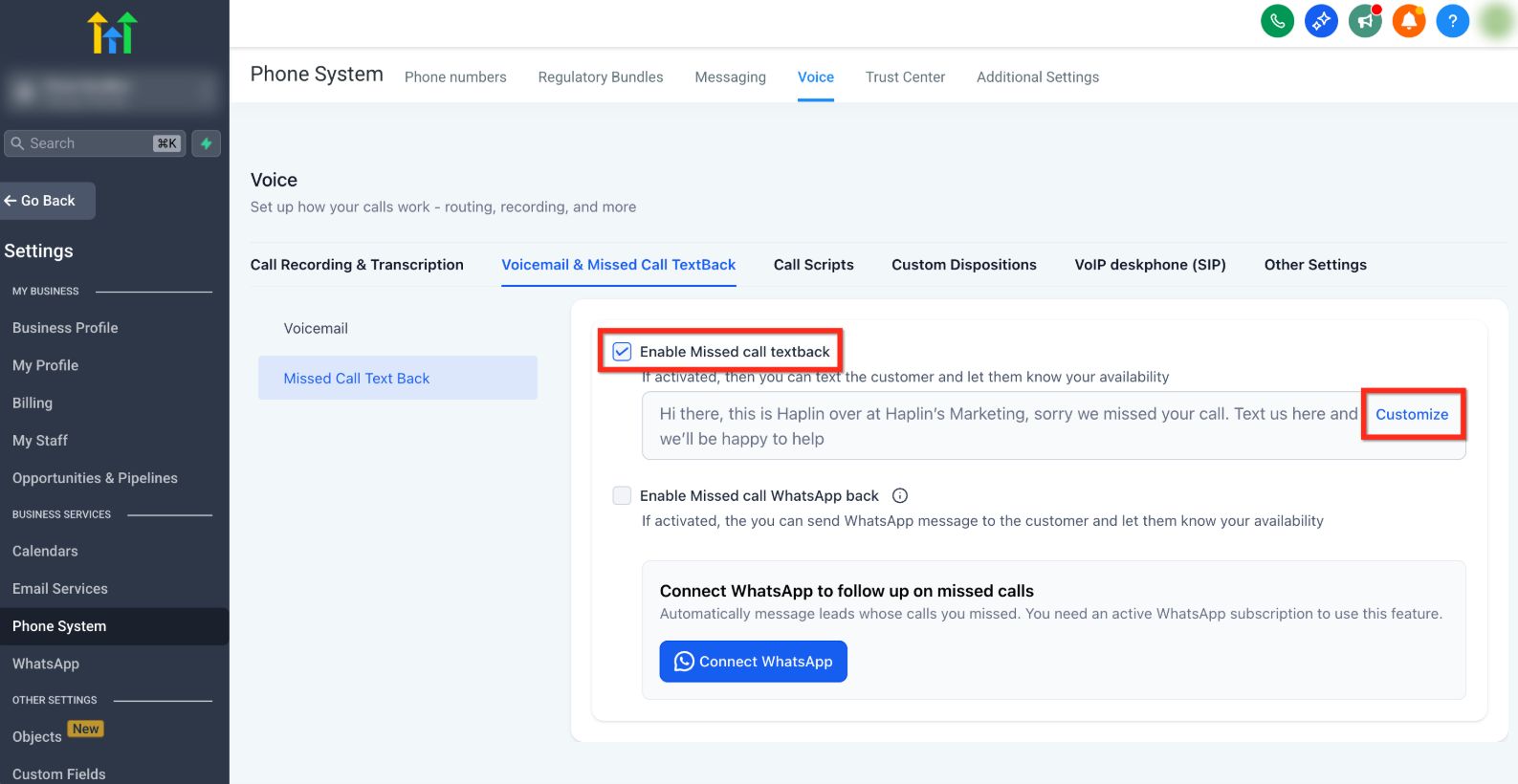
HighLevel’s Missed Call Text Back setting and Customize button. Source -
Have the office confirm the deadline and access Record current occupancyAsk about the actual turnover dateGive one estimator responsibility
On reply or callback, confirm service address, surfaces, occupancy, desired completion date and access contact. Ask whether the deadline is a preference or a committed move-in date. Have your estimator assess whether your crew can meet it before offering a completion promise.
Attach the conversation to the existing property or estimate when one is open. Give the estimator the caller's reported details and an explicit next action. Keep arranging access with the authorized person through your normal process.
-
Test repeat calls and measure the two job routes Check repeat calls and opt-outsCount unique projectsTrack completed estimates and sold work
HighLevel documents that repeated missed calls can trigger repeated texts. Test two calls, one reply and an opt-out. If you build a guarded workflow, disable the competing sender and verify the new path before launch.
Review occupied repaint and turnover requests separately. Track qualified requests, attended estimates, accepted projects and jobs completed by the agreed date. Include declined deadlines and out-of-scope work so you can improve the intake questions.
What to measure
Start with one advertised number and a named office owner. Review the first replies with your estimator so the questions reflect the work your crews can accept.