Get winter interior painting estimates from the pages people already find
If your exterior crew moves indoors for winter, look at the service pages homeowners already find before paying for a new campaign. Pick an interior job your crew can take, such as an occupied living room repaint or a vacant whole-house project, and make the quote path fit that job.
Steps
-
Give the winter work an actual service window Choose one project typeCheck materials and crew availabilityWrite down the promises the office can make
Ask the crew lead whether the available days work for occupied rooms, vacant whole houses or both. Note your requirements for access, furniture, drying time and any limits on the amount of work available. Agree on a date when the office will review capacity again.
Use that list to choose the first page and quote example. An empty calendar does not turn every interior project into a fit.
-
Find the interior terms sending homeowners to your site Open the Search results reportCheck non-branded queries when availableReview which service pages Google shows
Use Search Console to compare results during the same season where you have comparable data. Begin with a phrase such as interior house painters or living room painting and use the Pages tab to see whether people are finding a relevant service page. Look at clicks as well as impressions.
Google’s branded query filter can help eligible properties separate discovery from searches for your business name. It is an aggregate report. Check actual website requests and your calendar to understand the jobs that came through.
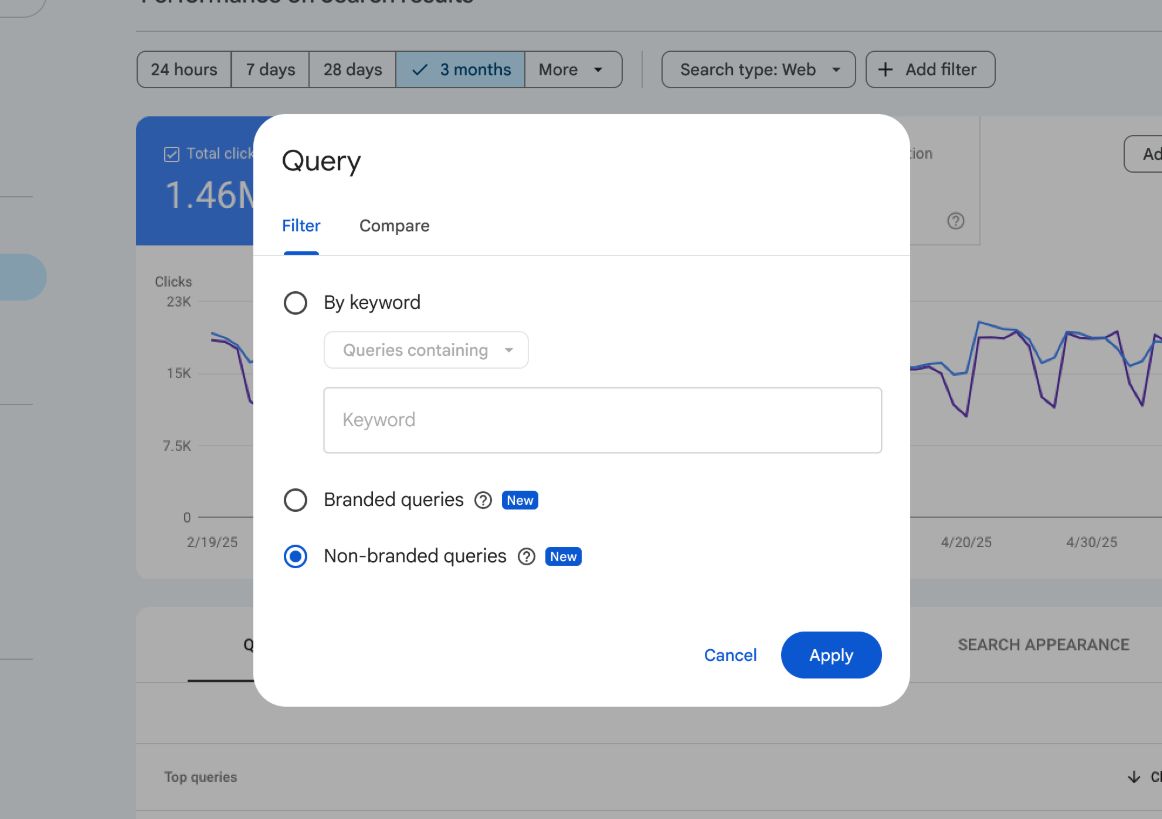
Google’s cropped Search Console example shows where to filter by keyword or choose branded and non-branded queries for an eligible property. Source -
Put an interior quote request beside real project proof Show rooms like the ones you want to paintExplain preparation for occupied homesAsk about rooms, timing and access
Use a current, approved project example and explain what the crew covered, moved or repaired as part of that scope. Put the request form close to the example and say when the office can reply. Leave the coupon language off unless you can honor the offer.
Ask for service address, occupied or vacant status, rooms and preferred timing. Give the homeowner an option for uncertain scope. Have your office confirm the project and available estimate slot.
-
Check which winter requests reached an estimate Keep interior and exterior requests distinctConfirm attended estimatesRecord why work was declined
Check the landing page, service requested and final appointment in your office report. Compare qualified requests and attended estimates for your selected project type. If a page gets more clicks while qualified demand stays flat, review the fit of the project photos, scope and intake questions.
If your team separately reviews available PipelineOn matches, check the service area and any existing inquiries first. Track this follow-up separately from quotes homeowners submitted.
What to measure
Use this season’s staffed capacity and completed estimates to decide which interior pages earn more attention next winter.