Test whether a clearer preparation request improves electrical assessment attendance
An optional preparation message may help an electrical assessment happen with better information. Test its effect before adding more steps to every booking. Keep essential access, appointment and safety information available to all customers throughout the pilot.
Steps
-
Define the optional message and eligible appointments Use confirmed assessments of the same typeKeep essential instructions unchanged
Choose one assessment type with confirmed property and date. Have the electrician approve a brief optional request, such as sharing an existing equipment document or confirming a planned installation location.
Exclude urgent service cases and appointments needing individual coordination. Give everyone normal confirmations and required instructions. Define attendance and useful-preparation outcomes from the actual visit record before assigning groups.
-
Randomize appointments before sending Save fixed assignmentsKeep repeat project records together
Have an analyst randomly assign eligible projects to normal communication or normal plus the optional request. Save the assignment, exact message and relevant appointment cohort. Avoid reassigning customers after seeing their response.
NIST explains random assignment in completely randomized designs. Use an analyst to plan this practical pilot and account for important scheduling differences. Preserve the same follow-up opportunity for both groups.
-
Verify preparation reaches the existing appointment Use only safe optional requestsTest the calendar and technician notes
Send a controlled test and inspect the reply route. Ask nobody to open equipment or perform electrical tests. Keep a no-document path so a missing photo cannot cancel a confirmed appointment automatically.
The shared HighLevel screenshot shows an internal calendar example. Check your actual appointment, owner and preparation note. Confirm a reply updates the existing project instead of creating another visit.
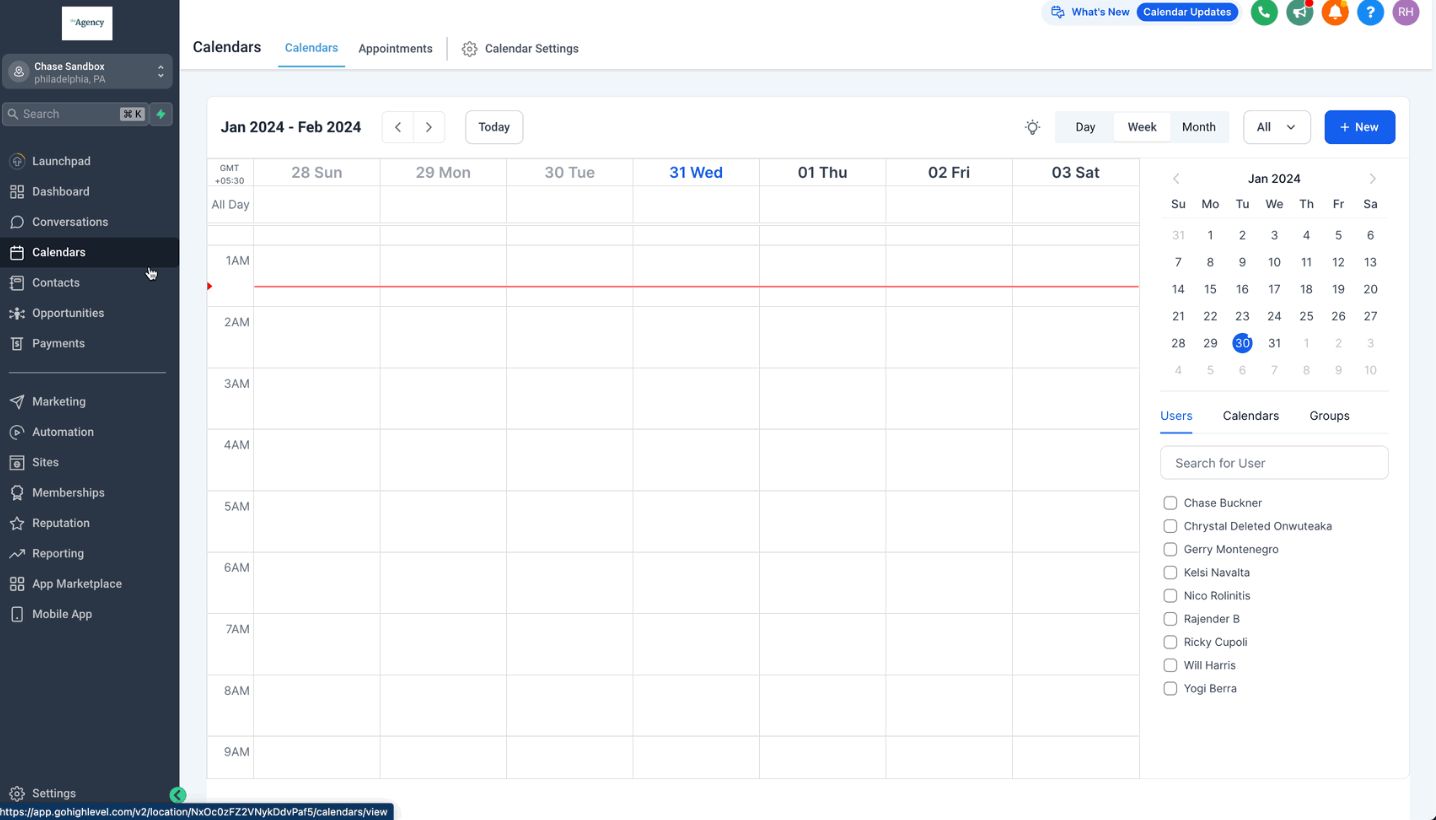
HighLevel’s internal calendar view. After a test booking, check that the appointment appears in the correct calendar. Source -
Compare attendance and technician usefulness Use all assigned appointmentsCount reschedules and staff effort
Report assigned projects, messages delivered, attendance, reschedules and the electrician's documented preparation rating. Keep all original assignments in the review, including nonresponders and delivery failures.
Show counts and the same elapsed outcome window. A small pilot has uncertainty. Have the analyst review any difference alongside extra staff time, then decide whether to repeat, simplify or stop the optional request.
What to measure
Keep the appointment outcomes and exact message with the assignment log. A useful preparation step should improve the visit without becoming another obstacle to getting help.