Review installed Christmas lights when the property changes hands
A customer tells the office the house has sold while your lights remain installed. Check the actual equipment arrangement and new access contact before arranging the next visit.
Steps
-
Identify the installation and agreement Confirm the service addressRecord the reported property change
Ask the customer what changed and read the installed-equipment and removal records. Keep ownership of equipment unassumed.
Use your approved process to verify who may coordinate access and receive agreement information.
-
Find the original project context Choose the installation pipelineCheck accepted scope attachments
Use Pipedrive’s selector to locate the installation opportunity and its owner. Read the actual accepted arrangement.
Check operations and storage records too. A sales stage alone does not establish who owns the installed equipment.
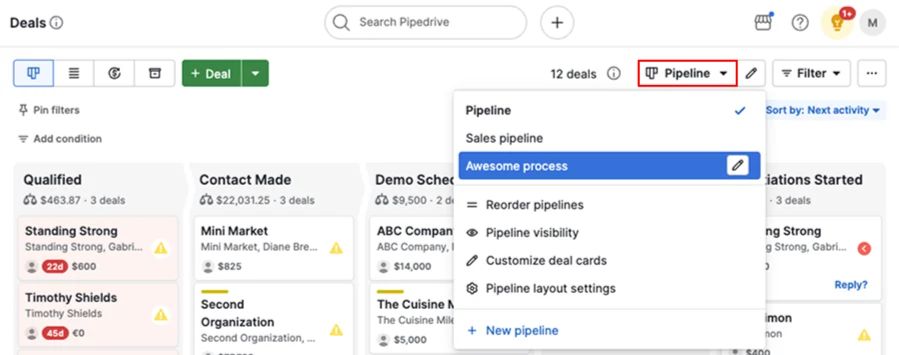
Pipedrive’s sample deal board shows the pipeline selector. Open the pipeline that contains the original proposal. Source -
Assign an agreement-based next action Name the commercial reviewerConfirm site access separately
Have the responsible owner review the agreement and any required customer instruction. Keep interpretation with the authorized person.
Operations confirms the actual access contact before scheduling removal or other work.
-
Close the coordination loop Record the confirmed contactsUpdate future equipment reminders
Save the checked disposition and any open agreement questions. Remove outdated access instructions.
Review visits prevented by unreported ownership changes and improve the customer handover reminder.
What to measure
Use the agreement and confirmed access record to determine the next equipment action.