Use Search Console to improve one solar consultation page
A solar page can appear for searches your installation team does not serve. Check the queries and landing page before rewriting the offer or buying more traffic. Use the resulting inquiries to judge whether the page attracts projects your team can actually survey.
Steps
-
Filter Search Console to the actual consultation page Select the correct property and date rangeFilter the exact page URLInspect queries alongside clicks and impressions
Open the Search results performance report and filter to the consultation URL. Inspect the queries that produced impressions and clicks. Keep the date range and country consistent when comparing periods.
Google documents page and query reporting in Search Console. The shared Search Console screenshot is an example of report context. Open your own property before drawing a conclusion about solar demand. An impression is search exposure, with no proof that someone visited or requested a consultation.
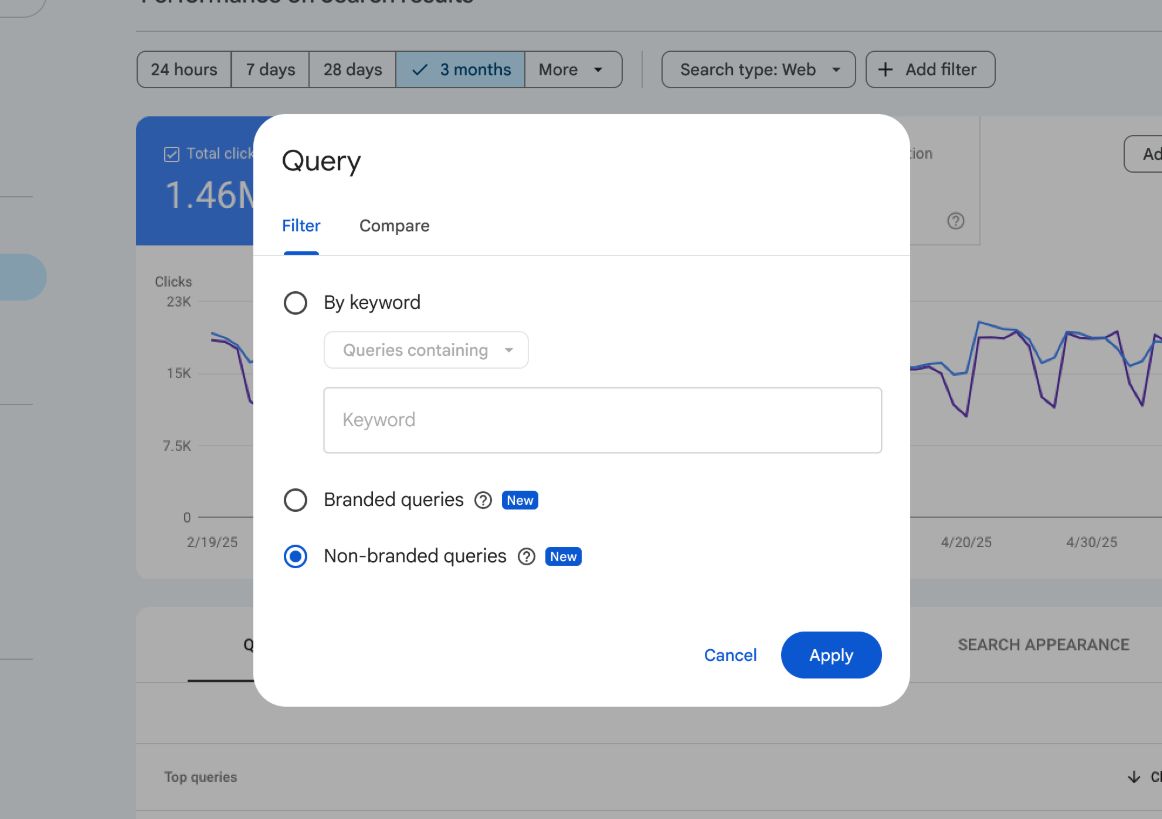
Google’s cropped Search Console example shows where to filter by keyword or choose branded and non-branded queries for an eligible property. Source -
Check whether the search and service offer fit Separate installation from service queriesState territory and project typesExplain the next assessment step
Ask your office which queries describe work the company accepts. Rooftop installation, existing-system service and battery-only work may require different pages or teams. Match the page title and visible offer to the service it actually provides.
Explain what the consultation includes, which properties you serve and how a site survey is arranged. Keep technical feasibility and any savings analysis subject to the qualified assessment. Avoid using a general claim about local demand to replace the page-specific evidence.
-
Test the accepted consultation request Collect the actual property and projectKeep unknown roof details acceptableVerify the office owner
Ask for contact details, property location and whether the inquiry concerns a new system or existing equipment. Let roof age and other technical details remain unknown. Your team confirms the site information through its normal process.
Submit a staff-controlled request from the actual page. Check the source URL, project answers, assigned coordinator and acknowledgment. Verify that the office can distinguish a new installation inquiry from a service question.
-
Judge the change by qualified project outcomes Record when the page changedTrack surveys and proposalsKeep open projects visible
Review relevant search clicks alongside accepted inquiries, qualified consultations, completed surveys, proposals and installations. Use a consistent cohort and allow open projects time to resolve. Search Console clicks and CRM outcomes measure different steps.
Record out-of-area requests and unsupported services. If those repeat, revise the page's promise or routing. Keep changes documented so your office can explain what improved and what remains uncertain.
Use eligible PipelineOn page paths to review whether matched prospects read about the type of installation your survey team serves. Confirm territory and look for an open request before handing anyone to sales. Search Console query totals remain a separate, aggregate report.
What to measure
Start with one page and one fixed comparison period. Expand the work after the coordinator can trace useful inquiries from that page into completed site surveys.