Review battery-addition inquiries against the installed solar system
A battery request needs the actual installed-system record before the office treats it as a new rooftop project.
Steps
-
Find the installed system Confirm the service addressRequest available equipment records
Ask whether your company installed the system and what the customer wants the battery addition to achieve.
Collect available model and design records through the approved route. Keep unknown equipment marked unknown.
-
Review existing project context Select the relevant deal pipelineRead the accepted system scope
Use Pipedrive’s pipeline selector to locate an existing project when one is in your CRM. Confirm the owner and documents.
Check current equipment records too. The old sales proposal may not establish what is installed today.
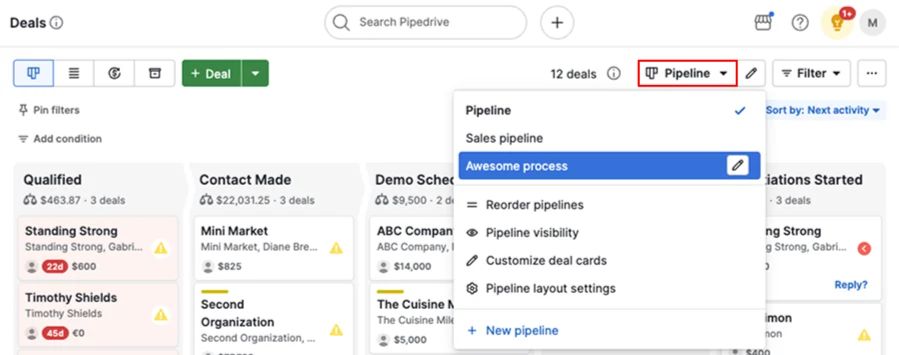
Pipedrive’s sample deal board shows the pipeline selector. Open the pipeline that contains the original proposal. Source -
Assign compatibility review Give the designer the stated goalHold technical promises for review
Have the qualified team decide which equipment and site checks are needed. Record the requested use and unanswered questions.
The coordinator offers the assessment or specialist conversation approved by that reviewer.
-
Track supported addition proposals Record verified equipment informationSeparate service from expansion
Log whether the review produced an addition scope, service task or request for further information.
Count proposals supported by an actual system review and stop duplicate new-system sales follow-up.
What to measure
Begin the addition discussion from the installed system and the customer’s stated goal.