Route solar monitoring alerts to service before new-system sales
An existing system owner arriving through your website may be asking about an alert rather than requesting a new installation.
Steps
-
Ask what the alert concerns Record the customer’s wordingConfirm the system address
Ask whether the person is a current customer and what message they see. Keep the exact reported alert in the request.
Give technical interpretation to qualified service staff. Publish the actual staffed response route.
-
Inspect the incoming call context Check the tracked numberRead available page evidence
Open the CallRail caller timeline and compare the session, when available, with the actual voicemail or call notes.
A new-system page visit does not turn a monitoring question into a new-installation lead.
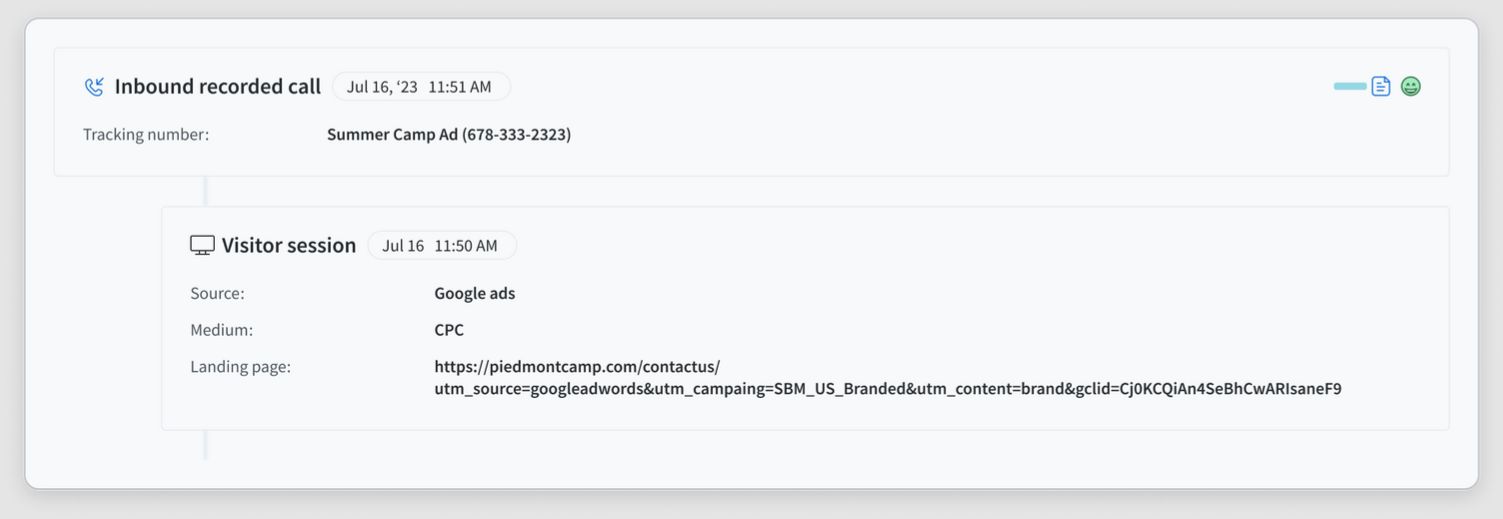
CallRail’s example of the visitor session attached to a tracked call. Source -
Reconcile with open service work Find the actual equipment recordAssign one service response
Verify the customer and property through your normal records. Check whether the same issue is already assigned.
Give new alert details to the service owner and tell the customer the next confirmed response.
-
Audit misclassified inquiries Count sales-to-service transfersRecord service dispositions
Review calls that were sent to a new-system salesperson first and identify the missing intake question.
Keep qualified new-installation opportunities separate from existing-system support contacts.
What to measure
The actual alert request should determine the first responder.