Keep incident intake usable when restoration photos cannot upload
A photo upload should not block someone from reaching restoration intake. Keep contact and incident details usable when images fail. Your team can request appropriate evidence later through its professional process.
Steps
-
Define the minimum useful incident request Require callback and service locationMake safely available images optional
Have intake approve required fields for the reported incident and contact. Allow unknown details and explain who reviews the request.
Offer your real staffed phone route. Ask nobody to enter damaged areas or disturb materials to complete a marketing form.
-
Test uploads and interrupted connections Use realistic phone-image formatsPreserve entered answers after errors
Run a normal image, larger file, unsupported format, no-photo case and interrupted submission. Check error wording, retry and confirmation.
If using Tally, verify current upload options and limits. Confirm an accepted image can be opened by the authorized project reviewer.
-
Measure acceptance rather than button clicks Separate upload failures and accepted requestsKeep incident content out of analytics
Have your web person define minimal start, error and accepted-request events. Reconcile the final event with actual intake records.
The shared PostHog image is a sample funnel. Build your own flow without photos, report text or contact details in analytics properties.
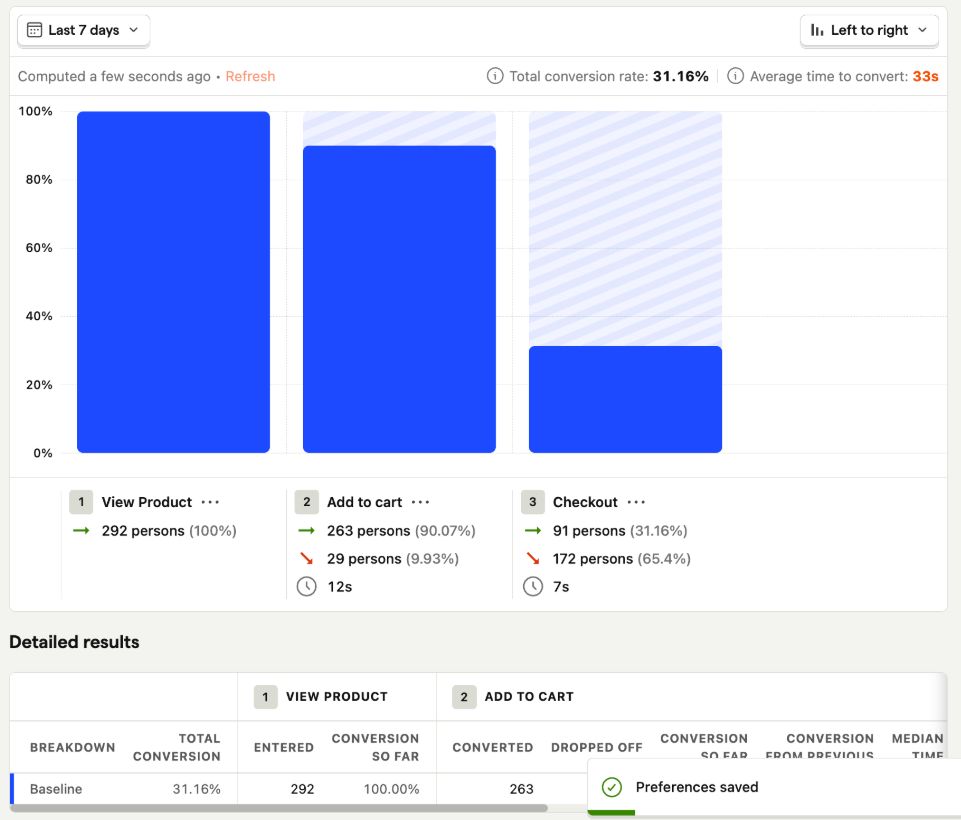
PostHog’s sample funnel. Substitute your page visit, form open and accepted request. Source -
Verify no-photo delivery and human response Inspect the incident owner and acknowledgmentReview avoidable callback delays
Submit a controlled no-photo request and verify the actual incident queue. Check that a successful retry does not create competing requests.
Track accepted inquiries, staff contacts and attended assessments alongside errors. Remove unnecessary attachment requirements that repeatedly prevent useful intake.
What to measure
Keep the error and fallback cases with the form configuration. Rerun them after changing uploads, validation or office delivery.