Invite past pool-opening customers into a verified spring schedule
Past opening customers give your office a useful starting list for spring scheduling. Confirm that the property and service still fit before offering a slot. Your technician needs current cover, access and equipment information because last season's work order may be out of date.
Steps
-
Build the audience from completed opening jobs Use verified service historyRemove active bookings and suppressed contactsCheck route and technician capacity
Start with actual opening invoices or completed work orders. Check service address, contact details and current route coverage. Remove customers already booked, records with unresolved service issues and people who declined marketing contact.
Have the technician confirm the service scope and time allowance before the office offers dates. Separate routine openings from repairs or projects needing a different crew. Keep weather and rescheduling capacity in the plan.
-
Link the invitation to a current preparation page Explain access and cover informationAsk about equipment changesUse an eligible email audience
Publish a technician-reviewed page explaining what the opening includes and what information the office needs. Ask whether the cover, gate access or equipment changed. Avoid promising that an opening appointment establishes readiness for swimming.
Send eligible customers the page and a clear invitation to request an opening slot. Follow your provider's audience rules and the FTC's commercial-email requirements, including accurate sender details, postal address and opt-out handling.
-
Test booking against the correct route calendar Confirm address before reserving timePass preparation answers to the technicianInspect the resulting appointment
Offer only appointments your service schedule can support. If access or scope needs review, collect a request and have the office confirm the date. Preserve the existing customer and property record when the booking arrives.
The shared HighLevel calendar screenshot is an example interface. Complete a test on your own page and check calendar, timezone, assigned technician and confirmation. Confirm the preparation answers remain visible on the work order.
Where PipelineOn provides a verified return from an existing pool customer, check last season’s route and current opening status. Use it to review unresolved bookings. Confirm gate, cover and equipment details with the customer before reserving time.
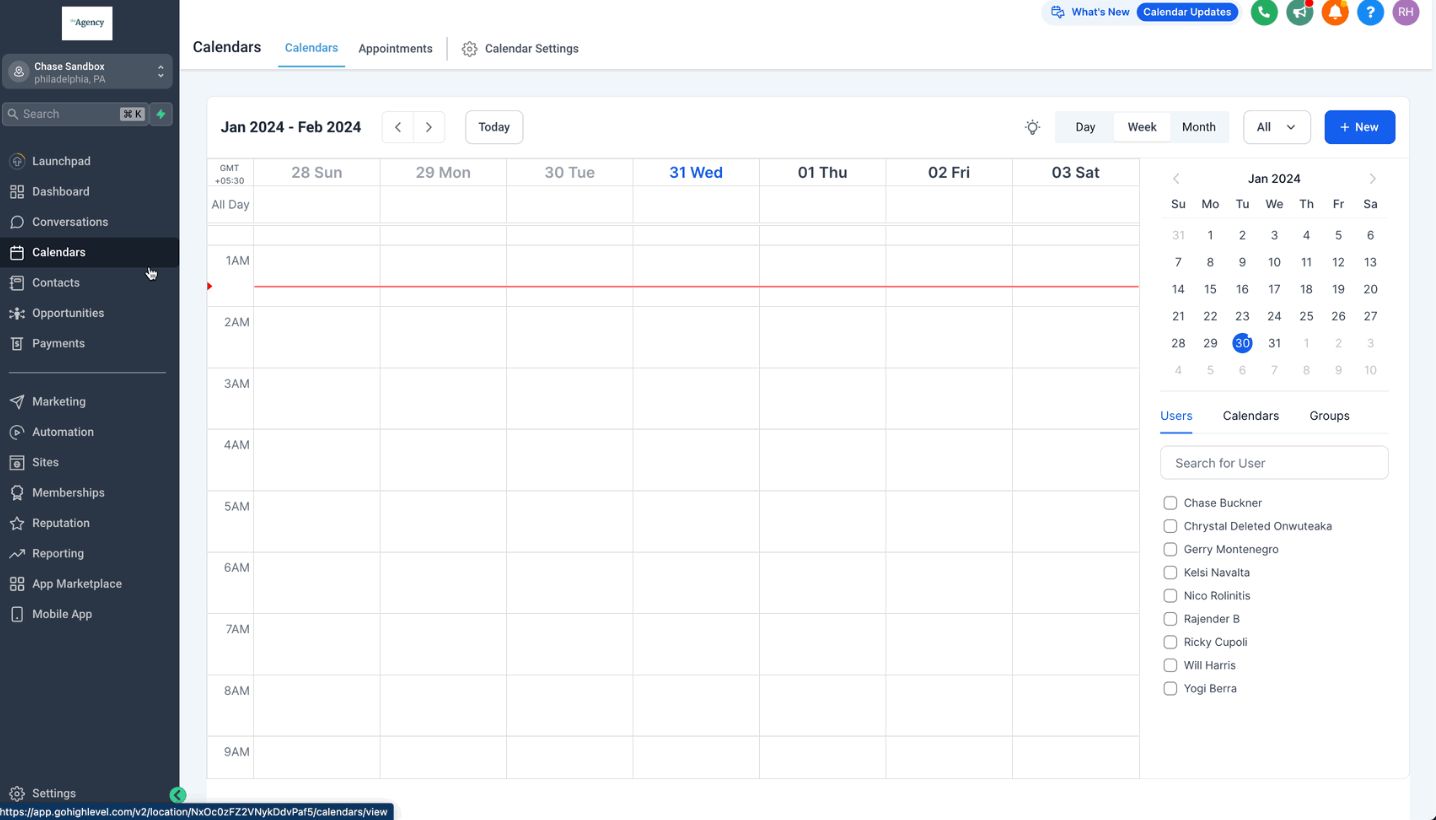
HighLevel’s internal calendar view. After a test booking, check that the appointment appears in the correct calendar. Source -
Reconcile openings with repair work and paid visits Avoid duplicate bookingsTrack access failures and reschedulesCount completed paid openings
Check for an existing repair order when a customer reports an equipment problem while booking. Give it an explicit owner and decide whether it changes the opening appointment. Keep the customer informed of the actual plan.
Review invitations, replies, confirmed openings, completed visits and paid work. Record access failures, changed scope and weather reschedules. Use actual technician time and travel to decide how many slots to offer in the next release.
What to measure
Release a manageable set of dates after your test booking reaches the work order. Keep the customer list and route availability current as spring fills.