Test the human boundary behind after-hours pest reception
After-hours reception should collect the report your staff can act on. It should not diagnose or promise treatment timing without a verified service decision. Test the fallback when the designated person cannot answer.
Steps
-
Approve the collection and handoff rules Use technician-approved questionsName the real escalation destination
Record service location, reported observation, contact and requested help. Keep unknown pest details unknown.
Write actual coverage hours, on-call ownership and unanswered fallback. Keep treatment instructions and result promises outside reception.
-
Test the published number's routing Review primary and backup destinationsCheck real phone behavior
HighLevel documents inbound routing and backup behavior. Compare configuration with the number and hours your site advertises.
Use an outside test phone. Check whether forwarding or voicemail prevents the intended route from reaching staff.
-
Run contrasting intake scenarios Test routine inspection and urgent reportVerify ownership after failed handoff
Use controlled calls for an uncertain pest, an existing customer and a reported urgent concern. Include an unanswered escalation contact.
The shared CallRail image is an example. Inspect your real call trace and callback task. A logged call is separate from a staff-accepted response.
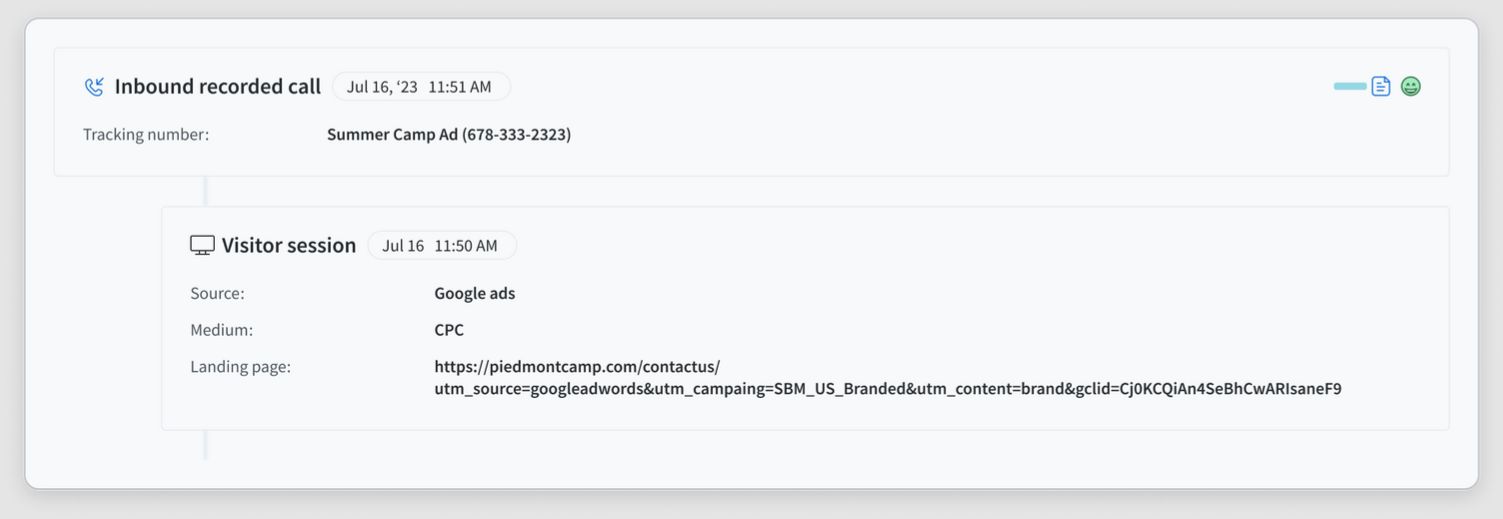
CallRail’s example of the visitor session attached to a tracked call. Source -
Review unresolved calls at shift change Preserve original reportsTrack actual professional review
Give every unresolved request a named owner and accurate customer expectation. Keep the reported concern intact for the next shift.
Measure completed human contacts, accepted inspections and attended visits. Repair unsupported answers and missing assignments before expanding coverage claims.
What to measure
Keep the scenario tests with the routing. Repeat them whenever staff, phone destinations or advertised response hours change.