Give missed locksmith calls a verified staffed callback route
A missed locksmith call needs a clear office owner and an accurate callback expectation. Test the number published on your site and make the unanswered path useful. Keep the workflow focused on requested service, real availability and your normal authorization process.
Steps
-
Check the public contact details and staffing Use accurate business identity and hoursVerify the service territoryName the callback owner
Review the number, company name, hours and coverage shown on your site and Google Business Profile. Google requires accurate representation and a precise address or service area. Keep advertised availability aligned with the people actually answering.
Have one person own missed callbacks during each staffed period. Explain what happens after hours using the arrangement your company actually provides. A website claim cannot stand in for a staffed response path.
-
Test forwarding, voicemail and callback logging Call from an outside phoneCheck busy and unanswered outcomesPreserve the caller's callback number
Make controlled calls to the published number when the primary staff member answers, is busy and cannot answer. Inspect whether the correct callback number and time reach the intended queue. Test the real backup destination as part of the same trace.
HighLevel's inbound routing documentation explains how forwarding, user assignments and backup behavior affect calls. Use the relevant configuration in your system and confirm its actual behavior. Avoid routing loops or a voicemail that masks an unanswered request.
-
Use eligible text-back only for minimal intake Confirm messaging eligibility and opt-outsIdentify the companyAsk for general service and location
If your messaging setup is authorized for the caller, use a brief acknowledgment asking for service area and the general requested service. Keep sensitive security information out of texts. Use a phone callback when SMS is unavailable or consent is unclear.
HighLevel provides a Missed Call Text Back setting. The shared screenshot shows its configuration example. Test the delivered message, repeated calls and opt-out handling. Keep your actual callback hours in the message and avoid promising a technician before review.
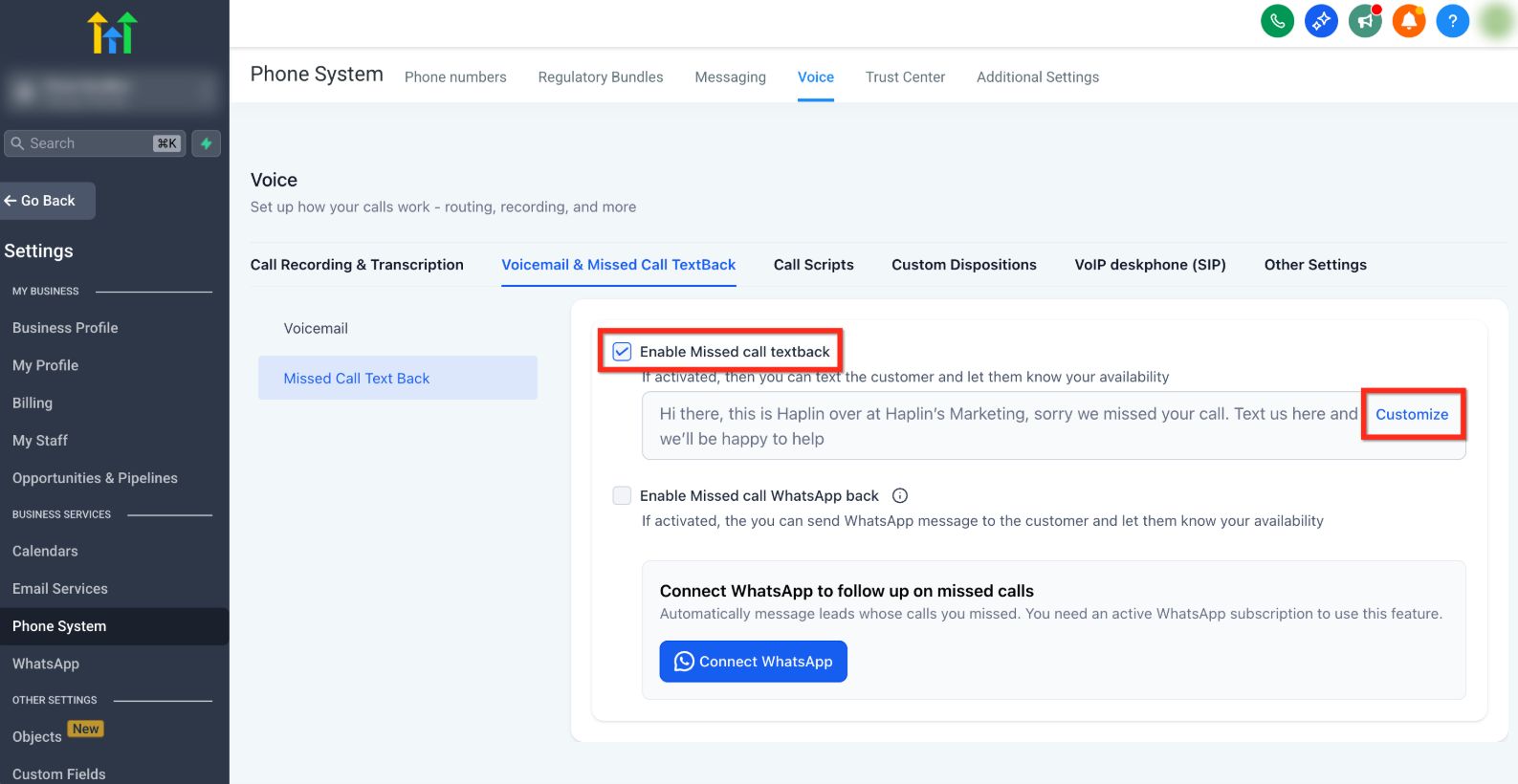
HighLevel’s Missed Call Text Back setting and Customize button. Source -
Close each callback with a verified disposition Confirm coverage and requested serviceApply established authorization checksTrack completed paid work
Have staff return the call and confirm scope, location, fee expectations and availability. Apply your established authorization checks before accepting the relevant service. Keep incomplete requests pending with an explicit owner.
Track unique missed callers, successful callbacks, accepted requests and completed services. Separate repeats, out-of-area calls and unresolved authorization. Review unassigned callbacks each shift so an acknowledgment never gets counted as a booked job.
Use available PipelineOn page activity to choose which landing page to inspect, then place a controlled call to verify its callback route. Staff use confirmed caller details and their normal authorization checks for every service decision.
What to measure
Save a successful phone trace and message test. Repeat them after changing staffing, routing or the number shown on your site.