Keep kitchen layout questions attached to a Messenger booking
A designer joining a booked call should already know whether the homeowner wants to move a wall or keep the existing layout. Save the intent expressed in Messenger before handing over the calendar link.
Steps
-
Ask two questions in the conversation Capture the desired layout changeAsk whether the home will be occupied
Have the office ask what the person wants to change and when the home needs to remain usable. Record uncertain answers the designer should revisit.
Explain which appointment the next link offers. Keep contractor assessment and confirmed construction dates out of the booking promise.
-
Test Messenger first Connect the intended PageConfirm the test thread’s owner
If HighLevel handles the Page inbox, use the documented connection and reply check. Send a test message and identify which office account can actually see it.
Save the conversation link, service property and requested scope in your intake. Check for an existing consultation before creating a second appointment.
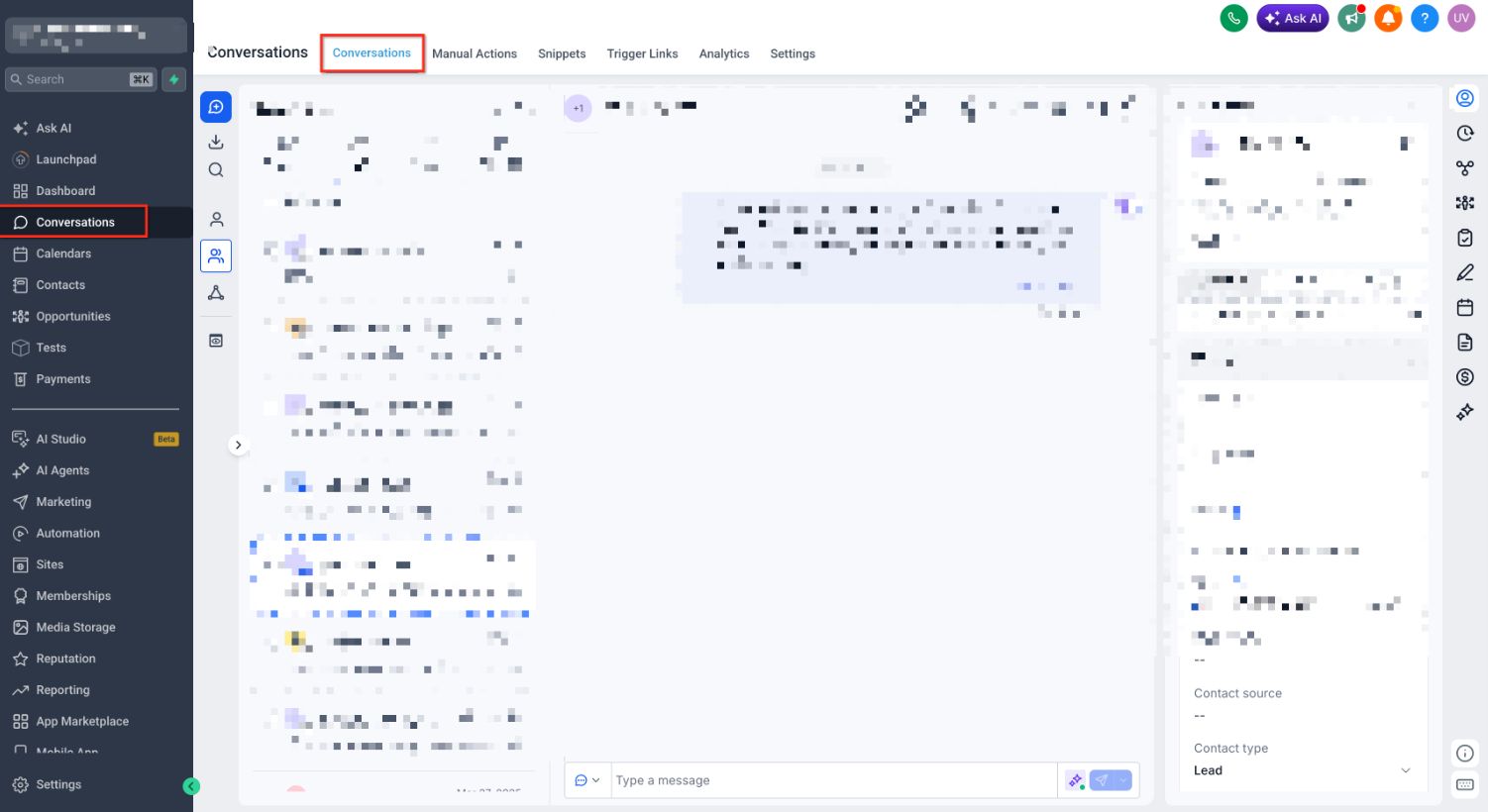
HighLevel’s example shows where incoming Messenger threads appear in Conversations. Source -
Confirm the calendar record Send a verified site linkAsk one question on unbooked qualified requests
Test a booking and confirm it shows in the correct calendar. Check that the designer can see the original scope and knows which questions remain.
If an eligible PipelineOn match with relevant page activity agrees with a known record, use it as context. Keep unnamed site activity separate from known message history.
-
Review preparation and attendance Count booked and attended consultationsCheck what the designer repeated
Audit qualified conversations that never booked for unclear timing, occupancy or project questions. Ask whether one clearer page would have helped.
Measure readiness from your designer’s actual intake notes and use the result to revise the first reply.
What to measure
Make the handoff work when the homeowner books immediately and when the designer needs a follow-up before scheduling.