Turn hydro jetting price research into the right drain appointment
A homeowner reads your hydro jetting page and asks for an exact quote for an unknown drain. Give them a useful first answer and a way to tell your office what is happening. The dispatcher can then arrange an appropriate assessment without promising a service the technician hasn’t approved.
Steps
-
Choose what you can quote from the pricing page Choose a service or assessment your office actually offersSay what changes the scopeShow the route for an active backup
Use your own recent job records to identify the questions that changed the scope or quote. The location, repeated blockages and availability of a usable access point may affect the first visit. Have a drain lead approve what the office can explain and what must wait for an inspection.
Describe your assessment fee if it is consistent and current. Explain who confirms the approach and price. Use your actual staffed urgent route for someone reporting an active backup.
-
Check which quote questions bring people to the page Open the exact URL in Search ConsoleCompare price and symptom queriesRecord page visibility separately from requests
Filter the Search results report to your pricing page and open Queries. Look for cost phrases and recurring-blockage questions that you can answer well. Use the Query filter if you want to isolate a specific phrase. Google can omit some lower-volume queries, so use your office call notes as a second source.
If shoppers routinely ask whether a visit is required, explain that decision near the top. Use actual scope examples from your work or label an example as hypothetical.
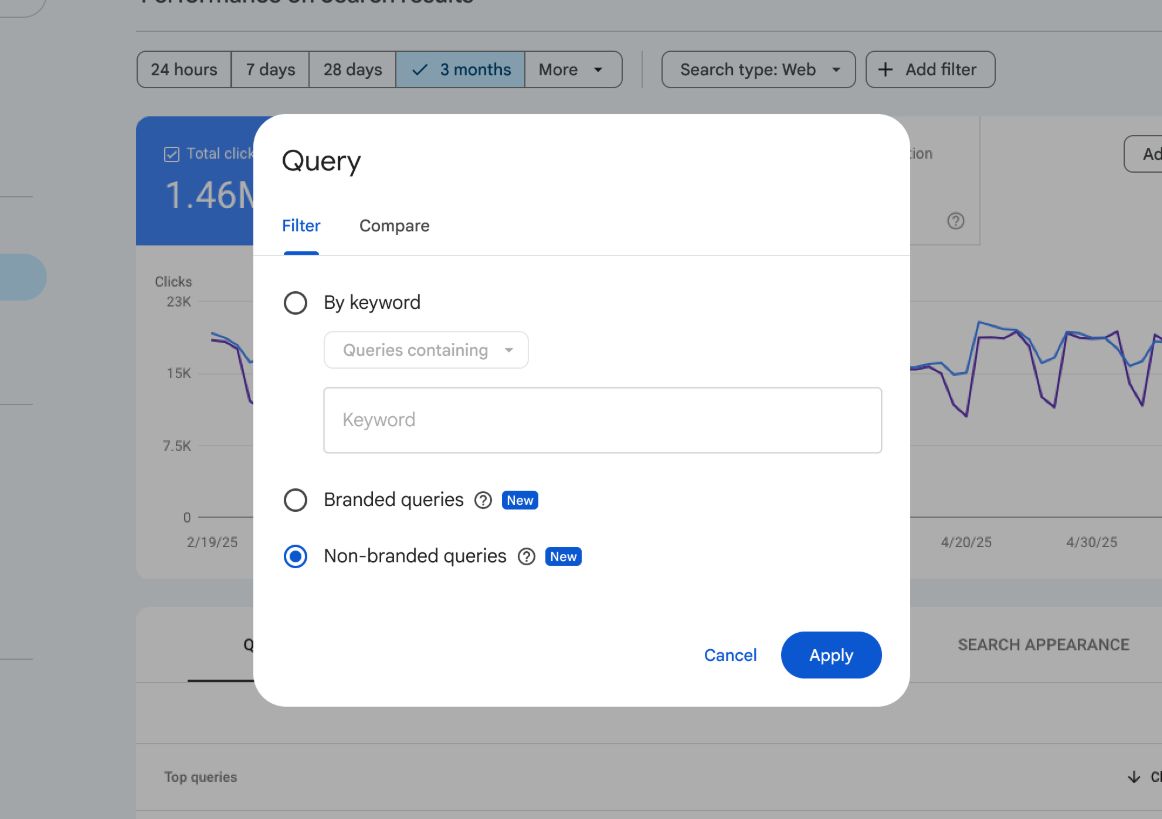
Google’s cropped Search Console example shows where to filter by keyword or choose branded and non-branded queries for an eligible property. Source -
Give your dispatcher the facts for a first call Ask for service address and best callbackCapture what the homeowner reportsOffer a way through for unknown access
Ask which fixtures are affected, whether the issue is recurring and whether the customer knows of an accessible cleanout. Let them skip unknown details and leave technical decisions to your crew. Request a photo only when it can be safely taken from an ordinary accessible location.
Submit a test using a supported phone and confirm that the request arrives in the drain queue with the pricing page source. Check that tapping the urgent number reaches the intended staff.
-
Find the cases your pricing answer helps book Count unique project requestsRecord the technician-approved next stepCheck outcomes against the requests received
Track requests that booked an assessment, assessments attended and work actually approved. Record how many requests arrived with a relevant access note. A booked visit might lead to something other than jetting, so keep the technician’s recommendation on the record.
If PipelineOn is already installed, an available match can add pricing-page context to an existing, verified record. Use it to prepare a callback question. Confirm what the homeowner needs through your normal intake.
What to measure
Review the questions your dispatcher still has to ask twice. Update the pricing page where a clearer answer can save time and help the customer request the right visit.