Use declined HVAC service addresses to correct campaign coverage
A campaign can generate calls the dispatcher has to decline. Save those decisions with the actual service address so marketing can inspect the coverage problem.
Steps
-
Define the operational boundary Use dispatch-approved service rulesKeep exceptions and seasonal limits visible
Write down current ZIP or locality coverage, appointment categories and branch ownership. Confirm who may authorize an exception.
Record why a request was declined. Out-of-area, unsupported system and no current capacity are different problems.
-
Retain source evidence carefully Connect confirmed calls to requestsDo not infer location from page views
CallRail caller timelines can provide available call and visitor context. Use a confirmed address from the actual conversation for the coverage review.
The shared timeline is an example. Conditional page evidence cannot establish where the service property is located.
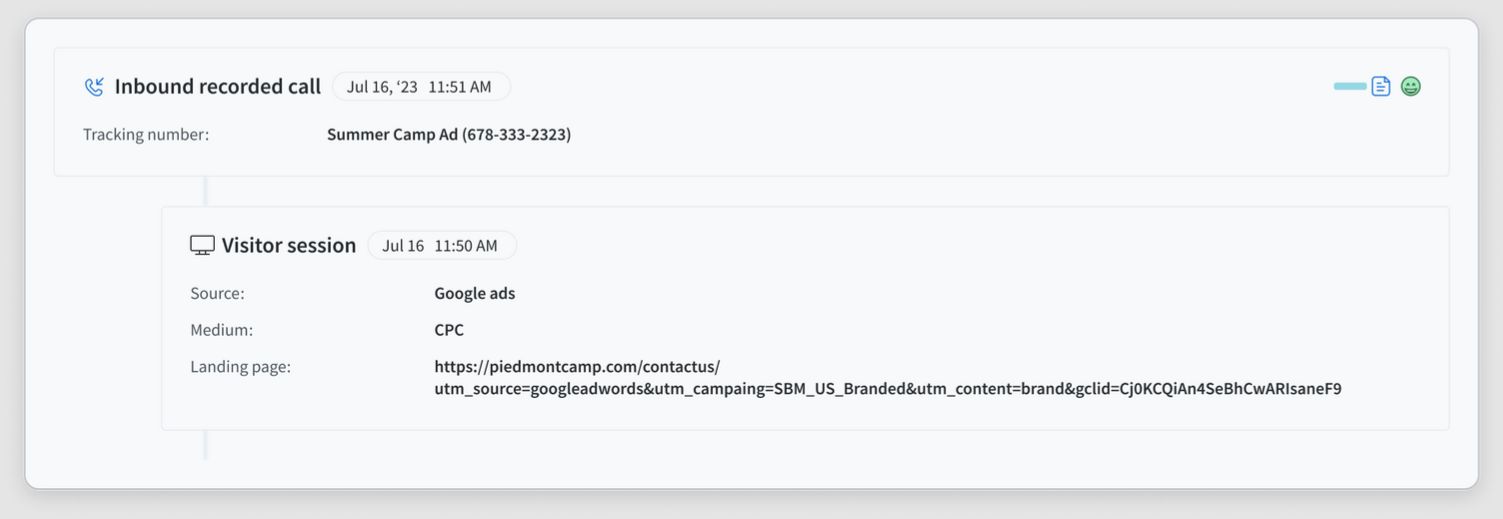
CallRail’s example of the visitor session attached to a tracked call. Source -
Review the campaign settings Compare declined areas with targetingCheck the destination page wording
Have the marketing owner inspect the actual geographic settings and the service-area language on the page. Google advises aligning ads and landing-page content.
Correct the specific mismatch and document the date. Do not expand operational coverage simply because a campaign produced demand.
-
Measure usable requests after correction Track address-qualified demandKeep capacity declines separate
Review the same dispositions over equal operating periods and note any dispatch-boundary changes.
Compare accepted requests and out-of-area declines alongside spend. An apparent reduction in lead count can still produce a more usable office queue.
What to measure
Use confirmed service addresses to correct the campaign. The dispatcher owns coverage and marketing owns the settings review.