Review builder gutter quantities against the current elevations
A builder emails gutter quantities alongside plans that may have changed. Have the estimator confirm the current elevations before the office returns a price.
Steps
-
Collect the current plan package Record the elevation issueAsk what the builder wants priced
Have the builder identify the buildings and rooflines included. Keep supplied quantities identified as the builder’s takeoff.
Ask the estimator which missing measurements or documents prevent a supported quote.
-
Find the builder’s opportunity Choose the relevant pipelineCheck current attachments
Use Pipedrive’s selector to locate the builder request and confirm the estimating owner.
Verify the actual drawing issue with the project contact instead of assuming the saved attachment is current.
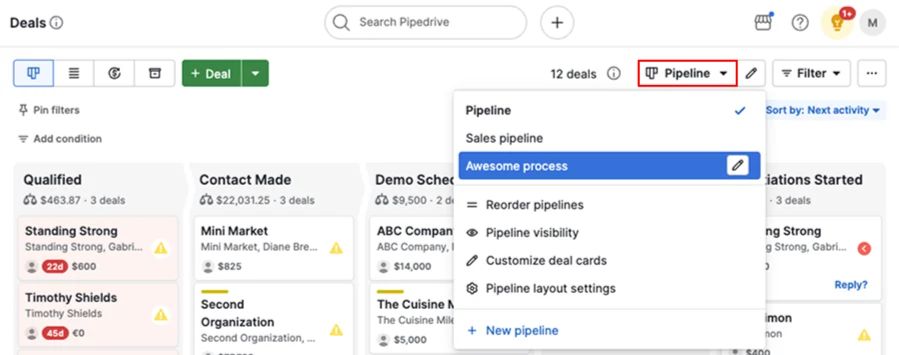
Pipedrive’s sample deal board shows the pipeline selector. Open the pipeline that contains the original proposal. Source -
Resolve the takeoff questions Send one clarification listRecord accepted scope assumptions
Have the estimator compare the requested rooflines with the plan package and get the builder’s actual clarification.
Issue the quote with its drawing reference and unresolved items clearly identified through your standard estimating process.
-
Reconcile the installation handoff Check the awarded buildingsSave the final roofline reference
Confirm production uses the accepted scope and any later approved changes. Preserve the earlier issue in history.
Track quantity revisions caused by stale elevations and improve document collection.
What to measure
A builder quote should identify the elevations and rooflines the estimator actually reviewed.