Find garage door install searches landing on your repair page
A homeowner looking for a quieter insulated garage door can land on a page about broken springs. Give that shopper a short route to the replacement work you sell. Start by checking whether Google already sends installation searches to repair pages.
Steps
-
Find one installation query and the pages it reaches Open Search Console’s Search results reportStart with one installation phraseInspect the Pages tab
Choose a phrase your estimator recognizes, such as insulated garage door installation. Use Add filter, Query, then By keyword. Choose a period long enough to see meaningful activity and inspect which pages earned impressions and clicks. Record the query, date range and URLs.
Google also offers separate branded and non-branded views for eligible properties. Check those separately when you want to distinguish company-name lookup from discovery. Low-volume queries can be missing, so use your own inquiry records as another source.
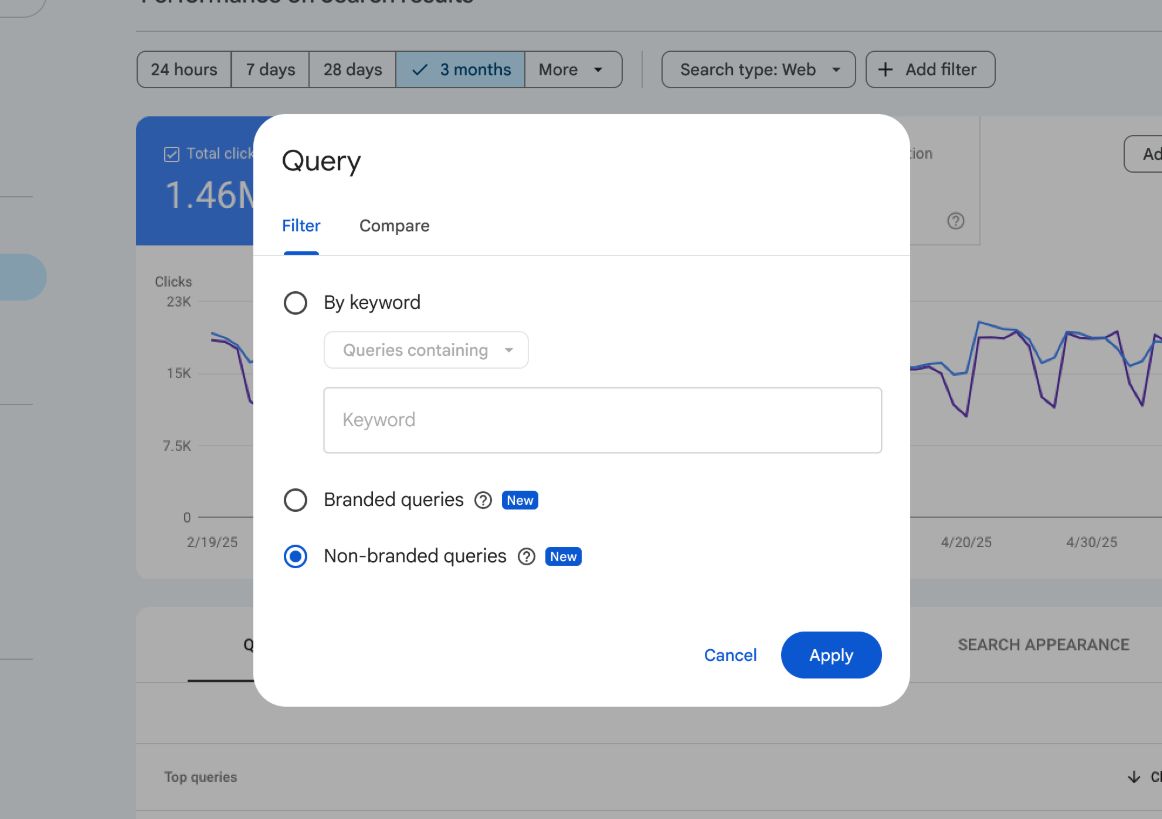
Google’s cropped Search Console example shows where to filter by keyword or choose branded and non-branded queries for an eligible property. Source -
Check what the repair page asks the shopper to do Open the search landing page on a phoneLook for an obvious replacement linkKeep emergency repair easy to reach
Ask someone outside your office to open the repair page and find a replacement estimate. Give them the task of finding an insulated double door and asking for a quote. Watch whether they land on the emergency number or reach the right request form.
Add a short link such as Shopping for a new garage door? See replacement options. Use an existing installation page if it answers the question. Set the link where a visitor can find it without interrupting the repair path.
-
Give the installation page a useful first estimate request Show installed doors and available optionsAsk enough to route a replacementVerify who receives the submission
Show permitted project photos and the styles, materials and service areas your crew actually handles. Ask for the service address, approximate opening size if known and the decision the homeowner needs help with. Give unknown dimensions a way through. Let the estimator handle site measurements.
Test the submitted request and the seen-by-estimator handoff. Record the first landing page and the repair-to-install click separately from the confirmed estimate.
-
Use the estimate log to decide whether the fix worked Compare matching report periodsSeparate repair calls from install requestsCount completed installation estimates
Check the same query and landing pages after enough search activity has accumulated. Review your own replacement requests, including how many people reached the installation page and how many attended an estimate. Leave query data at aggregate level.
Use PipelineOn, if installed, to review available page paths for matched households with no submitted request. Verify service fit and existing CRM work first. Keep those cases separate from confirmed installation leads.
What to measure
Review the website path and your estimate calendar together. Keep the repair page direct and make the route to a qualified replacement estimate easier to find.