Review a paused foundation proposal when the customer supplies new information
A reply to an old foundation proposal can bring a new report, a changed concern or a different property. Find the original project before following up. Your estimator needs the actual update and the responsible specialist's review before discussing a revised scope or price.
Steps
-
Find the original proposal and verify the property Match the customer and service addressCheck the recorded scope and pause reasonVerify the current owner
Open the Pipedrive deal associated with the proposal. Review linked contacts, documents, history, stage and outstanding activities. Confirm whether the homeowner's reply concerns that same property and scope.
Pipedrive's detail view gathers deal history and linked information. The shared screenshot shows pipeline context. Use your actual record to verify ownership and avoid creating a new opportunity merely because a reply arrives.
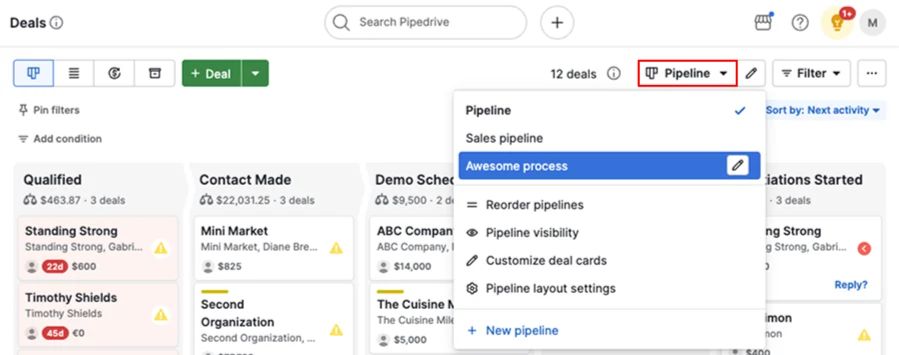
Pipedrive’s sample deal board shows the pipeline selector. Open the pipeline that contains the original proposal. Source -
Use a site update request for the changed information Ask what changedOffer an approved document routePreserve the original proposal
Send the customer a short project-update page or form. Ask for the original project reference, property and the change they want reviewed. Let them provide a new report through your approved channel without requiring sensitive documents in a general marketing URL.
Keep original and revised material distinguishable. A report arriving at the office does not establish that your prior method remains appropriate or that the document covers the same work. Record its source and review status.
-
Assign one qualified reassessment activity Route to the responsible estimatorIdentify needed specialist inputReconfirm site access
Create a review activity linked to the existing deal after checking for one already open. Pipedrive activities can be assigned an owner and linked to the project. Give the owner the reply and new information together.
Have qualified staff determine whether another site visit or specialist review is needed. Keep technical conclusions with that team. Tell the customer what is being reviewed and when the office expects to respond.
If PipelineOn shows an eligible return to the proposal preparation page, check whether the direct project contact already shared an updated report. Let the assigned estimator decide whether new scope needs review before anyone opens another deal.
-
Record the reassessment decision and project outcome Explain revised assumptionsSeparate pending review from accepted workTrack completed reassessments
Preserve the original scope and document the reason for a revised proposal. Confirm current terms, access and scheduling only after the responsible review. Keep unresolved questions visible instead of moving the deal automatically to a ready stage.
Track updated requests, completed reviews, revised proposals and accepted work. Record referrals, changed properties and projects remaining paused. Review time spent on reassessment alongside actual completed projects.
What to measure
Test the update handoff with one existing deal. The next owner should see what changed, which review is required and the single next activity.