Match drain ads to the blockage request your dispatch team accepts
A kitchen-drain ad can lead to a form that assumes a sewer problem. Let the customer describe what is affected. Your dispatcher should receive the actual report and property before deciding the next service step.
Steps
-
Approve the advertised drain service Confirm accepted scope and territoryState actual intake availability
Have the drain lead approve the service offer and first questions. Keep the reported condition separate from a technical finding.
Use permitted job proof without suggesting every property needs the same method. Explain scope review and the real staffed contact route.
-
Match the page and first request Keep advertised fixtures identifiableAllow unfamiliar symptoms
Open the ad destination on a phone and attempt the pictured service request. Do not require a customer to select a diagnosis.
Google recommends matching ad offers and landing pages. Keep different services on honest routes without concealing the promised intake.
-
Test acceptance and friction Inspect office source and ownerKeep report text out of analytics
Submit controlled kitchen and uncertain multi-fixture requests. Confirm property, report and callback reach the appropriate queue.
The shared PostHog image is a sample funnel. Reconcile your accepted-request event with actual office records, with no personal content in analytics.
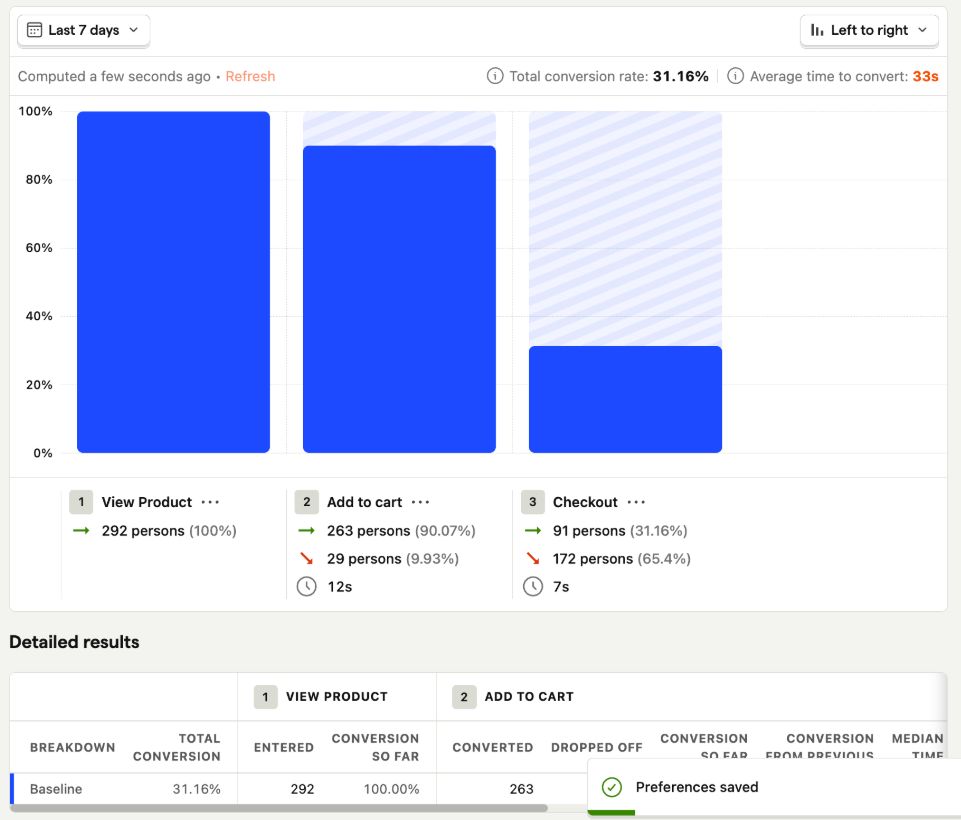
PostHog’s sample funnel. Substitute your page visit, form open and accepted request. Source -
Review qualified dispatch outcomes Track attended visits and approved workRecord scope and coverage declines
Measure accepted requests, staff contacts, attended service and completed work. Keep repeat contacts on one unresolved episode together.
Review why suitable inquiries stalled. Fix unclear terms or unavailable service capacity before increasing demand.
What to measure
Test the actual service the ad shows. The page should preserve an honest request while qualified staff determine the method and scope.