Route Maps concrete calls between delivery and installed work
A concrete page can attract people who only need material delivered. Confirm whether they want your crew to install the project.
Steps
-
Write the service boundary List installed projects acceptedAsk about the requested service
Have the estimator confirm which installed projects the crew accepts. Put those services near the phone number.
Ask whether the caller needs installation, delivery only or help with an existing quote. Leave room for uncertainty.
-
Inspect tracked page calls Check available session evidenceRead the stated request
Review the CallRail caller timeline where visitor tracking is configured. Identify the concrete page in the available session.
Record the customer’s requested service beside the source evidence. The visit alone does not establish an installation opportunity.
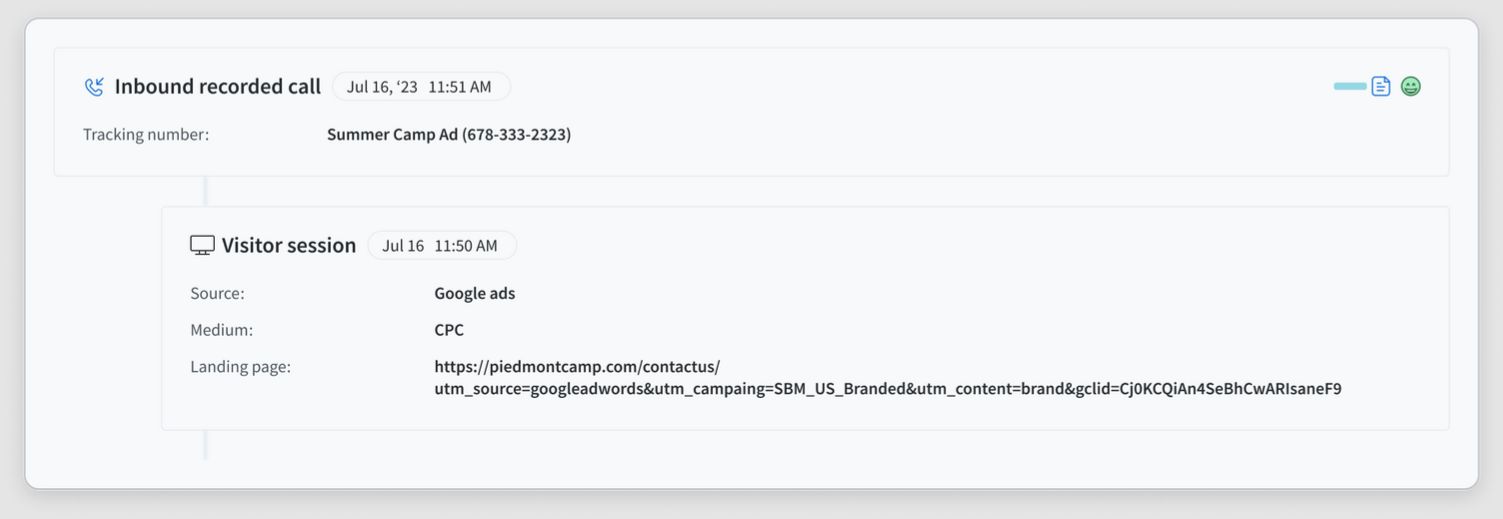
CallRail’s example of the visitor session attached to a tracked call. Source -
Route installed work to estimating Confirm intended useHandle material-only callers clearly
Give installation requests the address, approximate area and access notes needed for a site discussion.
If delivery-only service is outside your offer, tell the customer and use an approved referral route when available.
-
Count usable installation requests Separate delivery-only callsReview repeated confusion
Compare total calls with accepted installation assessments. Keep material-only callers out of the qualified-estimate count.
Improve the page’s opening service description when the same misunderstanding continues.
What to measure
The useful result is installed work your crew can actually quote.