Keep delayed concrete pours attached to the accepted customer job
Stop sales reminders and give the customer one scheduling contact when production changes an accepted pour date.
Steps
-
Identify the affected accepted jobs Confirm production’s decisionRead customer constraints
Have production identify dates needing review. Distinguish those from windows still considered firm.
Read access restrictions, other-trade dependencies and previous changes before contacting the customer.
-
Find the accepted sales record Choose its actual pipelineCheck old quote tasks
Use Pipedrive’s pipeline selector to locate the accepted proposal and owner. Look for outstanding unaccepted-quote reminders.
The screenshot shows navigation. Verify how your sales record connects to the actual production job.
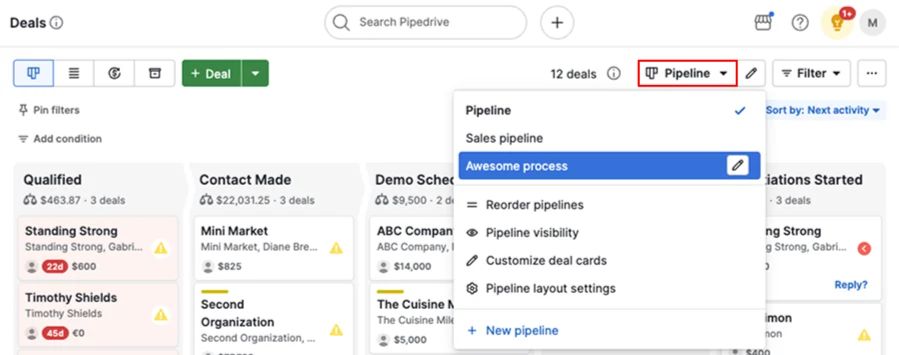
Pipedrive’s sample deal board shows the pipeline selector. Open the pipeline that contains the original proposal. Source -
Offer production-approved next steps Name one scheduling contactConfirm available access
The scheduling owner explains the change and asks which access dates are possible. Record the actual reply.
Check dependencies with production before confirming a new window through the accepted-job communication channel.
-
Audit the revised plan Log customer acknowledgementCheck the next reminder
Record the revised date and customer confirmation. Verify the next reminder uses that date and contact.
Count conflicting messages and repeat calls caused by missing updates. Fix the responsible record or reminder.
What to measure
The customer should receive one current plan from the person coordinating the pour.