Keep a new Christmas display addition separate from an active service issue
A customer may report an outage and ask for another tree wrapped in the same message. Give each decision a clear owner.
Steps
-
Read the whole customer message Confirm installed addressIdentify service and added scope
Separate the reported problem from the requested addition. Check the existing installation and any active service appointment.
Ask whether the added display is at the same property and record the customer’s requested timing.
-
Locate the original sales scope Open the correct pipelineRead accepted display details
Use Pipedrive’s selector to find the installed display proposal and its owner. Check what was actually included.
The example shows navigation between pipelines. Confirm service status in the system your operations team uses.
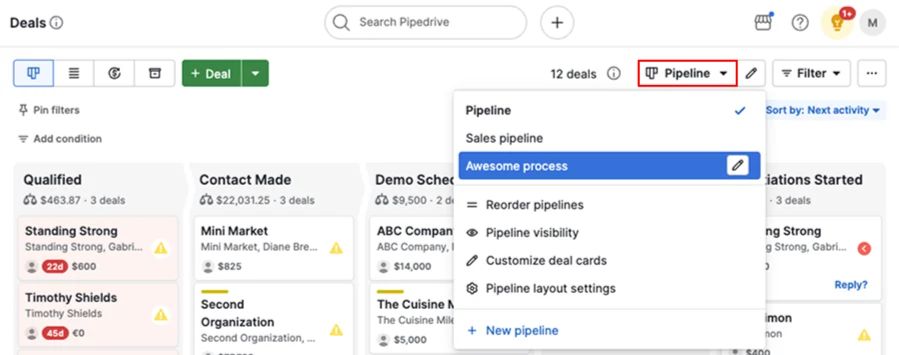
Pipedrive’s sample deal board shows the pipeline selector. Open the pipeline that contains the original proposal. Source -
Assign both next actions Keep the issue with serviceQuote the addition separately
Send new symptom information to the current service owner. Have estimating review the requested addition against actual capacity.
Tell the customer who handles each question and avoid implying an addition is included in the service visit.
-
Reconcile the resulting work Log service resolutionRecord accepted additions
Check that the service issue closes and any addition has a current approved scope before scheduling.
Review duplicate visits caused by confused instructions and update the handoff notes.
What to measure
One message can contain two decisions and still need only one coordinated reply.