Separate basement guide downloads from accepted assessment requests
Your marketing report can show a lead every time someone downloads a basement planning PDF. Test which actions create a request the office can actually respond to.
Steps
-
Define the events separately Name resource accessName accepted assessment requests
Have the office and developer agree which action represents a customer request the team can respond to.
Keep downloading the PDF, opening the form and submitting an accepted request as distinct events.
-
Test the actual event funnel Use PostHog for the request pathVerify the final event against a receipt
Build a funnel ending at the accepted request event. Download the PDF without submitting and inspect what was recorded.
Then submit a controlled request and find the office receipt. The public screenshot illustrates a funnel, not your event configuration.
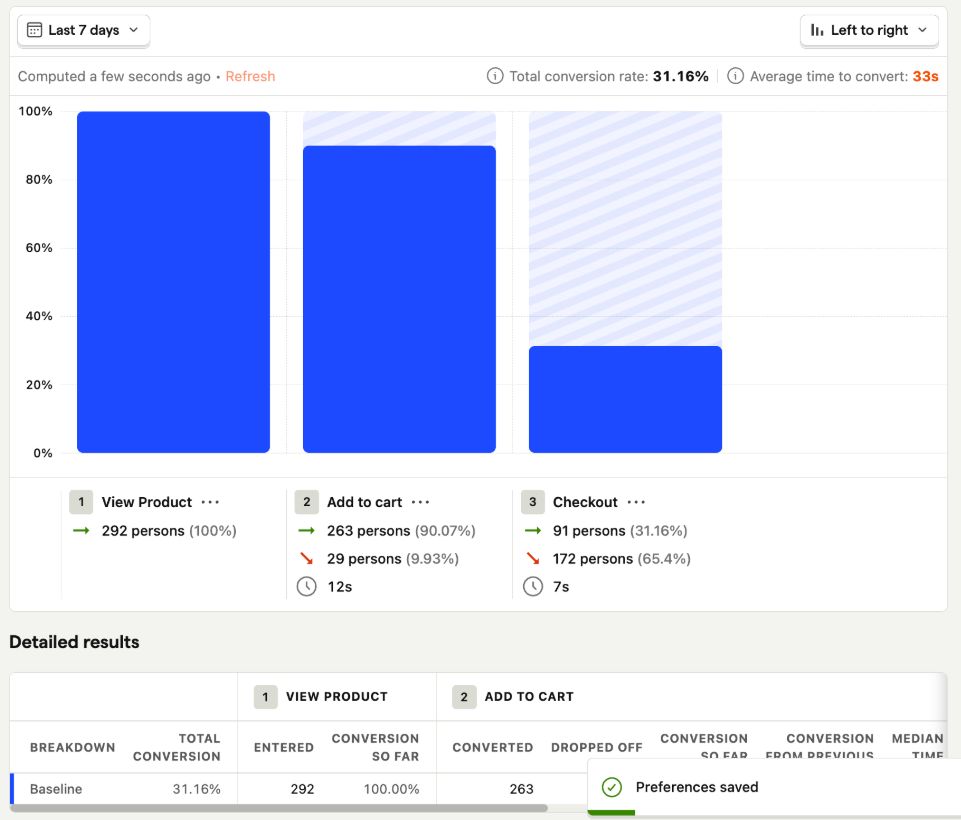
PostHog’s sample funnel. Substitute your page visit, form open and accepted request. Source -
Repair the lead-report definition Remove downloads from the request countKeep resource engagement visible
Have the report owner update the accepted-lead definition using the tested events. Preserve downloads as their own engagement measure.
Reconcile distinct requests with office records and exclude tests or duplicate submissions from the business result.
-
Review assessment outcomes Track contacted and attended requestsRecord the corrected reporting date
Compare the corrected request cohort with actual callbacks and attended visits. Mark where the definition changed.
Use the clean count before judging the guide’s effect or increasing the traffic budget.
What to measure
A resource download and a request for an assessor should remain separate outcomes.