Answer installed-material document requests from the actual job record
A former customer asks which insulation material was installed. Check the final job records before the office sends the product from an earlier quote.
Steps
-
Identify the completed installation Confirm the property and requestRead accepted and final scope
Ask which document the customer needs and use your normal process to verify the right recipient.
Compare the original proposal with final product, purchasing and crew records. Keep any differences for the project owner to resolve.
-
Find the project’s sales context Choose the appropriate pipelineCheck current accepted attachments
Use Pipedrive’s selector to locate the installation proposal and owner. Identify which version the customer accepted.
Confirm actual installed information in the owning job record too. A sales attachment alone may be incomplete.
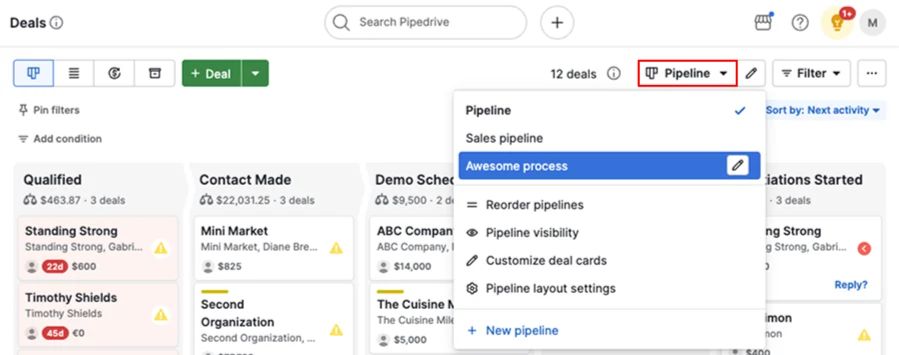
Pipedrive’s sample deal board shows the pipeline selector. Open the pipeline that contains the original proposal. Source -
Issue the document your records support Have the responsible owner approveKeep unsupported conclusions out
Provide the checked product or completion record through the approved document process. Explain any information still being verified.
If the customer needs a third party’s determination, supply the supported record and leave that decision with its responsible reviewer.
-
Close the information request Record the version deliveredCorrect mismatched product references
Save what was sent and any unresolved evidence request. Keep access restricted to the approved recipient.
Review repeat requests caused by incomplete handover records and improve the completion file.
What to measure
Answer from the actual installed-work record.