Offer attic assessments within technician-approved working windows
The public calendar can offer an attic appointment your field team cannot use under its current operating plan. Make the customer’s options match technician-approved assessment blocks.
Steps
-
Get the field team’s current schedule rules Use operations-approved windowsRecord who updates conditions
Ask the field manager which assessment blocks can be offered and what prompts review of the schedule.
Keep tentative staffing separate from confirmed appointment availability. Do not invent a universal temperature threshold.
-
Test the customer calendar Check the actual appointment blocksInspect a controlled booking
If HighLevel hosts the calendar, verify that the public link offers the correct assessment type and current allowed windows.
Make a marked booking and check its internal calendar record. Remove the test through the normal process.
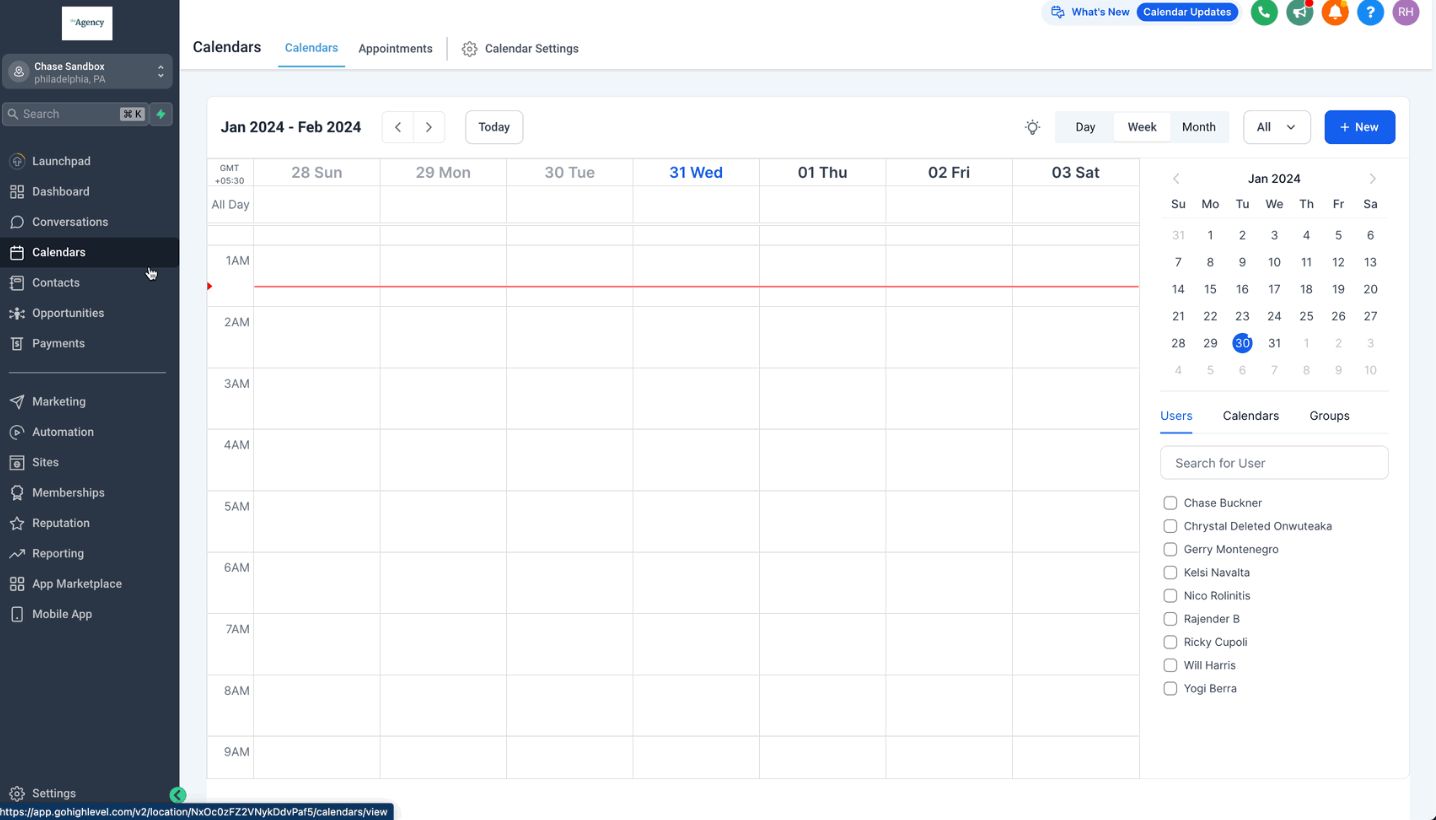
HighLevel’s internal calendar view. After a test booking, check that the appointment appears in the correct calendar. Source -
Confirm the appointment against current operations Ask about actual accessAssign schedule-change communication
Have the coordinator follow the field team’s current check before confirming the visit. Keep access questions in the assessor’s brief.
If operations changes the plan, send the customer the approved next option and record their response.
-
Audit usable assessment blocks Log reschedules and reasonsCheck stale availability
Compare published availability with attended visits and operations-directed changes. Keep the reason for each change attributable.
Repair calendar rules that repeatedly offer a window the field team cannot use.
What to measure
Publish the assessment windows operations has actually approved.