Your contractor website gets visits. How many turn into enquiries?
To measure a contractor website's session conversion rate, divide sessions with at least one real enquiry by total measured sessions, then multiply by 100. If 30 of 1,000 sessions produce an enquiry, the rate is 3%. Count a session once even when it includes a call and a form. Track booked jobs separately.
Someone lands on your roof replacement page from an ad. Can they tell you work in their area? Can they call without hunting for the number? Does the form work on their phone?
Those are useful questions before paying for another website redesign.
Start by measuring how many visits produce an actual enquiry. Then find the part of the page or follow-up that is losing people.
Calculate the rate without counting people twice
For a session-based enquiry rate, use this formula:
Sessions with at least one real enquiry ÷ total measured sessions × 100.
Suppose your site records 1,000 sessions. Twenty sessions include a form enquiry and 15 include a connected enquiry call. Five sessions include both.
That gives you 30 enquiry sessions and a 3% rate. Adding the two event totals would incorrectly give you 35.
| Step | Example |
|---|---|
| Total measured sessions | 1,000 |
| Sessions with a form enquiry | 20 |
| Sessions with a connected enquiry call | 15 |
| Sessions counted in both groups | 5 |
| Unique sessions with an enquiry | 30 |
| Session enquiry rate | 3% |
These are fictional figures for the calculation. If your phone system cannot connect calls to website sessions, report calls separately until the tracking is in place. Do not invent the connection.
Google defines session key event rate as the percentage of sessions containing a key event. Your result depends on which events you mark and whether they fire correctly.
A phone-button tap can be worth measuring. Label it as a tap. It does not tell you whether the office answered or whether the caller booked.
Put the right visits beside the right enquiries
Compare mobile with mobile. Separate Google Ads from organic search. Look at replacement pages separately from emergency repair pages.
Someone searching for an emergency plumber has a different reason to call from someone reading about kitchen remodeling costs. A combined average hides that difference.
Keep the date range consistent and check the number of sessions behind the percentage. Two enquiries from 40 sessions can swing sharply when one more person calls. Show the counts alongside the rate.
For the cost of winning the customer after that enquiry, see the HVAC customer acquisition cost example. The same calculation applies to other trades.
Open your site on a phone and try to book
Use a mobile connection. Start on the page your ad or search result sends people to.
The first screen should explain the service and area in plain language. Make the next action easy to find. “Get a roof replacement estimate” tells a homeowner more than “Discover our solutions.”
Tap the number. Send a clearly marked internal test enquiry through the form and make sure it reaches the person who handles it. Check error messages, the confirmation screen and the response on the office side.
Ask your developer to check the page’s main content loading time and layout movement. Large images, unnecessary scripts and fonts can delay that first screen. Google’s LCP optimization guide explains how to find the part causing the delay.
There is no need to add a video, chat box or booking widget just because another contractor has one. Each should make it easier for your customer to take the next step. Check the loading cost when you add it.
Show enough proof to make the call feel worthwhile
Use photos of work you actually completed. Explain which areas you serve. Put relevant customer feedback near the service it describes, with permission where needed.
A homeowner looking at a replacement job may need to know what an estimate involves and whether you offer financing. Someone with a leak needs to know how to reach you and when you can respond.
Keep the offer consistent from the ad to the page to the office conversation. If the page promises a free estimate, the form confirmation should explain how that estimate gets arranged.
What about people who leave without contacting you?
Some visitors will keep researching. Others may be outside your area or looking for something you do not sell. A missed form does not prove they are a good lead.
Website visitor identification can help you see an available homeowner record and review the visit. Your team can then decide whether a follow-up is useful.
From a live lawn-care account
63 visitor records the office could work through.
August 28 to September 12, 2026. We checked the accepted records, lead charges and recorded follow-up activity.
- Accepted records
- 63
- With an email address
- 55
- Lead charges
- $63
All 63 had a name and mailing address. Booked jobs and return on spend have not been verified. Customer details are redacted.
See the records, follow-up and costsSee what you get
A visit gives your office more to work with.
Review the available homeowner details and the pages they visited. Then decide whether to follow up.
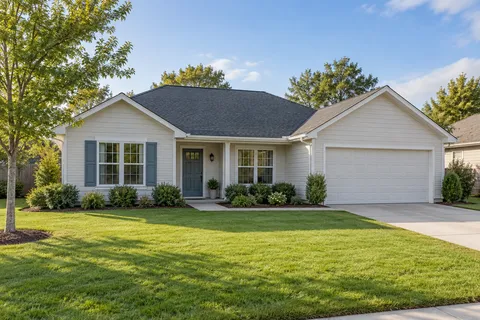
123 Main Street
Phoenix, AZ 85001
$450,000 est. home value
3 beds · 2 baths · 1,850 sq ft
Give your office context before the next conversation.
- Near an existing customer
- 3 minutes on site
- Returning visitor
The visit, step by step
2 pages- Google AdsClicked your search ad
- Roof replacement/roof-replacement1m 20s
- Financing/financing1m 40s
View campaign & UTM details
See which ad brought them here.
- utm_source
- utm_medium
- cpc
- utm_campaign
- roof_replacement_search
- utm_content
- homeowner_ad_01
- utm_term
- roof replacement
/roof-replacement?utm_source=google&utm_medium=cpc&utm_campaign=roof_replacement_searchTry it on your own traffic.
$1 per homeowner lead that matches your rules. Money Back Guarantee.
Keep those records separate from inbound enquiries. If someone was already in your customer system, do not count them again as an extra lead. Record the conversation and booked work when they happen.
PipelineOn costs $1 per homeowner lead that matches your rules. Set custom collection rules to choose which visits qualify. You still need relevant traffic and someone to handle the follow-up.
If your agency manages this process, share the home service agency test guide with them.
Review the job outcome as well as the website rate
A page can produce more forms and still waste the office’s time. Check service-area fit, duplicate enquiries and the jobs you won.
For each change, write down the old page, the change date and the outcome you expect. Leave the tracking definitions alone. Compare enough traffic to make the result useful, while allowing time for estimates to close.
Your review should answer two questions: did more suitable people contact you, and did that lead to worthwhile work?
For help separating visit data from contact records, read what Google Analytics can tell you about individual visitors.
Frequently Asked Questions
How do I calculate my contractor website conversion rate?
Choose the action you want to measure. For session enquiry rate, divide sessions with at least one real enquiry by total measured sessions and multiply by 100. Thirty enquiry sessions out of 1,000 sessions is 3%. Count each session once.
What is a good contractor website conversion rate?
Compare the same service, traffic source and device over a consistent period. Emergency repair traffic and people researching a future remodel behave differently. A higher rate is only useful when those enquiries fit your service area and become worthwhile work.
Does tapping a phone number count as a lead?
A tap shows intent to call. It does not prove the call connected or that the caller wanted a job you can do. Track phone taps separately from connected enquiries and booked work.
Should identified visitors count as website conversions?
Keep them separate from calls and forms. An identified visitor has not necessarily contacted your business. Track the additional conversations and jobs that follow your outreach.
Written by
Zac Gawn