Use pruning canopy ads to attract the work your crew can assess
A canopy photo needs an explanation of the actual pruning project so the office can qualify the next request.
Steps
-
Document the featured pruning job Confirm permission to shareAsk the arborist what changed
Use the work record to describe the actual scope. Avoid promising that another tree needs the same treatment.
Have the arborist approve the caption and what the consultation can establish.
-
Measure assessment requests Track the pruning pageVerify a successful submission
Build a PostHog funnel ending with an accepted assessment request. Test the event with your developer.
Check the office receipt contains the reported tree and site. The public funnel is a reporting example.
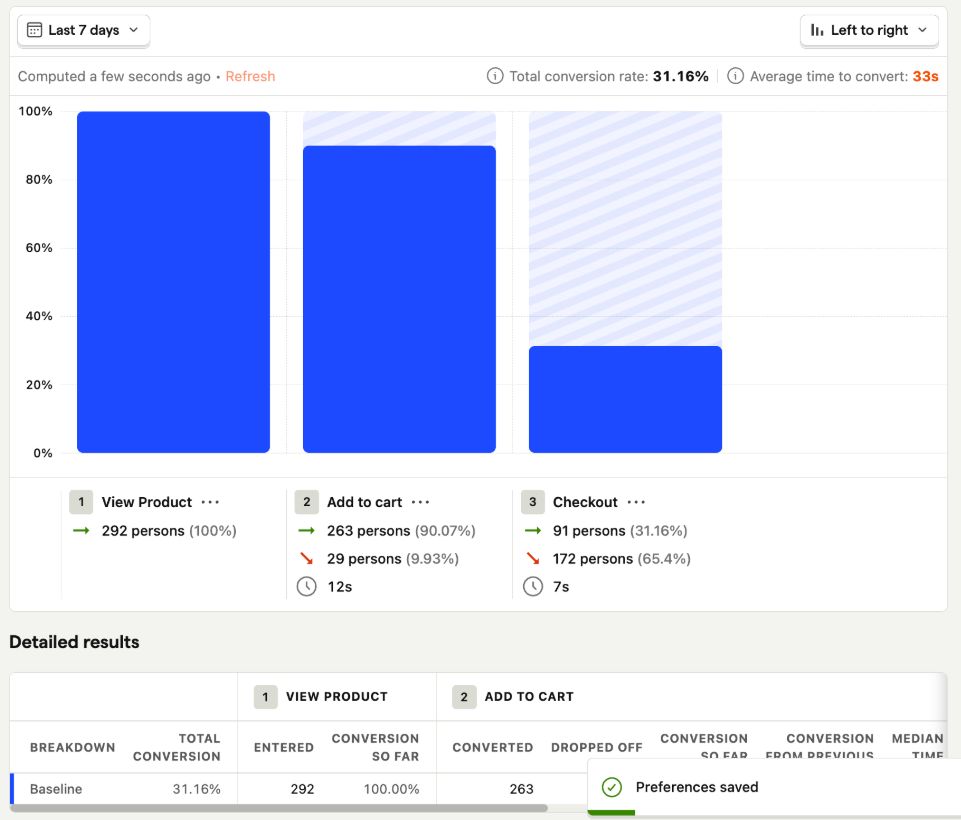
PostHog’s sample funnel. Substitute your page visit, form open and accepted request. Source -
Review scope and crew method Ask where the tree standsFlag uncertain access
Give the assessor the customer’s description, address and safe existing photos. Let the qualified team choose the work method.
Confirm an assessment the team can attend. Send unusual equipment or access questions for review before promising work.
-
Judge assessable pruning inquiries Log attended assessmentsRecord unsuitable requested work
Separate pruning assessments from removals or work outside your offer. Ask the arborist why a request was redirected.
Use repeated mismatches to revise the photo caption and compare spend with accepted assessment visits.
What to measure
Use the photo to explain a service your arborist can assess.