Keep a pool maintenance renewal from duplicating an active repair
A renewal reply can include a pump problem already assigned to a technician. Keep the agreement decision and repair ownership clear.
Steps
-
Read the actual renewal response Confirm the pool addressCheck open repair work
Identify whether the customer is discussing recurring service, an equipment fault or both. Read the active work order.
Keep unresolved service concerns visible before sending another renewal offer.
-
Locate the relevant deal record Choose the correct pipelineCheck the named owner
Use Pipedrive’s pipeline selector to find the renewal opportunity and review its notes and owner.
The screenshot shows deal navigation. Check your separate repair system before creating a repair task.
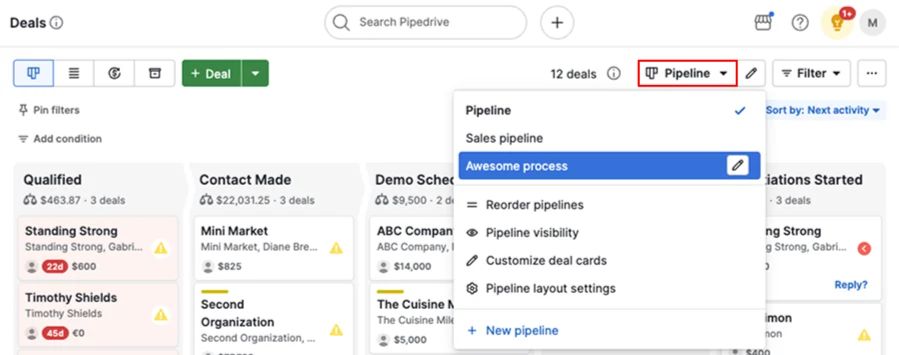
Pipedrive’s sample deal board shows the pipeline selector. Open the pipeline that contains the original proposal. Source -
Assign each decision once Keep the repair with serviceGive renewal a separate next action
Send the fault report to the existing technician or service coordinator. Confirm that they have received any new symptom.
Have the account owner handle the agreement question and tell the customer who answers each part.
-
Audit duplicate contacts Count repeated repair tasksVerify renewal outcomes
Review whether customers received overlapping repair callbacks or contradictory renewal messages. Close duplicate tasks with history preserved.
Count renewed agreements separately from completed repairs and improve the intake label causing confusion.
What to measure
The customer should have one repair owner and one clear agreement decision.