Match pest search queries to the inspection service your team provides
A page about one reported pest can attract searches for several different services. Check what your company can inspect before expanding that page. Use the customer's observation to arrange qualified review, with identification and treatment decisions left to your team.
Steps
-
Inspect one service page's actual queries Filter the exact URL and date rangeGroup relevant query themes
Open Search Console's Search results report for the page. Compare species, symptom and service queries with accepted office inquiries.
The shared screenshot shows query filters. Google omits some query data, so preserve page totals and use actual intake records as another source. Impressions are separate from inspection requests.
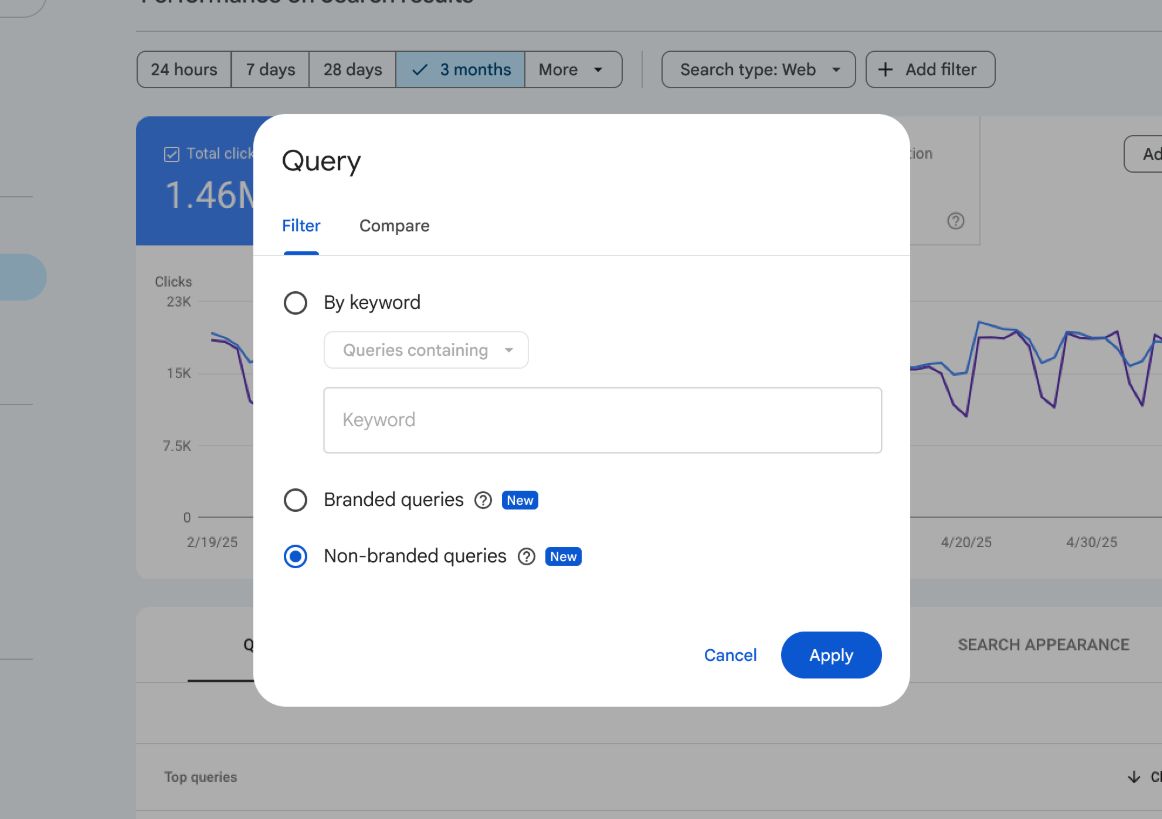
Google’s cropped Search Console example shows where to filter by keyword or choose branded and non-branded queries for an eligible property. Source -
Confirm the services and qualifications behind the page Have the inspection lead approve the scopeState territory and actual next steps
Identify which reported concerns your team can inspect and what belongs elsewhere. Use actual credentials and supported services in the page.
EPA recommends checking pest-service qualifications and proposed scope. Keep those claims current and avoid a diagnosis or treatment guarantee from search wording alone.
-
Give uncertain readers a usable request Ask what was observed and whereOffer an unsure pest answer
Collect contact details, service property, observation and callback preference. Make photos optional and avoid requiring a confident species name.
Submit a controlled uncertain request. Verify office owner, saved observation and acknowledgment. Qualified staff confirm the appropriate inspection.
-
Compare queries with completed service outcomes Track attended inspections by confirmed serviceRecord unsupported requests separately
Review accepted inquiries, inspections attended, approved work and completed service. Keep the customer's original description distinguishable from findings.
Use repeated mismatches to improve page scope or navigation. Keep search performance at aggregate level and avoid joining a query to an individual homeowner without evidence.
What to measure
Start with one page and one review period. The useful improvement is an appropriate inspection request reaching the qualified team.