Keep pest inspection forms usable when phone photos fail
A customer should be able to request inspection without producing a usable insect photo. Keep the observation and property request intact. Test the exact upload component and office handoff.
Steps
-
Define the minimum useful inspection request Require contact and service addressAllow unknown pest and no-photo answers
Ask the lead which facts enable a callback and appropriate review. Collect reported observation and location without demanding technical certainty.
Make images optional and safely obtainable. Explain the no-photo next step and the real response window.
-
Run realistic mobile upload cases Test large and unsupported filesPreserve entered answers after errors
Use a phone to submit normal image, larger file, unsupported format and no attachment. Check retry, error and confirmation behavior.
If using Tally, inspect current upload options and actual account limits. Confirm the reviewer can open accepted attachments.
-
Reconcile funnel acceptance with office records Separate errors and submitted requestsKeep personal content out of analytics
Have your web person instrument minimal starts, upload failures and accepted requests. A submit click alone cannot establish acceptance.
The shared PostHog image is a sample funnel. Build and verify your own flow without photos, contact fields or report text in events.
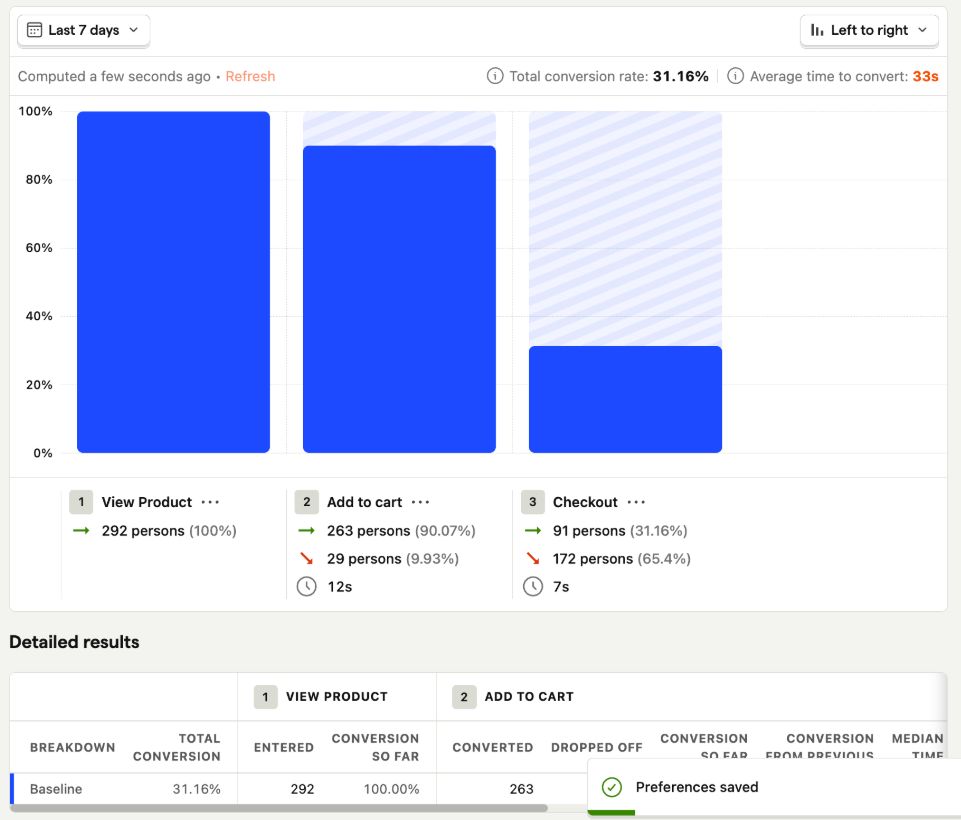
PostHog’s sample funnel. Substitute your page visit, form open and accepted request. Source -
Review the professional outcome Assign requests without images normallyTrack inspection delays and completion
Submit a controlled unknown-pest request without an image and inspect source, owner and acknowledgment. Check retries do not duplicate tasks.
Measure accepted inquiries and attended inspections alongside errors. Keep only image requirements the qualified team can justify from actual use.
What to measure
Keep the failure and fallback cases with the form. Repeat them after uploads, validation or office integrations change.