Route storm-related fence calls through a verified after-hours boundary
After-hours fence calls can mix a damaged section with an access concern. Preserve the customer's report and route it to your actual staffed process. Reception should not promise repair timing or provide security-sensitive instructions.
Steps
-
Approve the intake and escalation rules Ask general requested service and locationName the staffed destination
Have the lead define the minimum facts needed for callback and review. Keep the customer's actual report and access concerns intact.
Record coverage hours and unanswered fallback. Keep technical safety decisions and service acceptance with the responsible staff.
-
Test the incoming number Review primary and backup routingCheck actual after-hours behavior
HighLevel documents inbound routing and backup behavior. Compare the account with the number your site advertises.
Run controlled routine-estimate and reported-storm cases. Check whether forwarding or voicemail blocks the intended human route.
-
Verify failed-handoff ownership Test an unanswered staff contactCheck notes and customer expectation
Give every unresolved request an owner and realistic callback statement. Preserve the original report for the next shift.
The shared CallRail image is an example timeline. Inspect your real call and staff task, with no assumption that a logged call means accepted dispatch.
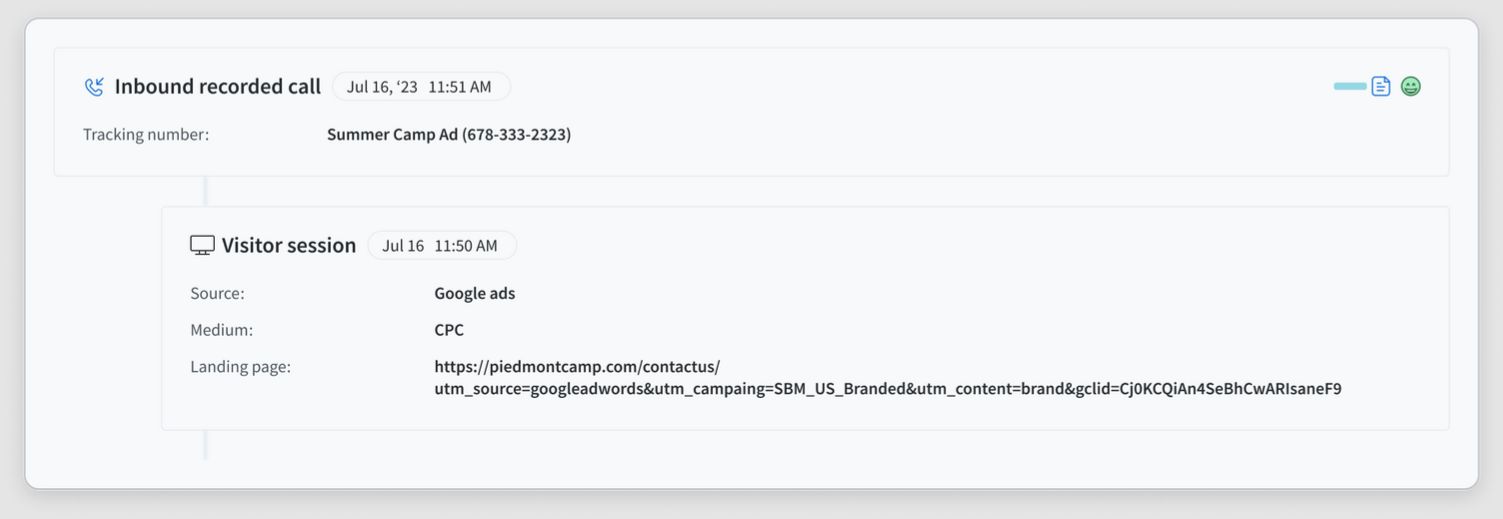
CallRail’s example of the visitor session attached to a tracked call. Source -
Review actual service decisions Check existing fence jobsMeasure contacts and attended reviews
Confirm territory, authority and scope before arranging a visit. Keep customer-requested timing separate from crew commitment.
Track completed human contacts, accepted reviews and completed work. Repair unsupported replies or duplicate assignments before expanding coverage claims.
What to measure
Keep the scenario tests with the routing. Rerun them whenever your staffing, advertised hours or phone destination changes.