Keep supplier and driver calls out of concrete sales results
A concrete tracking number can receive deliveries and supplier questions as well as prospects. Classify the call before counting it as a lead.
Steps
-
Define a qualified sales call Use actual customer intentName operational call categories
Agree with estimating what a request must contain to count as a new opportunity.
Give supplier, driver, existing-job and unrelated calls their own reporting categories.
-
Inspect the recorded call evidence Review the caller timelineCheck actual request notes
Use CallRail’s timeline to inspect the call and available page context. Read staff notes or authorized recordings when available.
A tracked number or website session alone does not turn an operational call into a sales inquiry.
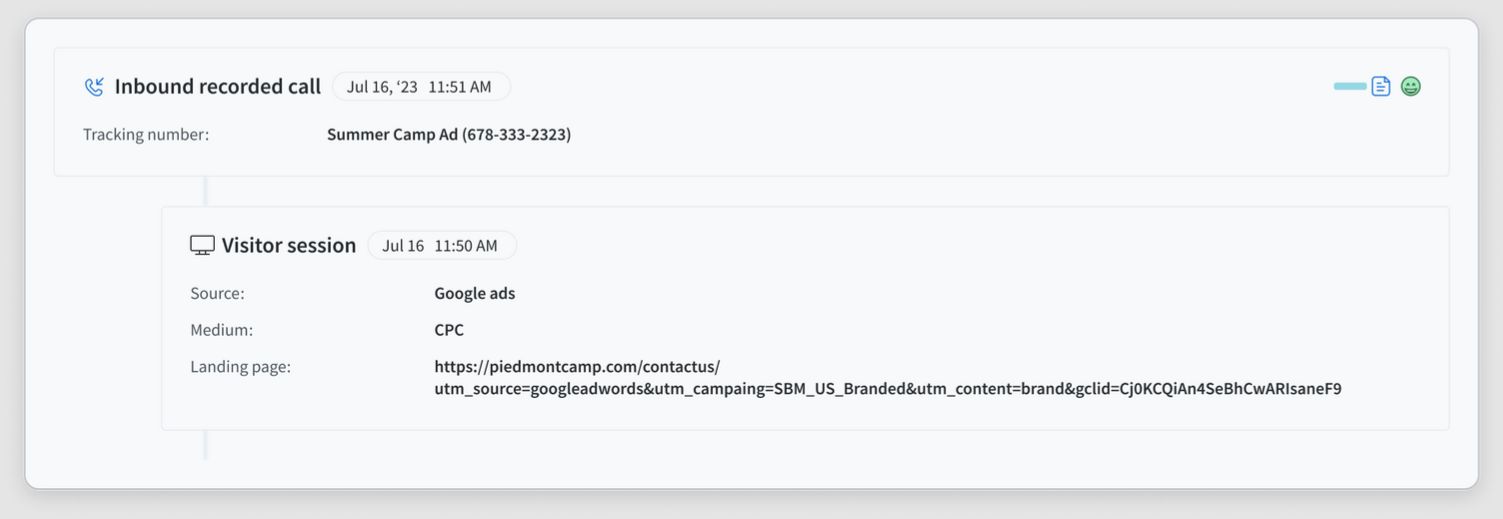
CallRail’s example of the visitor session attached to a tracked call. Source -
Reconcile calls with actual opportunities Check customer and propertyLeave uncertain associations unjoined
Match qualified calls to distinct accepted requests using corroborated first-party details. Avoid counting repeat calls for one estimate as new opportunities.
Have a reviewer resolve ambiguous classifications before those calls enter the campaign’s qualified-lead count.
-
Recalculate campaign quality Show raw and qualified countsRetain operational exclusions
Report spend per distinct qualified request alongside all tracked calls. Keep the exclusion reasons available for review.
Check the next cohort for repeated misclassification and update the office call-disposition instructions.
What to measure
A sales report should distinguish demand from the calls needed to deliver existing work.