10 Local SEO Tools for Home-Service Contractors

96% of website visitors don’t convert, and for home-service contractors that gap shows up as missed calls, weak form fills, and service-area money left on the table. Local SEO tools help you fix the part most crews ignore, the map visibility, listing accuracy, review flow, and follow-up system that turns local searches into booked jobs. The right stack isn’t a directory checklist, it’s accurate listings, geo-grid proof, review response workflows, and repeatable follow-up tied to how your office, dispatch, and field teams work in practice. Use these tools by the job they solve, not by brand hype, and judge them on best use case, implementation effort, limitations, pricing approach, location scale, and workflow fit.
Table of Contents
- 1. Synup
- 2. BrightLocal
- 3. Semrush Local
- 4. Moz Local
- 5. Whitespark
- 6. Yext
- 7. Uberall
- 8. SOCi
- 9. Birdeye
- 10. Podium
- 11. Local Falcon
- Local SEO Tools, 11-Tool Comparison
- Build the Stack Your Dispatch Team Will Use
1. Synup
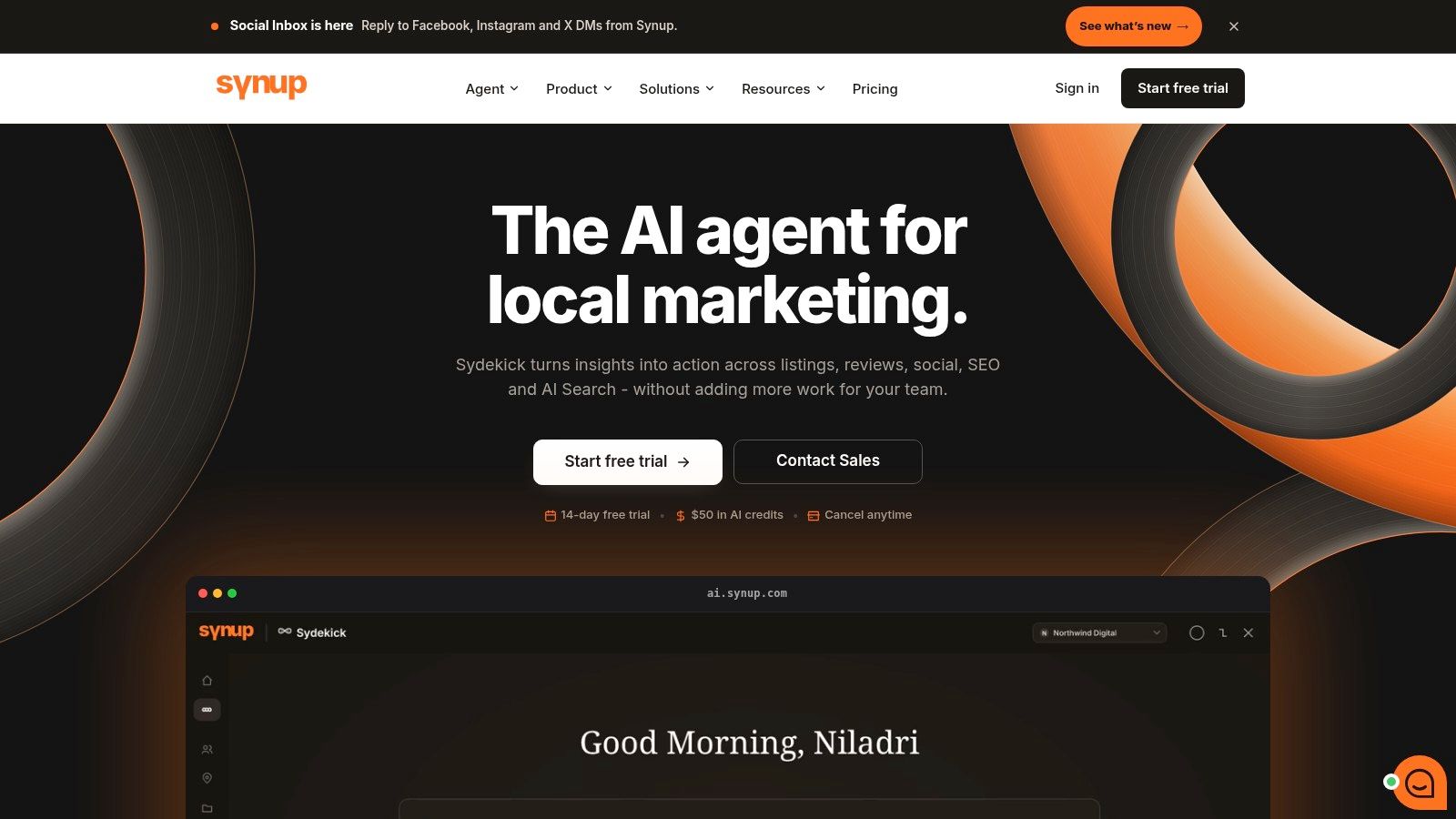
Synup is the platform to choose when you need one place to keep listings, reviews, local content, and reporting in sync across several locations. For HVAC, plumbing, roofing, electrical, and garage-door companies, the value is not the feature list, it’s the reduction in manual cleanup when service areas, hours, and location data change faster than your team can update them by hand. See the full product scope on Synup local SEO tools.
Why it stands out for contractors
Synup combines listings management across Google Business Profile, Apple Business Connect, Bing, Facebook, and 100+ publishers with review monitoring and response drafting, so your office team isn’t bouncing between separate dashboards. Its AI agent, Sydekick, adds chat, memory, skills, playbooks, approvals, and a full audit trail, which matters when multiple people touch the same locations and you need to know who changed what. That audit trail is useful when a franchise operator, office manager, or agency partner all have different permissions.
Practical rule: use Synup when listing accuracy, review speed, and multi-location control matter more than deep geo-grid diagnosis.
It also includes local content publishing, store locators, location pages on a custom domain, and local visibility tracking. For contractors who need a cleaner operating system rather than a single-purpose tool, that combination saves time. The platform’s pricing approach is also straightforward in one useful way, all features are included on every plan, and tiers vary by location count and agent throughput.
Where it fits and where it falls short
Synup is the right choice if you’re tired of duct-taping a listings tool, a review tool, and a reporting tool together. It’s also a strong fit when you need branded client portals, white-labeling, and scoped permissions for staff or agency partners. The limitation is simple, if you only want a rank tracker or a one-off citation fix, Synup is more platform than you need.
The biggest operational win is consistency. If your crew serves multiple neighborhoods, the tool helps keep your business data, replies, and pages aligned without extra admin work. If your business lives and dies on fast response times, the review workflow and approval loop give you a cleaner handoff from incoming review to posted reply.
2. BrightLocal
BrightLocal is the practical starting point for most contractors who want one tool to show where they rank, what needs fixing, and how visibility changes over time. It’s built around GBP audits, geo-grid tracking, listings management, and review monitoring, so you can use it without building a separate reporting stack. For a single-location or growing multi-location shop, it’s one of the cleanest ways to see before-and-after progress.
Best fit for field-ready local reporting
The strongest part of BrightLocal is how it explains local visibility in plain language. The Local Search Grid and Local Rank Tracker show map and organic positions across your service area, while the GBP Audit and Local Search Audit surface gaps against competitors. That matters for contractors because you don’t need abstract SEO theory, you need to know whether your shop ranks in the neighborhoods where your crews drive calls.
The workflow is easy to understand, listings sync, reviews get monitored, and the reporting looks usable for owners who don’t live inside SEO dashboards. It also offers citation building on a pay-as-you-go basis, which is helpful when you want to patch gaps without committing to heavy enterprise software. BrightLocal’s pricing model stays contractor-friendly until you push location count too high.
Where it gets less comfortable
BrightLocal gets more expensive as you scale past roughly ten locations, because per-location costs start to matter a lot more. It’s also less deep than enterprise suites if you need complex social publishing, broad governance, or large-team permission structures. Still, for most home-service operators, that trade-off is a good one.
BrightLocal works best when you want proof, not just promises. Use it to show the owner, dispatcher, or marketing lead where rankings changed and what changed with them.
If you want a tool that helps you track the work you already know you should be doing, BrightLocal is a strong choice. If you need an all-in-one command center for a franchise network, skip it and move up-market.
3. Semrush Local
Semrush Local makes the most sense when your team already lives inside Semrush for organic SEO or ads. It layers local functions onto the bigger platform, so your keyword work, visibility work, and local reporting stay in the same ecosystem. That matters if your marketing process already runs through one dashboard and you don’t want another subscription creating more admin.
Why existing Semrush users should care
The local add-on brings AI-assisted GBP management, post generation, auto-review replies, map rank tracking, and directory listings into a workflow your team already knows. That’s useful when you’re publishing service pages, tracking organic positions, and trying to keep Google Business Profile active without assigning a separate person to babysit it. The Local Toolkit page lays out the add-on structure on Semrush Local pricing.
What works best here is integration. If you already use Semrush for keyword research, audit work, or reporting, the local module keeps your processes tight. You don’t have to export data from one tool, move it into another, and then explain the numbers to your team from scratch.
The trade-off you need to respect
Semrush Local is not the cheapest way to do local SEO, especially if you’re starting from zero. Some capabilities sit on higher tiers, and the credits or limits require planning if you’re scanning a lot of service areas. That matters for contractors covering multiple cities, because one clean monthly plan can turn into a usage puzzle fast.
If your business already pays for Semrush, this is a sensible extension. If local SEO is the only thing you need, dedicated tools usually make more sense. For teams who want one ecosystem for site SEO and local visibility, though, Semrush Local is a clean fit. A useful home-service comparison is also covered in this Pipeline On guide to local SEO tools for home services.
4. Moz Local
Moz Local is the simplest option for keeping your business information tidy across directories without making setup feel like a second job. Contractors use it when the main problem is inconsistency, wrong phone numbers, duplicate listings, or stale address data that keeps drifting across the web. Its dashboard is clean enough that a small office team can own it without an SEO specialist standing over their shoulder.
Best when citations are the first weak link
Moz Local syncs NAP data across search engines and directories, monitors reviews, and gives you local grid views for hyperlocal ranking checks. For a shop that just needs to stop leaking trust through bad listing data, that’s enough. The value is in the simplicity, one place to enter the correct business details, then let the system push that data out.
It’s also useful when you need a starting point before moving into heavier SEO work. If your listings are all over the place, fix that first. Then layer rank tracking or more advanced review workflows on top.
What to expect before you buy
Moz Local is lighter than enterprise suites, and that’s the point. You’re buying consolidation, not deep customization. It works well for lower location counts, but it’s not the tool for a sprawling franchise operation with complex permissions and aggressive reporting needs.
If you want a practical companion resource on citation cleanup, use this Pipeline On citation-building guide alongside your setup. That pairing gives you a cleaner decision path, because the tool handles distribution while your process handles what needs fixing first.
Use Moz Local when your office needs clean listings more than it needs fancy dashboards.
For single-location contractors and small multi-location operators, it’s a sensible, low-friction buy. If you’re already past the basics and want more insight into why a competitor outranks you, move to something stronger on tracking.
5. Whitespark
Whitespark is the tool contractors and agencies reach for when citation accuracy matters more than flashy automation. It’s known for manual citation building, citation discovery, and reliable local rank tracking, which makes it especially useful in competitive markets where sloppy directory work hurts visibility. If your NAP data is messy, Whitespark helps you fix the fundamentals instead of just reporting on them.
Why it earns a spot in your stack
The Local Citation Finder shows where competitors are listed and where you’re missing opportunities. That matters for home-service businesses because local authority often depends on clean, consistent directory presence, not just a polished website. The Local Rank Tracker and Local Ranking Grids help you see where your visibility changes across a service area, which is exactly the kind of evidence an owner wants before approving more SEO spend.
Whitespark’s strength is precision without vendor lock-in. You can buy the tools and services you need, then keep the rest of your stack lean. It’s a strong fit when you want citation work handled carefully rather than blasted out through a generic submission process.
Where it fits in the real world
Whitespark is not a full social suite, inbox, or ad platform. It won’t replace your review system or your CRM. That’s fine, because the job here is fundamentals, clean citations, local opportunity discovery, and honest rank visibility.
If your team already has a CRM and review workflow, Whitespark slots in neatly. It’s especially good for contractors who want a manual citation cleanup process, not just a bulk push. That’s the difference between checking a box and building something durable.
6. Yext
Yext is built for scale, not for one shop trying to tidy up its Google Business Profile on a Friday afternoon. It shines when you manage many locations, need strong publisher coverage, and care about data governance across a large operation. For consolidators, franchises, and bigger service brands, that’s a serious advantage.
The enterprise case for Yext
Yext gives you direct distribution to a large publisher network, centralized listings, reviews, pages, search, and analytics. The practical win is real-time synchronization, which matters when location details, hours, or service-area data change often. If you’re managing dozens of branches, you need that level of control because a small error becomes a large operational issue quickly.
It also supports complex business structures, which helps if your locations don’t all look the same. Different names by region, different hours by branch, and multiple service models are all easier to manage in a governed system. The analytics and audit controls are there for a reason, large teams need visibility into what changed and why.
When not to buy it
Yext is overkill for most small contractors. If you’ve got fewer than five locations, the platform is probably more infrastructure than you need. It’s also sales-led and quote-based, so the buying motion takes more effort than a straightforward self-serve tool.
Buy Yext for governance and scale, not for curiosity.
If your business needs enterprise-level listing control and you already know the budget exists, Yext is a strong contender. If you’re still trying to get map-pack visibility and review response under control, start smaller and cheaper.
7. Uberall
Uberall is made for brands that need centralized control without stripping away local execution. It covers listings, reviews, local social, locator pages, and performance scoring, which makes it useful for franchises and multi-branch service networks. The appeal is simple, it gives regional and national operators a way to keep one brand standard across many local profiles.
What it does well
Uberall’s listings sync and duplicate suppression help protect profile integrity across locations. Its review inbox and AI-assisted response tools keep reputation management moving, while local social publishing and locator pages support a broader local presence. That combination is useful when your marketing team needs to manage many branches without losing local nuance.
The dashboard’s optimization tips are useful too, because they help surface the obvious misses. If one location is underperforming, the system can keep that from getting buried under the weight of the larger brand.
The trade-off
Uberall is best when you need multi-location control. If you’re a single-location contractor, or even a small two-to-four truck operation, the platform can feel too heavy. Pricing is quote-based, so you’ll need a sales conversation to know whether it fits your budget.
For larger service networks, though, the add-on model can be a plus. You can assemble the capabilities you need instead of buying extra features you’ll never touch. That flexibility is one of the reasons it belongs on a serious comparison list.
8. SOCi
SOCi is a governance-first local marketing platform for brands that need centralized control over listings, reviews, local pages, and social at scale. It’s popular with multi-location operators because it gives corporate teams a way to set guardrails while local teams still execute within them. That’s the right model when one bad update or one slow reply creates brand risk across many branches.
What makes it strong
SOCi’s listings management, review workflows, local pages, and social scheduling all support multi-location work. The value shows up in permissions, brand consistency, and the ability to keep hundreds of profiles active without giving every location free rein. Broad integrations help it fit into larger stacks where the CRM, social, and local workflow all need to talk to each other.
The AI layer helps teams move faster, especially when there are too many locations for a fully manual process. If you’re responsible for keeping local profiles accurate and responsive across a large network, that matters.
Where it belongs
SOCi is not the right tool for a small contractor trying to get more calls next month. It’s built for bigger deployments, and the pricing usually reflects that. The upside is real if you need governance, but the downside is obvious if you don’t.
If your business has the kind of scale where brand control matters more than DIY simplicity, SOCi makes sense. If you just need a cleaner way to get reviews and replies done, it’s too much tool.
9. Birdeye
Birdeye is a broad reputation and local marketing platform for contractors who want reviews, messaging, webchat, and payments in one place. That mix is useful when your business wins or loses jobs through fast communication. It’s especially relevant for service companies where office staff, dispatch, and field techs all touch the customer journey.
Why contractors pick it
Birdeye brings reviews, surveys, messaging, webchat, and payments into the same workspace. That means your team can request reviews, answer questions, and collect payments without switching systems every five minutes. For a service business, that’s a real operational gain because speed is often what determines who gets the job.
The listings optimization and local pages features help round out the local presence side, while the integrations make it easier to connect with a broader workflow. If your business relies on a fast response loop, Birdeye does a lot of the heavy lifting.
What to watch
The feature set is broad enough that onboarding can take time. That’s the trade-off for getting more in one vendor. Pricing is also sales-led, so you won’t always get a clean number upfront without a conversation.
Birdeye is strongest when reviews and messaging are just as important as visibility. If your team needs the customer to move from search to text to booking quickly, it’s a serious contender. If you only want local rank tracking, it’s too broad.
10. Podium
Podium is built around communication, reviews, and payments, which makes it a strong fit for field-service contractors. If your crews spend their day on jobsites and your office depends on text messages to keep things moving, Podium fits the way your business works. It is less about broad SEO depth and more about turning conversations into booked work and collected payments.
Best use case for home-service teams
The central inbox pulls SMS, webchat, reviews, and social DMs into one place. That matters because customers don’t care which channel they used to reach you, they want someone to answer. Review invites by text are especially effective for service businesses because the ask happens while the job is still fresh in the customer’s mind.
The payments side matters too. Text-to-pay, card readers, and mobile apps make Podium useful for dispatch-heavy teams that want faster collections without extra back-and-forth. For crews that live on the road, that’s a real workflow upgrade.
Where it falls short
Podium is not a primary listings platform, so you’ll likely pair it with another tool if citation accuracy is a major issue. It’s also quote-based, which means the price can land higher than simpler point solutions.
If your biggest bottleneck is response speed, review generation, and payment collection, Podium is a good fit. If your biggest bottleneck is map-pack diagnosis, use something else for the SEO side and keep Podium focused on communication.
11. Local Falcon
Local Falcon is the tool you use when you want proof of where your map visibility works and where it breaks. Geo-grid scans show your ranking across a service area point by point, which is exactly what contractors need when one neighborhood ranks well and another falls off completely. For service-area businesses, that visual evidence is hard to beat.
Why it’s so useful in the field
Geo-grid scans make distance-to-user effects visible. A company can rank well near its office and weakly across the rest of town, and Local Falcon makes that obvious in a way owners can understand quickly. It also tracks Apple Maps and local AI visibility, which broadens the picture beyond Google alone.
The credit-based model is flexible if you plan your scans. It works well when you need precise diagnosis more than constant monitoring. If you’re trying to explain why your roofing company dominates one side of the metro and disappears on the other, this is the tool that shows the pattern.
Use Local Falcon to diagnose the service-area problem before you spend money trying to fix it.
The limitation that matters
Local Falcon is specialized. It tracks, it diagnoses, and it visualizes, but it does not manage listings or reviews. That means it belongs beside another local SEO tool, not in place of one.
If you want a deeper look at how the map-pack side of local visibility behaves, this Pipeline On guide to Google Map Pack ranking factors is the right companion read. The practical lesson is simple, you need evidence before you start changing offers, pages, or service-area targeting.
Local SEO Tools, 11-Tool Comparison
| Tool | Primary focus (core features) | Best for (target audience) | Key differentiator (unique selling point) | Pricing & scale / Fit |
|---|---|---|---|---|
| Synup | Listings, reputation, AI agent for local SEO | Agencies, multi-location brands, franchises | Agentic AI (Sydekick) with approvals, white‑label & per‑client memory | Location-based tiers; enterprise throughput scaling |
| BrightLocal | GBP audits, local rank tracking, listings, reviews | Single-location contractors & small multi-location teams | Contractor-friendly reports and affordable per-location pricing | Competitive for small teams; costs rise past ~10 locations |
| Semrush Local | GBP automation, map rank tracking, listings within Semrush | Users already on Semrush; SEO/ads teams | Tight integration with Semrush ecosystem and reporting | Add-on model; some features gated by higher tiers/credits |
| Moz Local | Listings sync, review monitoring, local grid views | Small businesses seeking simple listings/reviews | Simple, consolidated workflow with strong brand resources | Pricing aimed at lower location counts; enterprise via sales |
| Whitespark | Citation building, Local Rank Tracker, citation research | Agencies/SMBs needing citation accuracy & cleanups | Manual listings service + transparent, one‑time citation options | One-time fees for citation work; tools priced per use |
| Yext | Enterprise listings, knowledge graph, data governance | Large multi-location brands & consolidators | Wide publisher network (200+ endpoints) and governance controls | Enterprise, quote-based pricing; built for scale |
| Uberall | Centralized listings, reviews, local pages, performance scoring | Franchises and multi-branch service networks | Brand control with local execution and modular add‑ons | Quote-based; best value at multi-location scale |
| SOCi | Listings, reviews, local pages, social at scale | Franchises, retail, property management | Governance + AI agents for centralized control & local execution | Quote-based, enterprise-focused pricing |
| Birdeye | Reviews, messaging, payments, listings & surveys | Contractors wanting one vendor for reviews + messaging + payments | AI “co‑workers” plus integrated payments and messaging | Sales-led pricing; modular by features & locations |
| Podium | SMS/webchat inbox, review invites, payments | Field teams and dispatch-heavy contractors | Text-first workflows, mobile apps, fast review & payment paths | Quote-based; strong for on-site operations (pairs with listings) |
| Local Falcon | Geo-grid rank tracking and GBP diagnostics | Contractors needing street‑level coverage proof & diagnostics | Best-in-class geo-grid visualizations and Apple Maps/AI scans | Credit-based per-scan pricing; pairs with listings/review tools |
Build the Stack Your Dispatch Team Will Use
There isn’t one universal winner in local SEO tools, because your bottleneck changes with your business model. If you’re trying to get a practical all-in-one starting point, BrightLocal is the cleanest first buy. If citations are the weak link, Whitespark is the better fundamentals play. If you need to prove how rankings change across neighborhoods and service zones, Local Falcon gives you the clearest diagnosis.
For communication-heavy teams, Podium and Birdeye belong near the top of the list because reviews, text messaging, and payment follow-up are part of how home-service businesses close work. For larger brands with governance requirements, Yext, Uberall, and SOCi make sense when the location count justifies enterprise control. Synup fits between those worlds when you want listings, reviews, local content, and approvals in one operating system.
The value shows up when local SEO connects to your CRM and your follow-up process. Install the lightweight script on your website, route captured profiles through the stack you already use, and keep your local visibility work tied to the tools that run revenue. Pipeline On fits that process because it feeds captured homeowners into systems like ServiceTitan, Housecall Pro, Jobber, HubSpot, and Pipedrive, then lets you prioritize outreach with Hot Pages and Hot Leads so your team chases the right opportunities first.
Use local SEO tools to improve map rankings, citation accuracy, and review response speed. Use Pipeline On to recover the visitors who never filled out the form in the first place, then measure recovered opportunities alongside your rankings, citations, and reviews. If your current setup still treats visibility and conversion as separate jobs, fix that now. Book a Pipeline On walkthrough, connect it to your CRM, and build a follow-up process your dispatch team will use.
Written by
Pipeline Research Team